Qodex lets you define test scenarios from scratch, ideal when you want complete control over the flow, inputs, and validation logic.Documentation Index
Fetch the complete documentation index at: https://qodex.ai/docs/llms.txt
Use this file to discover all available pages before exploring further.
When to Use It
- You already know what endpoints and behaviors you want to test
- You want to create tests independent of AI suggestions
- You’re customizing edge cases or regression scenarios
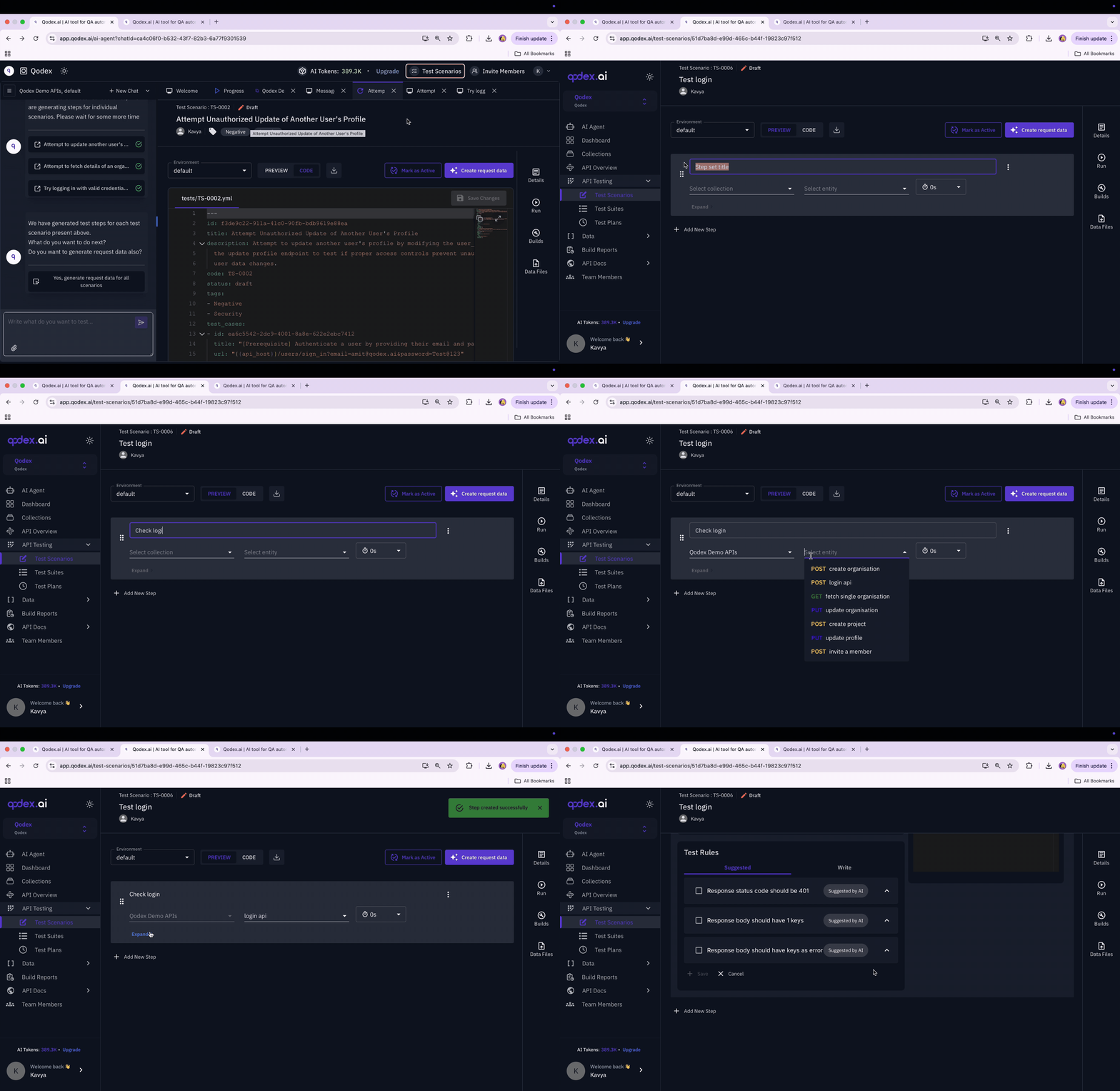
Steps to Create a Manual Test Scenario
- Go to Test Scenarios Navigate to Test Scenarios from the sidebar.
- Click “+ Add new test scenario” Top-right corner → Choose Create Manually.
-
Set Basic Details
- Give your scenario a name
- Select the API Collection
- Choose the endpoint you want to test (GET, POST, etc.)
-
Add Request Data
- Define path/query parameters, headers, and body
- You can also use dynamic variables (e.g., token)
-
Write Test Rules
- Add expected status codes, field validations, or custom JS assertions
- Use built-in assertions (e.g., status = 200, field exists)
- Or write custom logic under “Write” > Assertion / DB Validation tabs
-
Optionally Add Prerequisites
- You can attach prerequisite test steps like login or data setup
-
Save & Run
- Save the test and hit “Run” using your preferred environment
- View results under Build Reports