Once your test scenarios are set up, running them from the Qodex UI is fast and frictionless.Documentation Index
Fetch the complete documentation index at: https://qodex.ai/docs/llms.txt
Use this file to discover all available pages before exploring further.
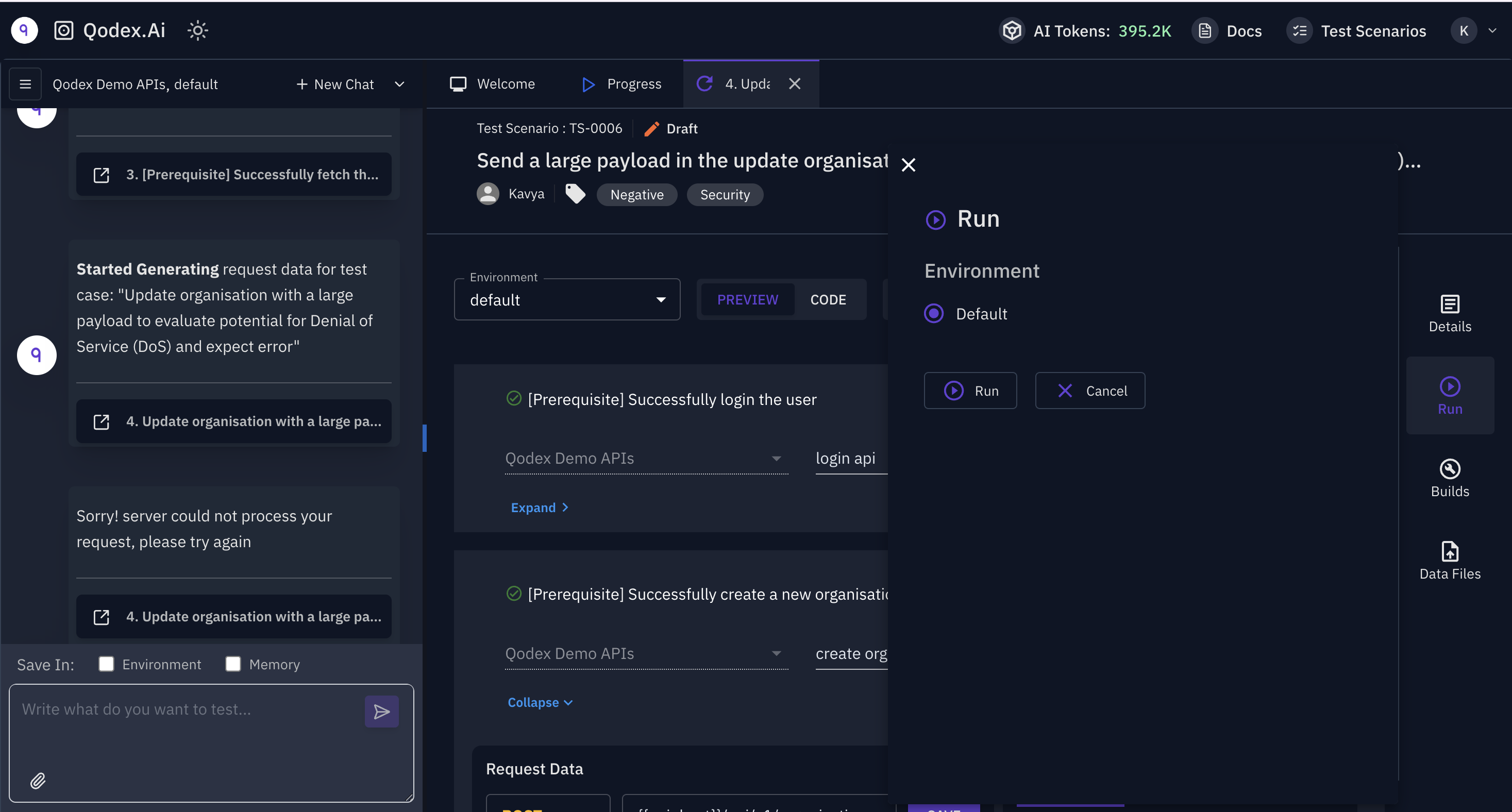
Steps:
- Go to Test Scenarios From the left menu, navigate to API Testing → Test Scenarios.
-
Select a Scenario or Suite
You can:
- Run an individual test scenario
- Use a pre-built test suite for grouped execution (Add multiple active test scenarios into a Test Suite)
- Click Run On the top right of the panel, hit the Run button.
- Choose Environment Select an environment (like staging, QA, prod) if configured.
-
View Results Instantly
Once the run is complete:
- Check the Build tab on the right for execution logs
- See pass/fail status for each test case
- Debug faster with request/response data and test rule breakdowns
Why Use Web App Execution:
- No setup required
- Ideal for QA engineers or developers reviewing logic before committing
- Great for testing ad-hoc changes or debugging new rules
If you need CLI-based runs for CI/CD, see Running Tests via CLI instead.