
My tests are flaky. What does Qodex do about it?
Qodex tries to separate product bugs from noisy test failures. When a run fails, Qodex looks at the evidence and classifies the failure as a real bug, stale test, or environment issue. For UI scenarios, it can also recover from many selector and layout changes.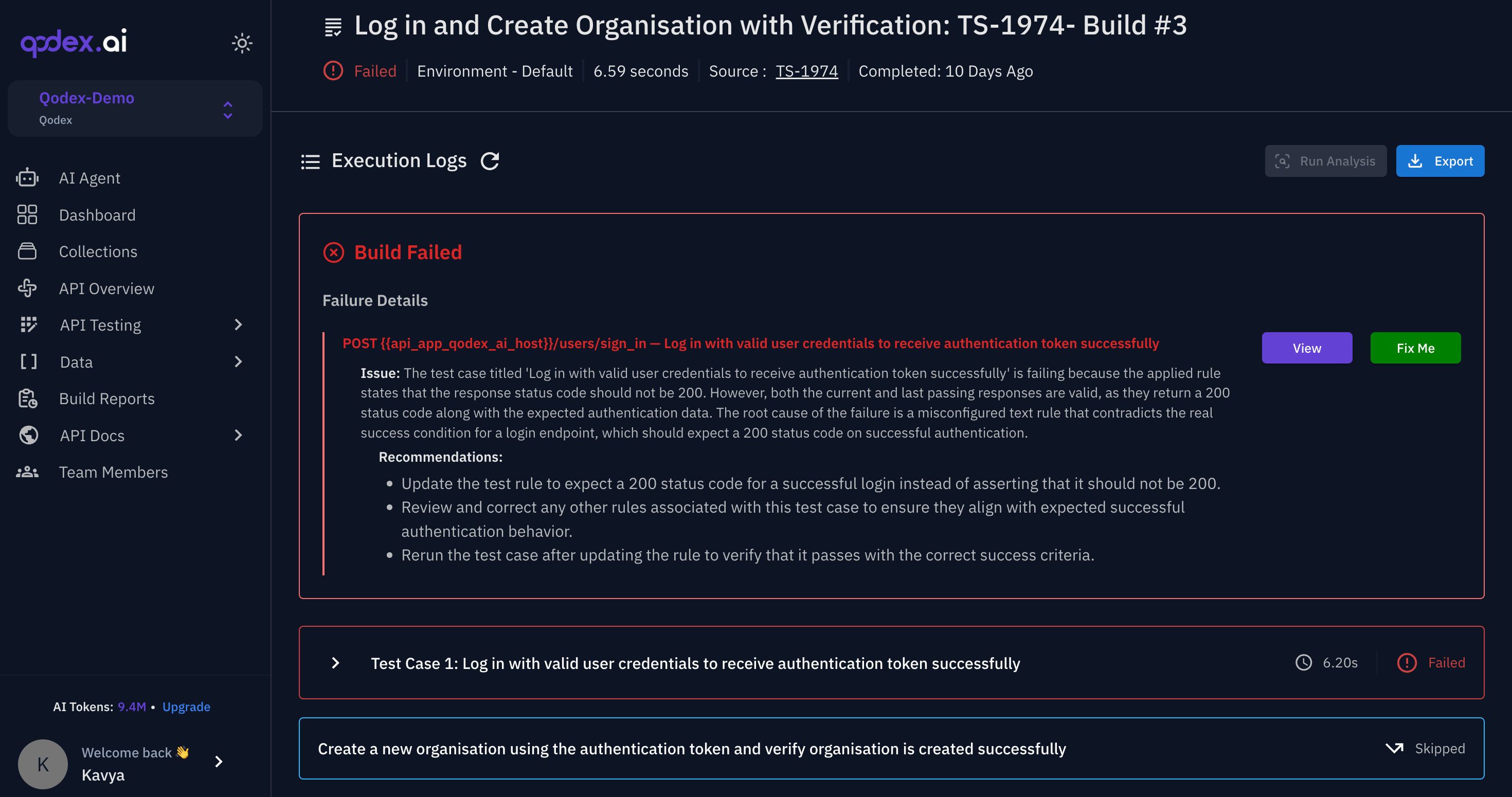
Failure classification
A failure labeled Not yet judged has not been classified yet. Treat it as unknown, not as clean.
This keeps temporary staging problems and stale selectors from automatically becoming product findings. Scheduled runs whose only failures are repairs, environment problems, or already-open issues do not send a failure email.
UI replay recovery
UI scenarios replay cached browser actions. If a selector changes but the step intent still makes sense, Qodex can resolve the intent against the current page and continue. A small label, layout, or selector change does not always require a manual test update.Evidence guard
Qodex expects evidence before opening high-severity findings. That evidence may include a screenshot, DOM snapshot, request, response, console output, or replay trace. This reduces the chance that a single missed selector becomes a confident product bug.What you should do
- For Test needs repair, click Fix in chat on the failed result, update the scenario, and rerun it.
- For Environment, fix the target, data, network, or auth setup.
- For a real bug, review the evidence and fix the product behavior.
- To understand what a result actually returned before deciding, click Ask in chat on it.
Roadmap
Flaky-test detection and auto-repair proposals for stale tests are planned. That will help Qodex treat frequently noisy tests differently from newly failing tests.Next steps
Failure classification
Learn the three failure types.
Replay cache and self-healing
See how UI recovery works.
Findings
Understand what becomes a finding.
Re-run failed tests
Rerun only failed scenarios.