
API Key Generator
Create secure, random API tokens instantly with the Qodex API Key Generator. Ideal for mocking authentication flows, simulating token-based access, or setting up test environments. Pair it with tools like the Token Generator, UUID Generator, or Password Generator for complete dev and security workflows.
API Key Generator - Documentation
API Key Generator
The Qodex API Key Generator is a free tool that creates secure, random API keys and tokens instantly, ideal for testing authentication flows, simulating access credentials, or populating developer documentation with safe, dummy data. You can customize the output to include uppercase letters, numbers, and special characters to fit your desired token complexity. For added control, simply select your preferred key length (for example, 256 bits) and choose whether to use letters, numbers, or a blend of both for extra randomness. If you’d like, add a custom prefix to help identify your keys, and set a separator, such as a new line or comma, when generating multiple keys at once. With just a click, instantly create your keys and use the “Copy API Keys” button to securely grab and use them wherever you need.
Looking for a free Codex API key? You do not need an API key for Codex code review. Codex comes with a ChatGPT account, and OpenAI’s pricing page says the API-key route has no cloud features, so a key would not give you GitHub code review. If what you want is your pull requests reviewed for free, Qodex reviews 20 a month at no cost, and developers who attach a Codex account get one year of Qodex free by signing in with ChatGPT.
How to Generate Custom API Keys
Choose Character Types: Mix and match letters, numbers, and special characters to get the randomness and complexity you need.
Add a Prefix (Optional): Attach a custom prefix for easy identification, especially handy when juggling multiple keys.
Generate Instantly: Click “Generate API Keys” and your secure tokens appear right away.
Copy Securely: Use the “Copy API Keys” button to safely transfer your keys wherever you need them.
Whether you’re spinning up test environments, working with Postman collections, or setting up a mock server, these customization options ensure your keys fit your workflow perfectly.
What is an API Key?
API keys are unique strings that authorize communication between applications or services. Instead of generating them manually or using real production keys in test environments, our tool lets you safely generate dummy API keys that mimic the format of real credentials. This ensures realistic development or QA without risking security leaks.
How long should an API key be for best security practices?
When it comes to securing your APIs, length matters. Security experts and organizations like OWASP recommend generating API keys that are at least 32 characters long. This ensures a strong level of entropy, making your keys much more difficult to guess or crack, even with modern brute-force methods.
With the Qodex API Key Generator, you can easily adjust the length of your token to suit your security needs. Whether you’re looking for a 32-character key for standard testing or prefer a longer string for added peace of mind, you’re in control. The longer and more complex your key, the more robust your mock authentication flows will be.
Best Practices for Managing API Keys
When working with API keys, whether in production or test environments, implementing strong management practices is key to maintaining app security and protecting data. Here are a few essential tips:
Rotate keys regularly: Replace API keys at scheduled intervals or immediately if you suspect compromise. This limits the risk of unauthorized access through stale credentials.
Set expiration dates: Always assign a lifespan to each API key. Automatic expiration prevents old, unused keys from lingering as potential vulnerabilities.
Limit access scope: Generate keys with the least privilege they need. If an API token only needs read access, avoid granting unnecessary write or admin permissions.
Monitor usage: Use logging and dashboards to track how and where keys are used. Tools like AWS CloudTrail or Google Cloud Audit Logs can help spot anomalies or suspicious activity.
Never share or commit keys publicly: Use environment variables or secret managers (like HashiCorp Vault or AWS Secrets Manager) to store keys securely, never embed them in code repositories.
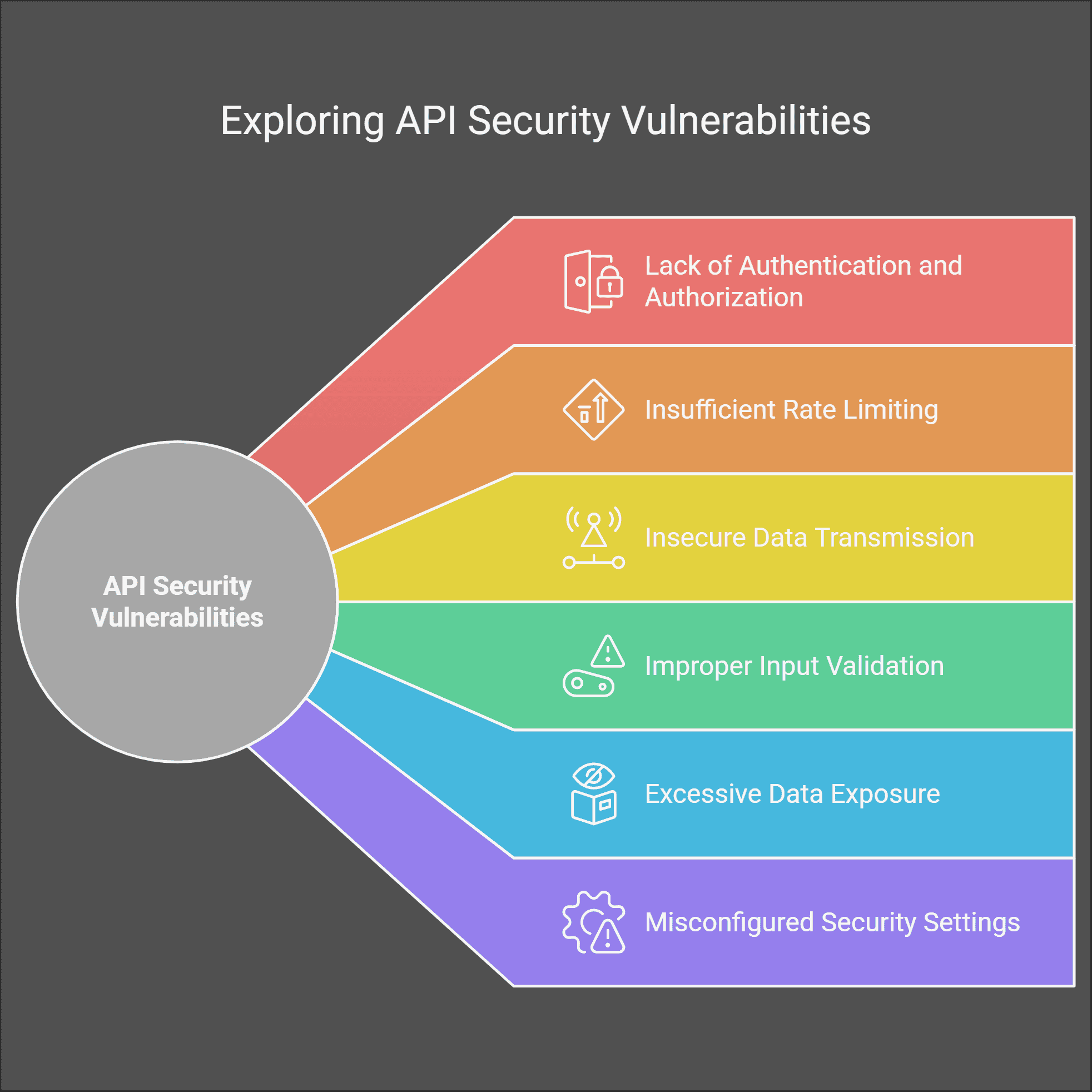
Following these guidelines helps keep your systems secure while preserving the flexibility to test, build, and launch new features with confidence. For automated verification that your API key handling follows these practices, Qodex API security testing scans your endpoints for exposed keys, weak authentication, and OWASP Top 10 vulnerabilities.
Key Features and Benefits
Secure Random Keys - Each key is randomly generated using a secure algorithm, providing strong entropy for testing secure endpoints.
Config-Free, One-Click Generation - No setup or sign-in required - just click Generate and receive a ready-to-use API key.
Ideal for Mock Authentication - Use in staging environments, simulated login flows, API request headers, or front-end field validation.
Unlimited Tokens - Generate as many as you need for testing multiple users, sessions, or endpoints.
Pairs Well with Developer Tools - Combine with UUID Generator, Token Generator, and Password Generator to build robust mock security layers.
Local Generation for Privacy & Security
Absolutely, API key generation takes place entirely within your browser for maximum privacy and security. Your keys are never transmitted over the internet, logged, or stored on any external server. What you create on this page stays on this page, ensuring your test credentials remain private and suitable for sensitive development or QA needs.
Example API Keys
d83d9a7e-8822-4671-bc22-a5c491fe6b3c
e8f7d34cd0b743e8b3c5f7ba932c23f9
qodex_live_sk_29nucQf28Hk72S8sKoFwp2t1n3sUOa
Note: These keys are randomly generated and not connected to any actual service.
How It Works
Click the Generate button
A secure API key appears instantly
Click Copy to paste it into your code, form, or dev tool
Repeat as needed for additional tokens
Common Use Cases
Securing mock API requests during development
Testing token-based authentication systems
Pre-filling API headers in Postman or Swagger
CI/CD pipeline automation with temporary credentials
Teaching or documenting API flows without revealing real credentials
Need to test APIs with your generated keys? Try our automated API testing platform to validate your endpoints, security, and authentication flows with zero code required.
How Do I Store API Keys Securely?
When it comes to safeguarding API keys, best practice means never embedding them directly in your application’s source code or version control repositories (looking at you, GitHub). Instead, opt for secure storage mechanisms like:
Environment Variables: Configure your keys outside the application, ensuring sensitive data never ends up hard-coded or checked in by accident.
Secrets Managers: Tools such as AWS Secrets Manager, HashiCorp Vault, or Azure Key Vault are purpose-built to securely store and manage credentials, providing fine-grained access control and audit trails.
Configuration Files (Properly Secured): If you must use config files, make sure they’re excluded from version control and properly encrypted.
Additionally, always assign the least privilege possible to each key, limit both what the key can do and where it’s valid. Regularly rotate your keys, monitor their usage, and revoke any that are no longer needed to minimize your attack surface. This way, your development and test environments stay safe, organized, and leak-resistant.
How should I store API keys securely to prevent unauthorized access?
Properly securing your API keys protects your code and your data from prying eyes. Avoid placing them directly in your source code or sharing them in public repositories. Instead, try the following best practices:
Use Environment Variables: Always store sensitive keys in environment variables, so they're kept separate from your codebase.
Leverage Secrets Management Tools: Solutions like HashiCorp Vault, AWS Secrets Manager, or Azure Key Vault help manage and rotate keys securely.
Restrict Permissions: Limit the scope and lifetime of your keys to the minimum necessary for each environment or user.
Monitor and Audit Usage: Regularly review access logs to spot unusual or unauthorized API key usage.
Never Commit Keys to Version Control: Add patterns to your
.gitignoreand scan repos for accidental leaks before pushing any code.
Following these steps helps keep your tokens private and your APIs, and users, protected.
API Key vs JWT vs OAuth Token
Not sure which authentication method to use? Here is a quick comparison:
| Feature | API Key | JWT (JSON Web Token) | OAuth Token |
|---|---|---|---|
| Format | Random string | Base64-encoded JSON with signature | Opaque or JWT |
| Expiration | Manual rotation | Built-in exp claim | Configurable TTL |
| Payload | None (identifier only) | Claims (user ID, roles, scopes) | Varies by grant type |
| Revocation | Delete from server | Blocklist or short TTL | Token revocation endpoint |
| Best for | Server-to-server, simple auth | Stateless microservices | User-authorized third-party access |
| Security level | Basic (no context) | Medium (signed, verifiable) | High (scoped, delegated) |
When to use API keys: API keys are the simplest option for authenticating server-to-server communication, internal services, and rate limiting. Use JWTs when you need to pass identity claims between services without a database lookup. Use OAuth when third-party applications need scoped access to user data.
Generate API Keys Programmatically
Need to generate API keys in your own application? Here are examples in popular languages:
Python
import secrets
import string

def generate_api_key(length=64, prefix="sk_"):
    charset = string.ascii_letters + string.digits
    key = ''.join(secrets.choice(charset) for _ in range(length))
    return f"{prefix}{key}"

print(generate_api_key())
# sk_aB3kF9mNpQ7wX2jL5vR8tY1uC4eG6hI0sD...
Node.js
const crypto = require('crypto');

function generateApiKey(length = 64, prefix = 'sk_') {
  const key = crypto.randomBytes(length).toString('base64url').slice(0, length);
  return prefix + key;
}

console.log(generateApiKey());
// sk_aB3kF9mNpQ7wX2jL5vR8tY1uC4eG6hI0sD...
Go
package main

import (
    "crypto/rand"
    "encoding/base64"
    "fmt"
)

func generateAPIKey(length int, prefix string) (string, error) {
    bytes := make([]byte, length)
    _, err := rand.Read(bytes)
    if err != nil {
        return "", err
    }
    key := base64.URLEncoding.EncodeToString(bytes)[:length]
    return prefix + key, nil
}

func main() {
    key, _ := generateAPIKey(64, "sk_")
    fmt.Println(key)
}
All examples use cryptographically secure random number generators (CSPRNG) to ensure keys have sufficient entropy. Never use Math.random() (JavaScript) or random.random() (Python) for security-sensitive key generation.
Combine with Other Tools
For realistic and complete test environments, use with:
UUID Generator – for unique resource IDs
Token Generator – for session or auth token testing
Password Generator – to simulate secure login flows
Email Generator – for developer account test cases
Username Generator – for API consumer profiles
Learn More
What Is API Authentication?, understand API keys, tokens, and other authentication methods
JSON Web Tokens (JWTs), learn how JWTs compare to API keys for stateless authentication
15 API Security Best Practices, secure your API keys and protect your endpoints
Frequently Asked Questions
Are these API keys real or usable in production?
Can I control the length or format of the key?
What’s the difference between API key and token?
Can I simulate OAuth headers with these keys?
Are the generated keys saved or stored?




Related Articles

Shipping code that handles keys and tokens?
Qodex is for teams who build software. On every pull request it attacks your app with two real accounts and reports what got through. See how it works