API Uptime Monitoring: The Complete Guide for Engineering Teams
API Uptime Monitoring at a Glance
| Aspect | Details |
|---|---|
| What it is | Continuously checking API endpoints for availability, correctness, and performance |
| Key checks | Status codes, response payloads, latency, authentication, SSL |
| Check frequency | 30-60 seconds for production APIs |
| Detection target | Under 2 minutes from failure to alert |
| Essential endpoint | GET /health with dependency checks |
| Alert channels | PagerDuty, Slack, webhooks, email |
| Differs from website monitoring | Validates data contracts, not visual rendering |
What Is API Uptime Monitoring?
API uptime monitoring is the practice of continuously sending requests to your API endpoints to verify they are available, returning correct responses, and performing within acceptable latency thresholds. It goes far beyond simple ping checks -- a proper API monitor validates response status codes, inspects JSON or XML payloads, tests authentication flows, and measures response times against your SLA targets.
Modern applications are built on APIs. Your mobile app, web frontend, partner integrations, and internal microservices all communicate through API endpoints. When an API goes down, the impact cascades: mobile apps freeze, dashboards show blank data, partner integrations fail, and automated workflows break. API uptime monitoring is the early warning system that detects these failures before your users do.
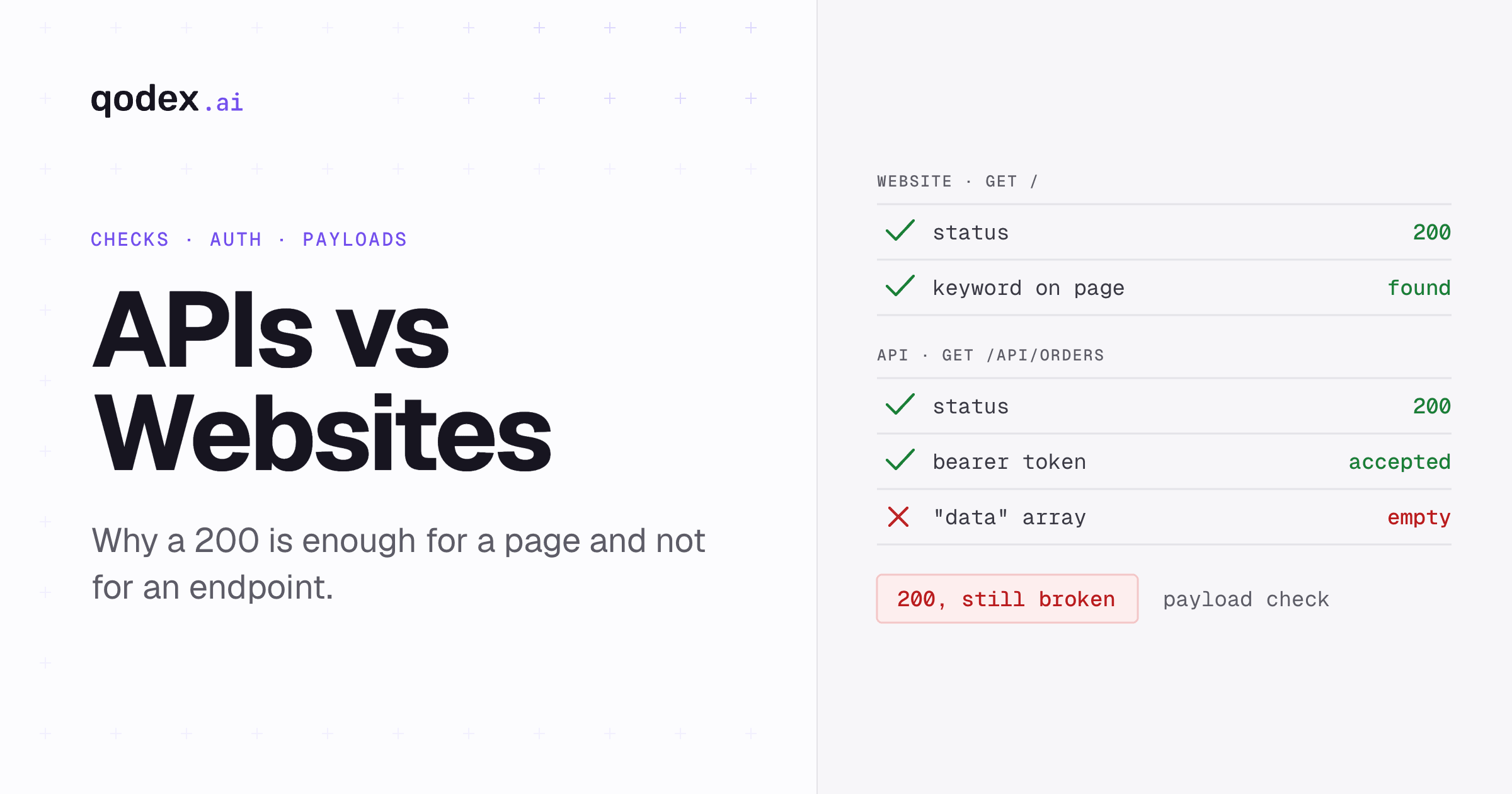
Unlike website monitoring, which primarily checks if pages load correctly in a browser, API monitoring validates the programmatic contracts your services depend on. For a detailed comparison, see our guide on API vs website uptime monitoring. And if you are new to the concept of uptime monitoring generally, start with what is uptime monitoring.
Why API Uptime Monitoring Is Critical
APIs Are the Backbone of Modern Architecture
In a microservices architecture, a single user action can trigger a chain of 10+ internal API calls. If any link in that chain breaks, the entire user experience degrades. API monitoring catches failures at the source before they cascade through your system.
APIs Serve Multiple Consumers
A single API endpoint might serve your web app, mobile app, partner integrations, and internal tools simultaneously. When that endpoint goes down, the blast radius is enormous. Unlike a website outage that affects only web visitors, an API outage can break every application that depends on it.
API Failures Are Often Silent
Websites show visible error pages when they break. APIs fail silently -- returning empty arrays, stale data, or subtle error responses that look normal at first glance. Without active monitoring that validates response content, these silent failures can persist for hours before anyone notices.
SLA Compliance Requires Proof
If your API is consumed by paying customers or partners, you likely have SLA commitments. API monitoring provides the hard data you need to prove compliance -- or to detect violations before your customers report them.
Mean Time to Detect (MTTD) Drives MTTR
You cannot fix what you do not know is broken. The faster you detect an API failure, the faster you can resolve it. Teams with proper API monitoring typically achieve MTTD under 2 minutes, compared to 30+ minutes for teams relying on user reports.
What to Monitor in Your API
Effective API monitoring goes beyond checking if an endpoint returns 200 OK. Here is what a comprehensive monitoring strategy covers:
1. Availability (Is It Responding?)
The most basic check: send a request and confirm you get a response. This catches server crashes, network outages, DNS failures, and load balancer misconfigurations.
2. Correctness (Is the Response Right?)
A 200 OK response does not mean the API is working correctly. Validate the response body for expected fields, data types, and values. For example, if your /users endpoint should return a JSON array, verify that the response actually contains a valid array -- not an error message wrapped in a 200 status.
3. Latency (Is It Fast Enough?)
Set latency thresholds based on your SLA and user expectations. A /health endpoint should respond in under 200ms. A search endpoint might have a 2-second threshold. Alert when latency exceeds thresholds consistently, not on individual spikes.
4. Authentication Flows
Monitor your authentication endpoints specifically. If your OAuth token endpoint is down or slow, every authenticated request across your platform fails. Test the complete auth flow: request a token, then use it to make an authenticated API call.
5. SSL Certificate Health
An expired SSL certificate makes your API completely unreachable for clients that enforce certificate validation (which they should). Monitor certificate expiration dates and alert 30, 14, and 7 days before expiry.
6. Critical Business Workflows
Some operations require multiple sequential API calls. For example, an e-commerce checkout might involve: create cart, add items, apply discount, process payment, confirm order. Monitor these multi-step workflows end-to-end to catch integration-level failures that single-endpoint checks miss.
7. Error Rate Trends
Individual failures happen. What matters is the trend. Monitor your 5xx error rate over time. A sudden spike from 0.1% to 5% indicates a systemic problem, even if most requests still succeed.
Building Effective Health Check Endpoints
A well-designed health check endpoint is the foundation of API monitoring. Here is how to build one that actually tells you something useful:
The Lazy Health Check (Do Not Do This)
// BAD: This only tells you the web server is running
app.get('/health', (req, res) => {
  res.json({ status: 'ok' });
});
This endpoint returns 200 as long as the Node.js process is alive. It tells you nothing about whether the application can actually serve requests.
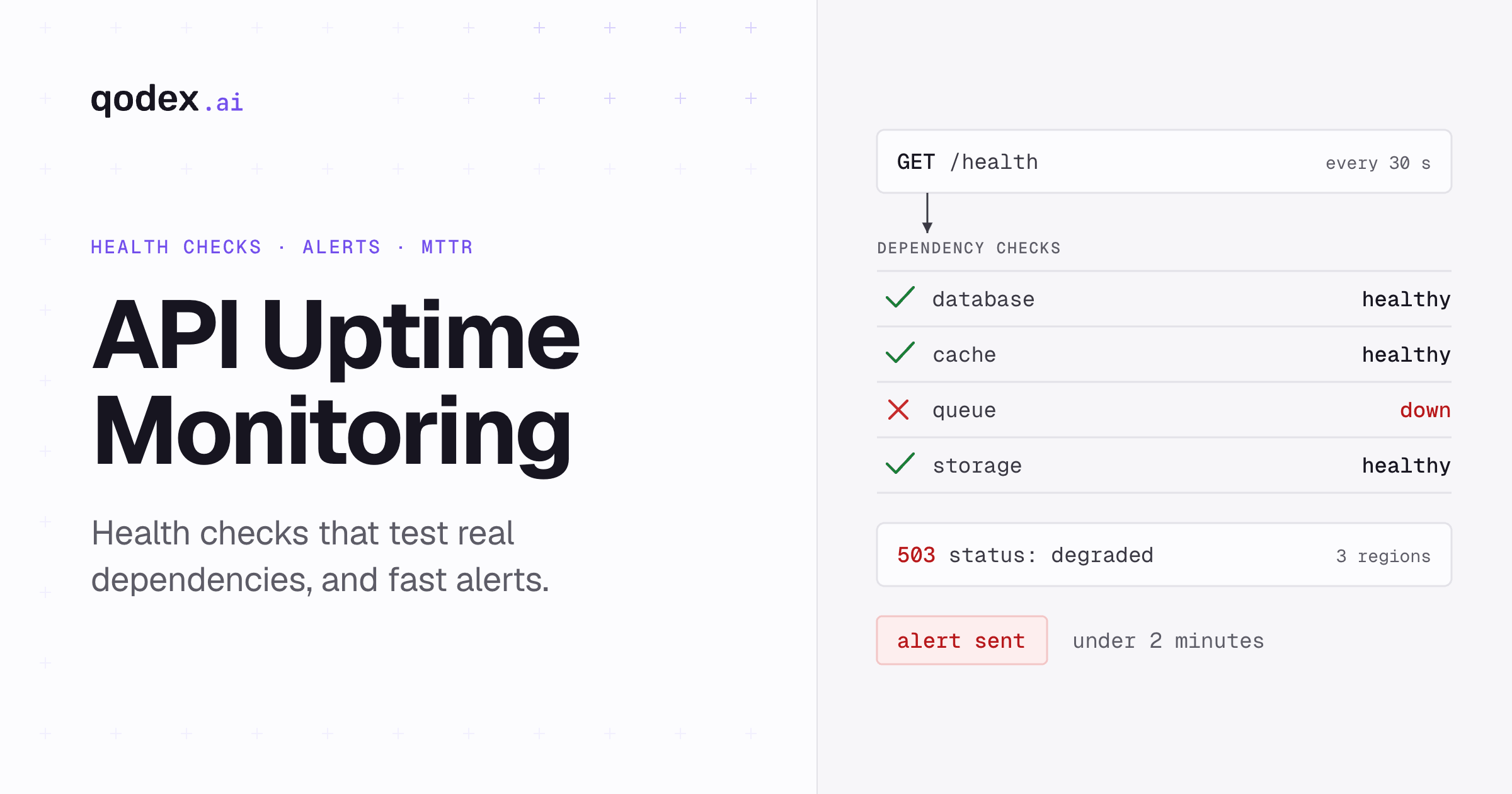
The Smart Health Check
// GOOD: Verifies actual dependencies
app.get('/health', async (req, res) => {
  const checks = {
    database: await checkDatabase(),
    cache: await checkRedis(),
    queue: await checkMessageQueue(),
    storage: await checkS3(),
  };

  const allHealthy = Object.values(checks).every(c => c.healthy);
  const status = allHealthy ? 200 : 503;

  res.status(status).json({
    status: allHealthy ? 'healthy' : 'degraded',
    timestamp: new Date().toISOString(),
    checks,
    version: process.env.APP_VERSION || 'unknown',
  });
});
Health Check Best Practices
Check real dependencies -- Database, cache, message queue, external services. If any critical dependency is down, the health check should return 503.
Keep it fast -- Health check endpoints should respond in under 200ms. Use connection pool pings, not full queries.
Include metadata -- Return the app version, timestamp, and individual dependency statuses. This helps diagnose issues without digging through logs.
Separate readiness from liveness -- In Kubernetes environments, use /healthz for liveness (is the process alive?) and /readyz for readiness (can it handle traffic?). These serve different purposes.
Do not require authentication -- Health check endpoints should be unauthenticated so monitoring tools can hit them without managing tokens.
Setting Up API Monitoring: Step by Step
Step 1: Inventory Your Endpoints
List every API endpoint that needs monitoring. Prioritize by criticality:
Tier 1 (Critical) -- Authentication, payment processing, core data endpoints. Check every 30 seconds.
Tier 2 (Important) -- Search, user profiles, notifications. Check every 60 seconds.
Tier 3 (Nice to have) -- Admin APIs, analytics endpoints, internal tools. Check every 5 minutes.
Step 2: Define Success Criteria
For each endpoint, specify what a successful check looks like:
Expected HTTP status code (usually 200, but some endpoints legitimately return 201 or 204)
Required response body fields (e.g., response must contain a "data" array)
Maximum acceptable latency (e.g., under 500ms)
Expected response content type (application/json)
Step 3: Configure Multi-Region Checks
Always monitor from at least 3 geographic locations. This serves two purposes: it catches region-specific outages, and it prevents false positives from transient network issues at a single monitoring location. Only alert when 2+ regions confirm the failure.
Step 4: Handle Authentication
Many API endpoints require authentication. Your monitoring tool needs to handle this. Qodex.ai supports Bearer tokens, API keys, OAuth flows, and custom header-based authentication. Store credentials securely -- never hardcode tokens in monitoring configurations.
For long-lived API keys, set up a dedicated monitoring service account with read-only permissions. For OAuth tokens, configure automatic token refresh so your monitors do not break when tokens expire.
Step 5: Set Up Alerts
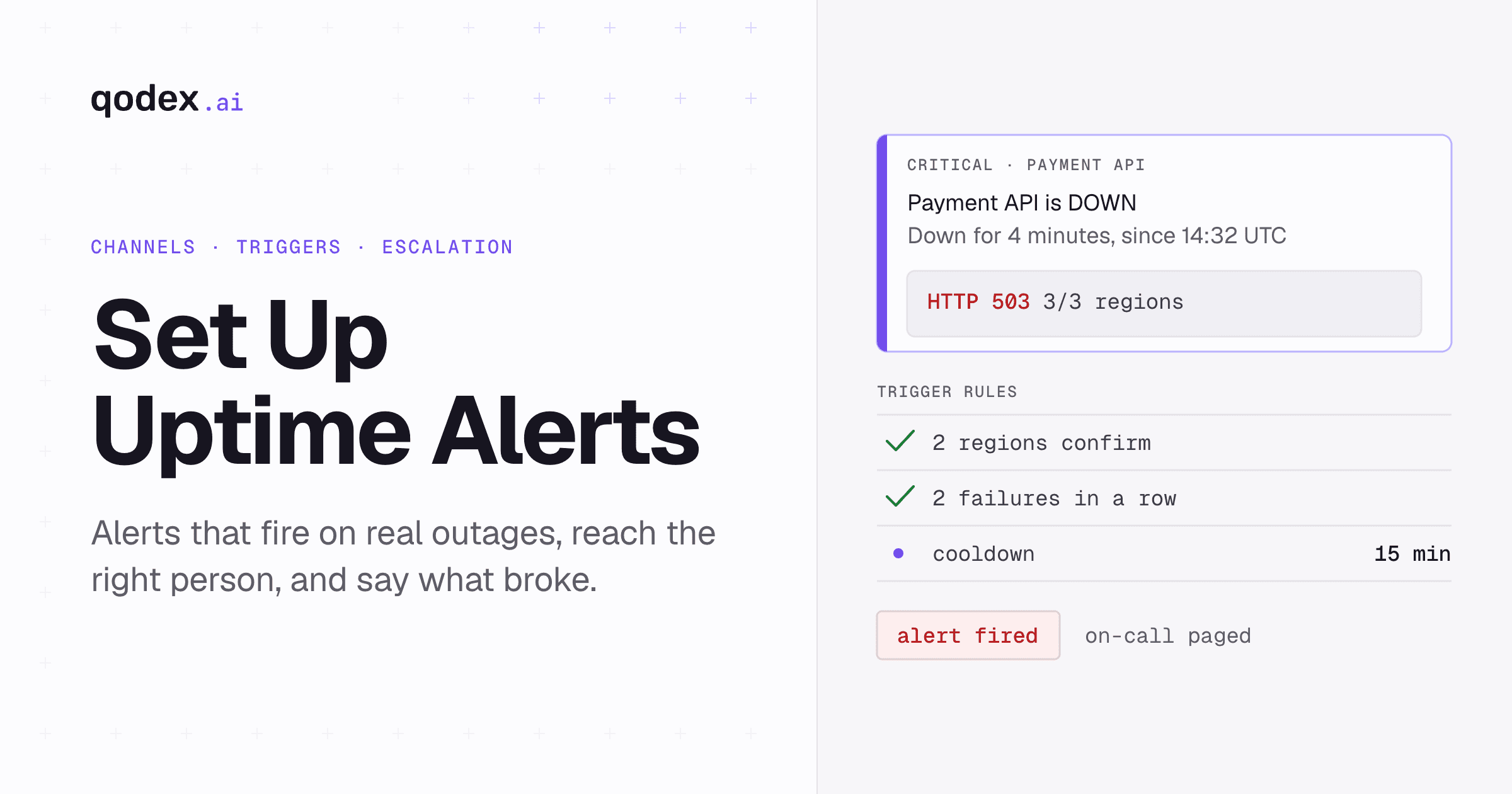
Configure alerts that match your team's incident response workflow. See our detailed guide on how to set up uptime alerts for step-by-step instructions on channels, escalation policies, and reducing alert fatigue.
Step 6: Create a Status Page
If your API is consumed by external developers or partners, maintain a public status page. This reduces inbound support requests during outages and builds trust with your API consumers. Qodex.ai provides automated status pages that update based on your monitor results.
Monitoring Authenticated API Endpoints

Authenticated endpoints are the hardest part of API monitoring, and the area where most generic monitoring tools fall short. Here is how to handle the common authentication patterns:
API Key Authentication
The simplest pattern. Include the API key in the request header. Create a dedicated monitoring API key with minimal permissions (read-only where possible) and rotate it on a regular schedule.
Bearer Token / JWT
Tokens expire, which means your monitoring setup needs to handle token refresh. The best approach is a multi-step monitor that first calls your auth endpoint to get a fresh token, then uses that token in subsequent API checks.
OAuth 2.0
For OAuth-protected APIs, create a dedicated service account for monitoring. Use the client credentials grant type (machine-to-machine) rather than authorization code flow. Configure your monitoring tool to automatically request and refresh tokens.
mTLS (Mutual TLS)
Some APIs require client certificates. Your monitoring tool needs to support TLS client certificate authentication. This is common in financial services and healthcare APIs.
Common API Monitoring Mistakes
Only Monitoring Public Endpoints
Internal APIs are just as important as external ones. In a microservices architecture, a failing internal service can cascade and bring down your entire user-facing application. Monitor internal health check endpoints with the same rigor.
Ignoring Response Body Validation
A 200 OK with an empty response body or an error message is not a successful response. Always validate that the response contains the expected data structure and content.
Setting Uniform Check Intervals
Not all endpoints are equally critical. Your payment API needs 30-second checks; your admin dashboard API can use 5-minute intervals. Tiered monitoring saves resources and reduces noise.
Alerting on Every Single Failure
Transient network issues cause occasional check failures. Configure your alerts to require confirmation from multiple regions and multiple consecutive failures before firing. This eliminates the vast majority of false positives.
No Baseline Performance Data
Without knowing what "normal" looks like, you cannot detect degradation. Establish latency baselines for your key endpoints and alert on deviations from those baselines, not just hard thresholds.
API Monitoring Tools Comparison
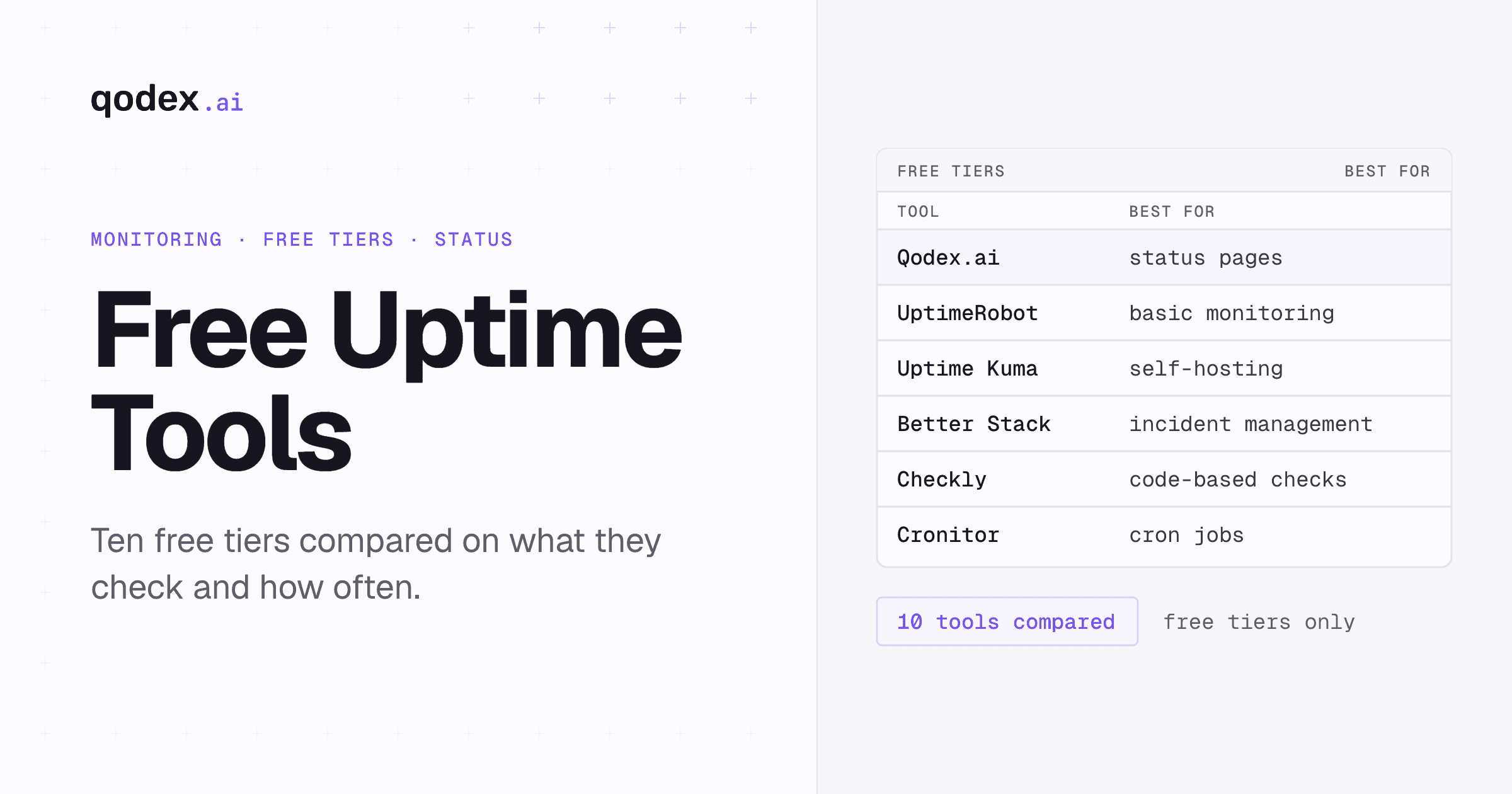
For a comprehensive comparison of free tools, see our best free uptime monitoring tools guide. Here is a focused comparison for API monitoring specifically:
| Tool | API-Specific Features | Auth Support | Multi-Step Checks | Starting Price |
|---|---|---|---|---|
| Qodex.ai | AI-powered validation, payload checks | All types | Yes | Free tier |
| Checkly | Code-based checks (JS/TS) | Custom code | Yes | Free (5 checks) |
| Datadog Synthetics | Full API testing suite | All types | Yes | $5/1000 runs |
| Postman Monitors | Collection-based monitoring | All types | Yes | Free (1000 runs) |
| Pingdom | Basic HTTP checks | Limited | No | $15/mo |
For API-first teams, Qodex.ai provides the best balance of API intelligence, ease of setup, and cost. It understands API contracts natively and provides monitoring that integrates with your API testing workflow.
Reducing MTTR with Better Monitoring
The ultimate goal of API monitoring is not just detecting failures -- it is resolving them faster. Here is how good monitoring reduces your Mean Time to Resolution (MTTR):
Rich Alert Context
Alerts should include the failing endpoint URL, the exact error (timeout, 500 status, payload mismatch), the duration of the failure, which regions are affected, and a direct link to your monitoring dashboard. This context shaves minutes off your investigation time.
Automated Runbooks
Link your monitoring alerts to runbooks that describe common failure modes and their resolution steps. When a database health check fails at 3 AM, the on-call engineer should not have to figure out the troubleshooting steps from scratch.
Correlation with Deployments
Track when deployments happen and correlate them with monitoring events. Most API outages are caused by code changes. If monitoring detects a failure within 5 minutes of a deployment, the fix is usually to roll back.
Post-Incident Analysis
Use historical monitoring data to analyze incidents after resolution. How long did detection take? Was the alert routed to the right person? Were there earlier warning signs that monitoring could have caught? Use these insights to continuously improve your monitoring setup.
Frequently Asked Questions
What is API uptime monitoring?
API uptime monitoring continuously checks your API endpoints to verify they are available, responding correctly, and meeting performance thresholds. It goes beyond simple ping checks by validating response codes, payloads, and latency.
How is API monitoring different from website monitoring?
API monitoring validates programmatic interfaces -- checking status codes, response bodies, headers, and authentication flows. Website monitoring typically checks page load times and visual rendering. APIs require validating data contracts, not just availability. Read our full API vs website monitoring comparison.
What should I monitor in my API?
Monitor availability (is it responding?), correctness (right status code and payload?), latency (within SLA thresholds?), SSL certificate expiry, authentication endpoints, and critical business workflows that chain multiple API calls.
How do I monitor authenticated API endpoints?
Use monitoring tools that support Bearer tokens, API keys, OAuth flows, or custom headers. Qodex.ai can store credentials securely and include them in monitoring requests automatically.
What is a health check endpoint?
A health check endpoint (typically GET /health or GET /status) is a lightweight API route that returns the service status. Good health checks verify database connectivity, cache availability, and downstream dependencies -- not just return 200 OK.
How fast should I detect API downtime?
Best practice is detection within 1-2 minutes for production APIs. This requires check intervals of 30-60 seconds with multi-region verification to avoid false positives from network issues.