What Is Uptime Monitoring? A Complete Guide for DevOps Teams
Uptime Monitoring at a Glance
| Aspect | Details |
|---|---|
| What it is | Continuous automated checking of whether your services are available and responding |
| What it checks | Websites, APIs, servers, DNS, SSL certificates, TCP ports |
| Check frequency | Every 30 seconds to 5 minutes depending on criticality |
| Key metric | Uptime percentage (e.g., 99.9% = 8.76 hours downtime/year) |
| Alert channels | Slack, PagerDuty, email, SMS, webhooks |
| Who needs it | DevOps, SRE, platform engineering, and development teams |
What Is Uptime Monitoring?
Uptime monitoring is the practice of continuously checking whether a website, API, server, or any internet-facing service is available and responding correctly. Monitoring systems send automated requests to your endpoints at regular intervals -- typically every 30 to 60 seconds -- and alert your team immediately when something goes wrong.
At its simplest, an uptime monitor performs an HTTP request to a URL and checks whether the response status code is 200 OK. But modern uptime monitoring goes far beyond simple ping checks. It can validate response content, measure latency, verify SSL certificates, check DNS resolution, and even execute multi-step API workflows to confirm that critical business logic is functioning.
Think of uptime monitoring as a tireless sentinel standing guard over your infrastructure. While your team sleeps, deploys code, or focuses on building features, the monitor keeps checking -- and sounds the alarm the moment something breaks.
If you run APIs that other services depend on, API uptime monitoring adds additional layers of validation like response payload checks, authentication flow testing, and latency threshold enforcement. For websites specifically, website uptime monitoring best practices include monitoring from multiple geographic locations and tracking page load performance.
Why Uptime Monitoring Matters
Downtime is expensive. According to Gartner, the average cost of IT downtime is approximately $5,600 per minute -- that is $336,000 per hour. For high-traffic e-commerce platforms, the number can be significantly higher. But the financial hit is only part of the story.
Revenue Protection
Every minute your service is down, you are losing transactions, signups, and ad revenue. An e-commerce site processing $100K per hour loses over $1,600 for every minute of downtime. API-dependent businesses face cascading failures -- when your API goes down, every client application that depends on it breaks too.
User Trust and Retention
Users have zero tolerance for unreliable services. Research shows that 88% of online consumers are less likely to return to a site after a bad experience. If your API powers a mobile app that freezes because your backend is down, users will uninstall and look for alternatives.
SLA Compliance
Most B2B contracts include Service Level Agreements with uptime guarantees. Violating SLAs triggers financial penalties, credits, and potential contract termination. Without monitoring, you might not even know you have breached your SLA until a customer complains.
SEO Impact
Search engines penalize websites with frequent downtime. Google's crawlers will encounter errors, and repeated unavailability can cause your pages to drop in search rankings. Consistent uptime is a silent but important SEO factor.
Incident Response Speed
The difference between detecting downtime in 30 seconds versus 30 minutes is enormous. Fast detection means faster resolution, shorter outages, and less damage. Without uptime monitoring, you are relying on users to report problems -- and most users simply leave instead of filing bug reports.
How Uptime Monitoring Works
Understanding the mechanics of uptime monitoring helps you configure it effectively. Here is how a typical monitoring system operates:
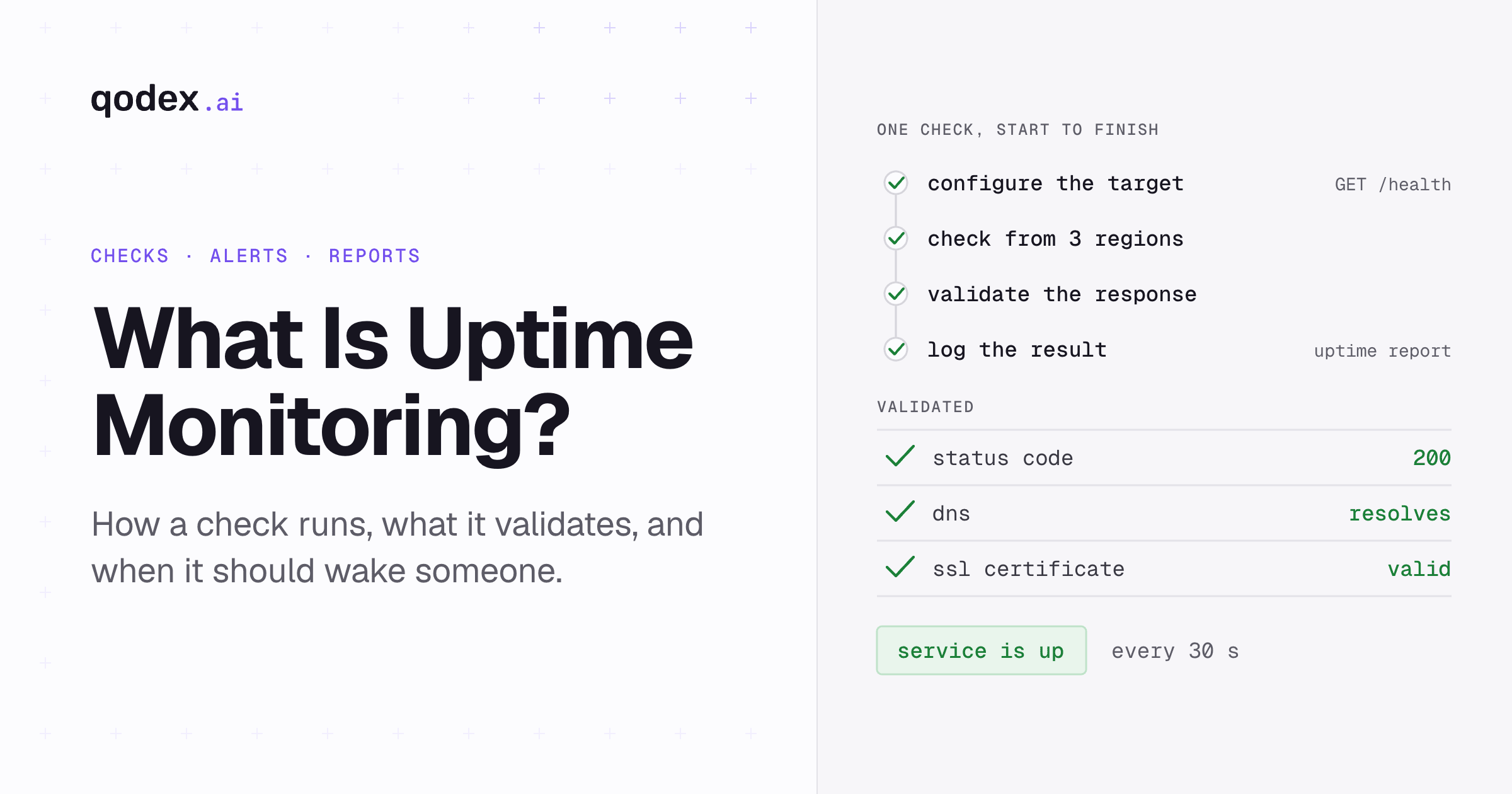
Step 1: Configure Check Targets
You define the endpoints to monitor -- URLs, API endpoints, IP addresses, or TCP ports. For each target, you specify what a healthy response looks like: expected status codes, response body content, maximum response time, and SSL validity.
Step 2: Distributed Check Execution
The monitoring service sends requests from multiple geographic locations simultaneously. This multi-region approach is critical because it distinguishes between genuine downtime and localized network issues. If your service is down from New York but reachable from London, that is a regional problem, not a full outage.
Step 3: Response Validation
Each response is validated against your defined criteria:
Status code check -- Is the response 200 OK or an error code?
Content validation -- Does the response body contain expected text or JSON fields?
Latency measurement -- Is the response time within acceptable thresholds?
SSL verification -- Is the certificate valid and not expiring soon?
DNS resolution -- Is the domain resolving correctly?
Step 4: Alert Triggering
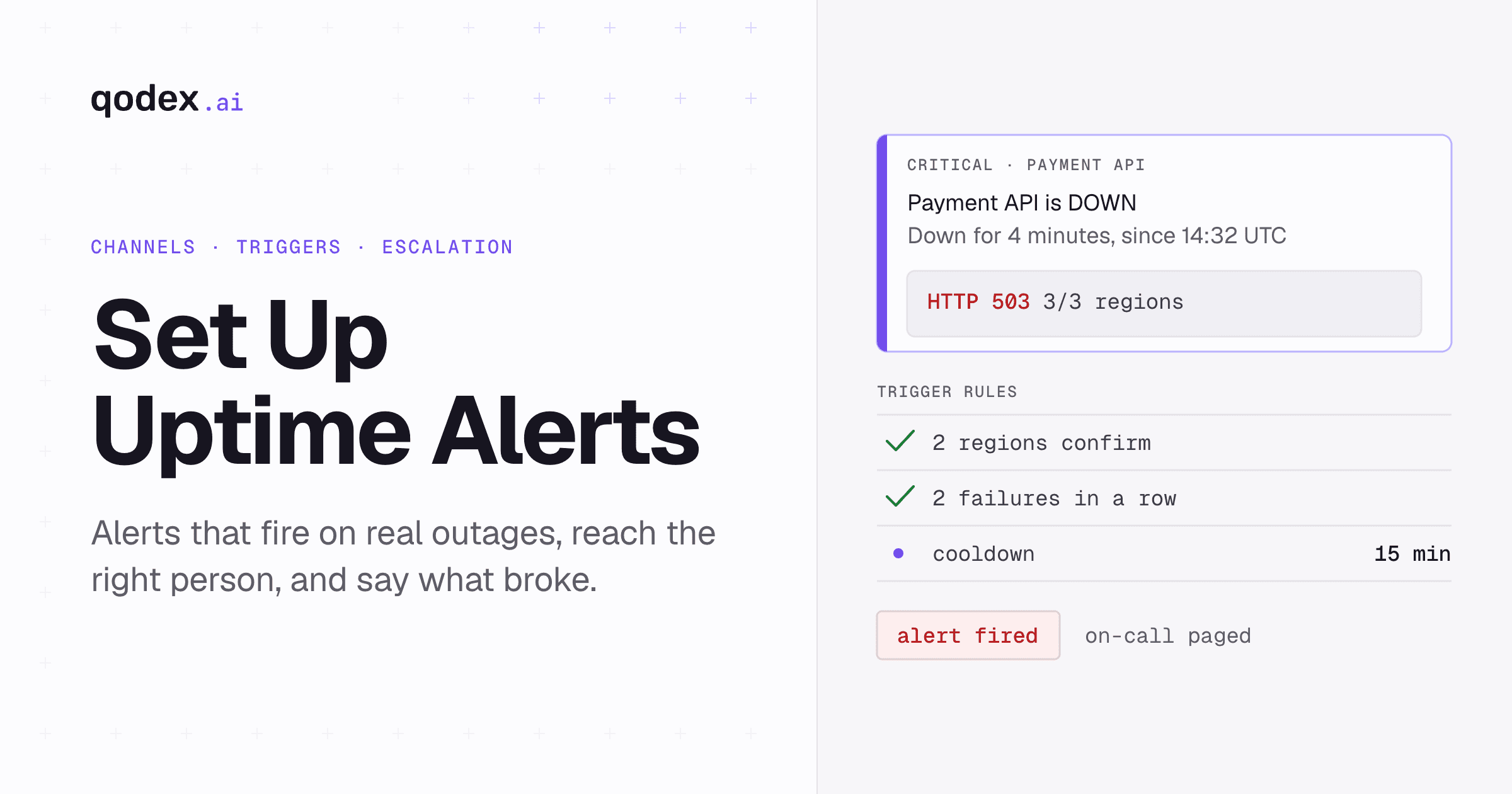
When a check fails, the system confirms the failure from multiple locations before alerting (to reduce false positives). Once confirmed, alerts fire through your configured channels -- Slack, PagerDuty, email, SMS, or webhooks. Smart alerting includes escalation policies so the right person gets notified at the right time.
Step 5: Logging and Reporting
Every check result is logged, building a historical record of your service availability. This data feeds into uptime reports, SLA compliance dashboards, and trend analysis that helps you identify patterns and prevent future outages.
Types of Uptime Monitoring
Different services require different monitoring approaches. Here are the main types:
HTTP/HTTPS Monitoring
The most common type. Sends HTTP requests to web pages or API endpoints and validates the response. This is what most people mean when they say "uptime monitoring." It covers both website monitoring and basic API endpoint monitoring.
API Monitoring
Goes beyond simple HTTP checks. API monitoring validates response payloads, tests authenticated endpoints, executes multi-step workflows, and verifies that your API contracts are being honored. This is essential for teams building or consuming APIs. The differences between API and website monitoring are significant and worth understanding.
TCP/Port Monitoring
Checks whether specific ports are open and accepting connections. Useful for monitoring databases, mail servers, FTP services, and custom TCP services that do not use HTTP.
DNS Monitoring
Verifies that your domain names resolve correctly. DNS failures can make your entire service unreachable even when your servers are running fine. DNS monitoring catches propagation issues, hijacking attempts, and configuration errors.
SSL Certificate Monitoring
Tracks certificate expiration dates and validity. An expired SSL certificate will cause browser warnings that effectively take your site offline for users. Most monitors alert 30, 14, and 7 days before expiration.
Ping/ICMP Monitoring
The most basic form of monitoring. Sends ICMP ping packets to check if a host is reachable. Useful for infrastructure-level checks but does not verify that applications are actually working.
Uptime Monitoring Best Practices
1. Monitor From Multiple Locations
Always configure checks from at least 3 geographic regions. Single-location monitoring produces false positives when the monitoring location itself has network issues. Multi-location verification is the single most important practice for reducing alert noise.
2. Set Appropriate Check Intervals
Critical production services should be checked every 30-60 seconds. Non-critical services can use 5-minute intervals. More frequent checks mean faster detection but generate more data and potentially more cost on metered plans.
3. Validate More Than Status Codes
A 200 OK response does not mean everything is working. Your application could return 200 with an error page, an empty response, or stale data. Always validate response content -- check for expected keywords, JSON fields, or minimum response sizes.
4. Configure Smart Alerting
Set up alert escalation policies that match your team structure. Use Slack for warnings, PagerDuty for critical on-call alerts, and email for non-urgent notifications. Implement cooldown periods to prevent alert storms during extended outages.
5. Maintain a Public Status Page
A public status page builds transparency and trust with your users. During outages, users can check the status page instead of flooding your support channels. Tools like Qodex.ai make it easy to create and maintain automated status pages.
6. Monitor Your Monitoring
Your monitoring system is itself a dependency. Use a secondary monitoring service or simple health check to verify that your primary monitoring is running. This prevents the dangerous scenario where monitoring fails silently and you have no visibility into outages.
7. Track and Report on SLA Metrics
Use your monitoring data to generate monthly uptime reports. Track your actual uptime percentage against your SLA commitments. Share these reports with stakeholders proactively, not just when there is a problem.
Common Uptime Monitoring Mistakes

Monitoring Only the Homepage
Your homepage might be served from a CDN cache while your application server is completely down. Monitor critical application endpoints -- login pages, API routes, checkout flows -- not just the front page.
Ignoring SSL Certificate Expiry
An expired SSL certificate is functionally the same as downtime. Browsers will block access with scary warnings, and API clients will refuse to connect. Set up SSL monitoring with alerts starting 30 days before expiry.
No Multi-Location Verification
Single-location monitoring leads to false alarms from transient network issues. Always confirm downtime from at least 2 regions before sending alerts. This dramatically reduces false positives and alert fatigue.
Alert Overload
If everything is critical, nothing is critical. Tiered alerting with proper severity levels ensures your team responds to real problems and does not become numb to constant notifications. Review your alert rules monthly and eliminate noise.
Not Monitoring Internal Services
If you run microservices, your internal APIs are just as important as external ones. A failing internal service can cascade through your entire architecture. Monitor internal health check endpoints with the same rigor as public-facing services.
Uptime Monitoring Tools Comparison
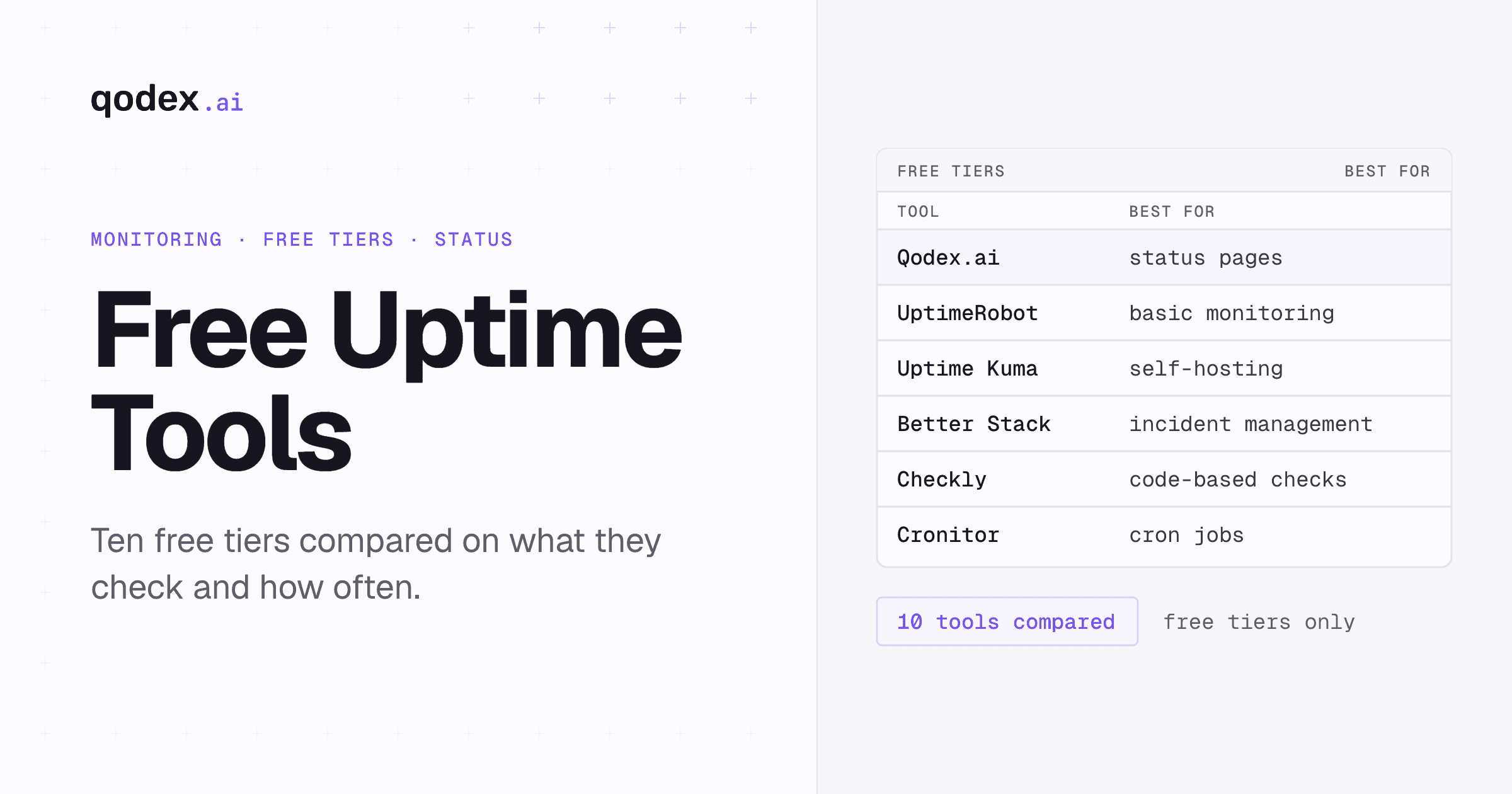
Choosing the right tool depends on your specific needs. For a detailed comparison, see our guide to the best free uptime monitoring tools. Here is a quick overview:
| Tool | Best For | Free Tier | Check Interval |
|---|---|---|---|
| Qodex.ai | API-focused monitoring with AI | Yes | 30s |
| UptimeRobot | Simple website monitoring | 50 monitors | 5 min |
| Better Stack | Incident management + monitoring | 10 monitors | 3 min |
| Uptime Kuma | Self-hosted monitoring | Unlimited (self-hosted) | 1 min |
| Pingdom | Enterprise website monitoring | No | 1 min |
| Datadog | Full-stack observability | Limited | 1 min |
For teams that need specialized API uptime monitoring with intelligent alerting, response validation, and automated API testing capabilities, Qodex.ai provides a purpose-built solution that goes beyond basic HTTP checks.
Getting Started with Uptime Monitoring
Here is a practical checklist to get uptime monitoring running for your services:
Inventory your services -- List every website, API, and critical internal service that needs monitoring.
Define health criteria -- For each service, specify what "healthy" looks like (status codes, response content, latency thresholds).
Choose a monitoring tool -- Pick one that matches your stack. API-heavy teams should look at Qodex.ai. For a broad comparison, check our free tools roundup.
Configure multi-region checks -- Set up monitoring from at least 3 locations with appropriate intervals.
Set up alert channels -- Connect Slack, PagerDuty, or your preferred notification system. See our uptime alerts guide for detailed steps.
Create a status page -- Give your users visibility into system health.
Document your incident response process -- Define who gets alerted, escalation paths, and communication procedures.
Review and iterate -- Check your monitoring setup monthly. Remove stale monitors, adjust thresholds, and expand coverage as your infrastructure grows.
Frequently Asked Questions
What is uptime monitoring?
Uptime monitoring is the practice of continuously checking whether a website, API, or server is available and responding correctly. Monitoring tools send periodic requests and alert teams when downtime is detected.
Why is uptime monitoring important?
Uptime monitoring helps teams detect outages quickly, minimize revenue loss, maintain SLA compliance, and protect user trust. Even a few minutes of undetected downtime can cost thousands of dollars.
What is a good uptime percentage?
Most production services target 99.9% uptime (three nines), which allows about 8.76 hours of downtime per year. Mission-critical services aim for 99.99% or higher.
How often should uptime checks run?
Most teams configure checks every 30-60 seconds for critical services. Less critical services may use 5-minute intervals. More frequent checks mean faster detection but higher resource usage.
What is the difference between uptime monitoring and APM?
Uptime monitoring checks whether a service is reachable and responding. APM (Application Performance Monitoring) goes deeper, tracking response times, error rates, traces, and resource utilization inside the application.
Can I monitor API uptime specifically?
Yes. API uptime monitoring sends HTTP requests to your API endpoints, validates response status codes and payload content, and alerts you if anything fails. Tools like Qodex.ai provide specialized API uptime monitoring.