API Integration Testing: Strategies, Tools & Best Practices
Introduction
Unit tests verify individual functions. API tests verify individual endpoints. But neither tells you whether your services actually work together. That is the job of integration testing.
For integration flows that span several services, the Qodex API testing platform chains multi-step API scenarios and verifies them on every change.
API integration testing validates that multiple services, databases, and external systems communicate correctly through their API interfaces. In a microservices architecture where dozens of services depend on each other, integration testing is the safety net that catches mismatched contracts, network failures, and data serialization issues.
This guide covers the strategies, tools, code examples, and best practices you need to build reliable API integration tests, from simple two-service scenarios to complex multi-service workflows.
What Is API Integration Testing?
API integration testing verifies that connected systems work correctly together through their API interfaces. Unlike unit testing (which tests code in isolation) or end-to-end testing (which tests the entire system through the UI), integration testing focuses on the boundaries between services.
What Integration Tests Validate
- Data flows correctly between services (Service A sends data that Service B can parse)
- Contracts are honored (the API returns the fields and types the consumer expects)
- Error handling works across service boundaries (Service A handles Service B's errors gracefully)
- Authentication propagates correctly through the service chain
- Database interactions work correctly (queries, transactions, migrations)
- External APIs behave as expected (payment gateways, email services, third-party data)
Integration Testing vs Other Testing Types
| Testing Type | Scope | Speed | Dependencies | Catches |
|---|---|---|---|---|
| Unit Testing | Single function/class | Fast (ms) | Mocked | Logic bugs |
| API Testing | Single endpoint | Fast (ms-s) | Often mocked | API contract violations |
| Integration Testing | Multiple services | Medium (s) | Real or containers | Interface mismatches |
| E2E Testing | Full system + UI | Slow (min) | All real | User workflow bugs |
API Integration Testing Strategies
Strategy 1: Big Bang Integration Testing
Connect all services at once and test the complete system. Simple to understand but hard to debug when tests fail, you do not know which service caused the failure.
Best for: Small systems with few services.
Strategy 2: Incremental Integration Testing
Add and test services one at a time. Start with the core service, then add connected services incrementally.
Top-down: Start with the API gateway and mock downstream services, then replace mocks with real services one by one.
Bottom-up: Start with the lowest-level services (database, cache) and build upward.
Sandwich: Combine top-down and bottom-up, meeting in the middle.
Best for: Medium to large systems where you need to isolate failures.
Strategy 3: Contract Testing
Define contracts between consumer and provider, then verify each side independently. This is the most scalable approach for microservices.
Best for: Microservices architectures with many inter-service dependencies.
Practical API Integration Testing with Code
JavaScript: Testing Service Integration with Supertest
// tests/integration/orders.test.js
const request = require('supertest');
const app = require('../../src/app');
const db = require('../../src/db');

describe('Orders API Integration', () => {
  let userId;
  let productId;

  beforeAll(async () => {
    // Seed database with test data
    await db.migrate.latest();
    const user = await db('users').insert({
      name: 'Test User',
      email: 'test@example.com'
    }).returning('id');
    userId = user[0].id;

    const product = await db('products').insert({
      name: 'Widget',
      price: 29.99,
      stock: 100
    }).returning('id');
    productId = product[0].id;
  });

  afterAll(async () => {
    await db('orders').del();
    await db('products').del();
    await db('users').del();
    await db.destroy();
  });

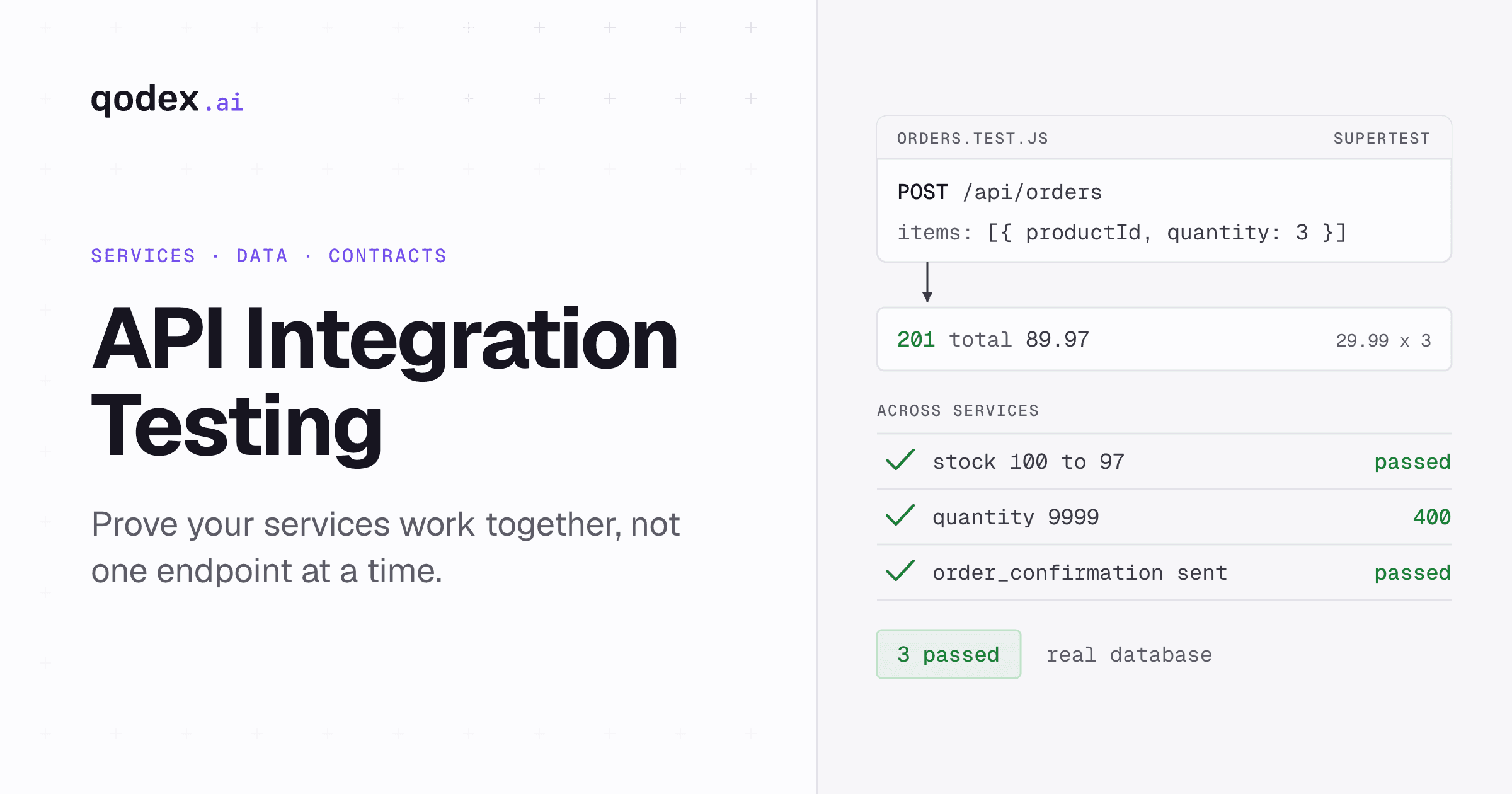
  test('Creating an order updates product stock', async () => {
    // Create order via API
    const orderRes = await request(app)
      .post('/api/orders')
      .send({
        userId,
        items: [{ productId, quantity: 3 }]
      })
      .expect(201);

    expect(orderRes.body.total).toBe(89.97); // 29.99 * 3

    // Verify stock was decremented
    const productRes = await request(app)
      .get(`/api/products/${productId}`)
      .expect(200);

    expect(productRes.body.stock).toBe(97); // 100 - 3
  });

  test('Order fails when insufficient stock', async () => {
    const res = await request(app)
      .post('/api/orders')
      .send({
        userId,
        items: [{ productId, quantity: 9999 }]
      })
      .expect(400);

    expect(res.body.error).toContain('Insufficient stock');
  });

  test('Order creation sends notification to user service', async () => {
    const orderRes = await request(app)
      .post('/api/orders')
      .send({
        userId,
        items: [{ productId, quantity: 1 }]
      })
      .expect(201);

    // Verify notification was created
    const notifRes = await request(app)
      .get(`/api/users/${userId}/notifications`)
      .expect(200);

    const orderNotif = notifRes.body.find(
      n => n.type === 'order_confirmation'
    );
    expect(orderNotif).toBeDefined();
    expect(orderNotif.orderId).toBe(orderRes.body.id);
  });
});
Python: Testing with pytest and Docker
# tests/integration/test_order_flow.py
import pytest
import requests
import time

API_URL = "http://localhost:3000/api"

@pytest.fixture(scope="module")
def test_user():
    """Create a test user and return their data."""
    response = requests.post(f"{API_URL}/users", json={
        "name": "Integration Test User",
        "email": "integration@test.com"
    })
    assert response.status_code == 201
    yield response.json()
    # Cleanup
    requests.delete(f"{API_URL}/users/{response.json()['id']}")

@pytest.fixture(scope="module")
def test_product():
    """Create a test product."""
    response = requests.post(f"{API_URL}/products", json={
        "name": "Test Widget",
        "price": 19.99,
        "stock": 50
    })
    assert response.status_code == 201
    yield response.json()
    requests.delete(f"{API_URL}/products/{response.json()['id']}")

class TestOrderIntegration:
    def test_complete_order_flow(self, test_user, test_product):
        """Test the full order lifecycle across services."""
        # Step 1: Create order
        order_response = requests.post(f"{API_URL}/orders", json={
            "userId": test_user["id"],
            "items": [{"productId": test_product["id"], "quantity": 2}]
        })
        assert order_response.status_code == 201
        order = order_response.json()
        assert order["total"] == 39.98  # 19.99 * 2

        # Step 2: Verify payment was processed
        payment_response = requests.get(
            f"{API_URL}/orders/{order['id']}/payment"
        )
        assert payment_response.status_code == 200
        assert payment_response.json()["status"] == "completed"

        # Step 3: Verify inventory updated
        product_response = requests.get(
            f"{API_URL}/products/{test_product['id']}"
        )
        assert product_response.status_code == 200
        assert product_response.json()["stock"] == 48  # 50 - 2

    def test_order_rollback_on_payment_failure(self, test_user, test_product):
        """Verify stock is restored when payment fails."""
        initial_stock = requests.get(
            f"{API_URL}/products/{test_product['id']}"
        ).json()["stock"]

        # Create order with invalid payment method to trigger failure
        order_response = requests.post(f"{API_URL}/orders", json={
            "userId": test_user["id"],
            "items": [{"productId": test_product["id"], "quantity": 1}],
            "paymentMethod": "invalid_card"
        })
        assert order_response.status_code == 400

        # Verify stock was not decremented
        current_stock = requests.get(
            f"{API_URL}/products/{test_product['id']}"
        ).json()["stock"]
        assert current_stock == initial_stock
Contract Testing with Pact
Contract testing is the most effective approach for testing API integrations in microservices. The consumer defines what it expects from the provider, and both sides verify independently.
Consumer-Side Test (JavaScript)
// consumer/tests/userServiceClient.pact.test.js
const { PactV3 } = require('@pact-foundation/pact');
const { UserServiceClient } = require('../src/userServiceClient');

const provider = new PactV3({
  consumer: 'OrderService',
  provider: 'UserService',
});

describe('UserService Client', () => {
  test('fetches user by ID', async () => {
    provider
      .given('a user with ID 1 exists')
      .uponReceiving('a request for user 1')
      .withRequest({
        method: 'GET',
        path: '/api/users/1',
        headers: { Accept: 'application/json' },
      })
      .willRespondWith({
        status: 200,
        headers: { 'Content-Type': 'application/json' },
        body: {
          id: 1,
          name: 'John Doe',
          email: 'john@example.com',
        },
      });

    await provider.executeTest(async (mockServer) => {
      const client = new UserServiceClient(mockServer.url);
      const user = await client.getUser(1);

      expect(user.id).toBe(1);
      expect(user.name).toBe('John Doe');
    });
  });
});
Provider-Side Verification
// provider/tests/pactVerification.test.js
const { Verifier } = require('@pact-foundation/pact');

describe('UserService Provider Verification', () => {
  test('validates contract with OrderService', async () => {
    const verifier = new Verifier({
      providerBaseUrl: 'http://localhost:3001',
      pactUrls: ['./pacts/OrderService-UserService.json'],
      stateHandlers: {
        'a user with ID 1 exists': async () => {
          // Set up the required state in the provider
          await db('users').insert({
            id: 1,
            name: 'John Doe',
            email: 'john@example.com',
          });
        },
      },
    });

    await verifier.verifyProvider();
  });
});
Using Docker for Integration Testing
Integration tests need real dependencies (databases, caches, message queues). Docker Compose makes this manageable:
# docker-compose.test.yml
version: '3.8'
services:
  api:
    build: .
    environment:
      DATABASE_URL: postgres://test:test@db:5432/testdb
      REDIS_URL: redis://cache:6379
    depends_on:
      db:
        condition: service_healthy
      cache:
        condition: service_started

  db:
    image: postgres:16
    environment:
      POSTGRES_DB: testdb
      POSTGRES_USER: test
      POSTGRES_PASSWORD: test
    healthcheck:
      test: pg_isready -U test
      interval: 5s
      retries: 5

  cache:
    image: redis:7-alpine

  test-runner:
    build:
      context: .
      dockerfile: Dockerfile.test
    environment:
      API_URL: http://api:3000
    depends_on:
      - api
    command: npm run test:integration
# Run integration tests
docker-compose -f docker-compose.test.yml up --build --abort-on-container-exit
Integration Testing in CI/CD
# GitHub Actions integration tests
name: Integration Tests
on:
  push:
    branches: [main, develop]

jobs:
  integration:
    runs-on: ubuntu-latest
    services:
      postgres:
        image: postgres:16
        env:
          POSTGRES_DB: testdb
          POSTGRES_USER: test
          POSTGRES_PASSWORD: test
        options: >-
          --health-cmd pg_isready
          --health-interval 10s
          --health-timeout 5s
          --health-retries 5
        ports:
          - 5432:5432
      redis:
        image: redis:7-alpine
        ports:
          - 6379:6379

    steps:
      - uses: actions/checkout@v4
      - uses: actions/setup-node@v4
        with:
          node-version: '20'
      - run: npm ci
      - run: npm run migrate
        env:
          DATABASE_URL: postgres://test:test@localhost:5432/testdb
      - run: npm run test:integration
        env:
          DATABASE_URL: postgres://test:test@localhost:5432/testdb
          REDIS_URL: redis://localhost:6379
Best Practices for API Integration Testing
1. Use Real Dependencies Where Possible
Integration tests with mocked dependencies are not integration tests, they are unit tests in disguise. Use real databases, real caches, and real message queues via Docker containers.
2. Isolate Test Data
Each test should create its own data and clean up afterward. Use database transactions that roll back after each test, or truncate tables between test runs.
3. Test Error Scenarios
Do not just test the happy path. Test what happens when dependencies are unavailable, return errors, or return unexpected data.
4. Keep Tests Fast
Integration tests are slower than unit tests, but they should not be slow. Target under 30 seconds for your full integration suite. Use parallel execution and shared setup where safe.
5. Use Contract Testing for Cross-Team APIs
When different teams own different services, contract testing (with Pact or similar) is more practical than running all services together.
6. Combine with Other Testing Types
Integration tests complement REST API tests, load tests, and security tests. Use Qodex.ai to auto-generate functional and security tests, then add integration tests for cross-service workflows.
For a full overview of testing tools, see our API testing tools comparison.
Frequently Asked Questions
What is the difference between API testing and API integration testing?
API testing validates a single API endpoint in isolation, correct status codes, response bodies, and error handling. API integration testing validates that multiple services work together through their APIs, data flows correctly, contracts are honored, and errors propagate properly across service boundaries.
Is API testing the same as integration testing?
Not exactly. API testing can be done in isolation (mocking dependencies), making it closer to unit testing. Integration testing specifically tests the interactions between real services, databases, and external systems. However, there is significant overlap, and many teams use API tests as integration tests when testing against real dependencies.
How do I test API integration without access to the real service?
Use contract testing with tools like Pact. The consumer defines expected interactions, and both sides verify independently. You can also use mock servers, WireMock, or service virtualization tools to simulate the external service.
What tools are best for API integration testing?
For JavaScript: Supertest + Jest with Docker. For Python: pytest + requests with Docker. For contract testing: Pact. For automated test generation: Qodex.ai. For cross-service testing: Docker Compose to orchestrate all services.
How do I handle test data in integration tests?
Use database transactions that roll back after each test, or truncate tables between test runs. Create test data in setUp/beforeEach hooks and clean up in tearDown/afterEach. Never share test data between tests, each test should be independent.
Should integration tests run in CI/CD?
Yes. Integration tests should run on every push and pull request. Use Docker Compose or CI/CD service containers (like GitHub Actions services) to spin up real dependencies. Keep the suite fast by focusing on critical integration paths and running tests in parallel.