End-to-End Testing: Types, Process and Best Practices
End-to-end testing is a software testing method that checks a complete user journey from start to finish across every system it touches. A test may cross the interface, APIs, authentication, databases and third-party services, then verify the final outcome. Unit and integration tests check parts; an end-to-end test checks that those parts work together under realistic conditions.
End-to-end testing at a glance
| Question | Answer |
|---|---|
| What it checks | One whole user journey across every layer it touches, browser to database to email. |
| What it is not | UI testing alone (an interface), integration testing (parts), UAT (a sign-off). |
| Types | Horizontal or vertical by scope; manual or automated by execution. |
| When it runs | Whatever schedule the team writes down. One common example: a few high-value journeys on every pull request, the full suite nightly. |
| What it costs | An environment, isolated data, runtime that varies with the journey, a person to triage each red run. |
| What it catches that lower layers miss | Contract mismatches, broken auth state, data lost between steps, third-party failures. |
| Tools | Qodex, Playwright, Cypress, Selenium, Testim, mabl. |
That scope is what separates it from UI testing. A UI test is about an interface and can stop at the screen. An end-to-end test follows the click into the request it sent, the row it wrote and the message it triggered, and fails if any of those is wrong.
What is end-to-end testing?
IBM defines it plainly: "End-to-end (E2E) testing is a software testing methodology that validates an entire application workflow from beginning to end." The Microsoft Engineering Fundamentals Playbook adds the data, calling it a way to test "a functional and data application flow consisting of several sub-systems working together." BrowserStack adds that the test imitates a real user and checks integration and data integrity.
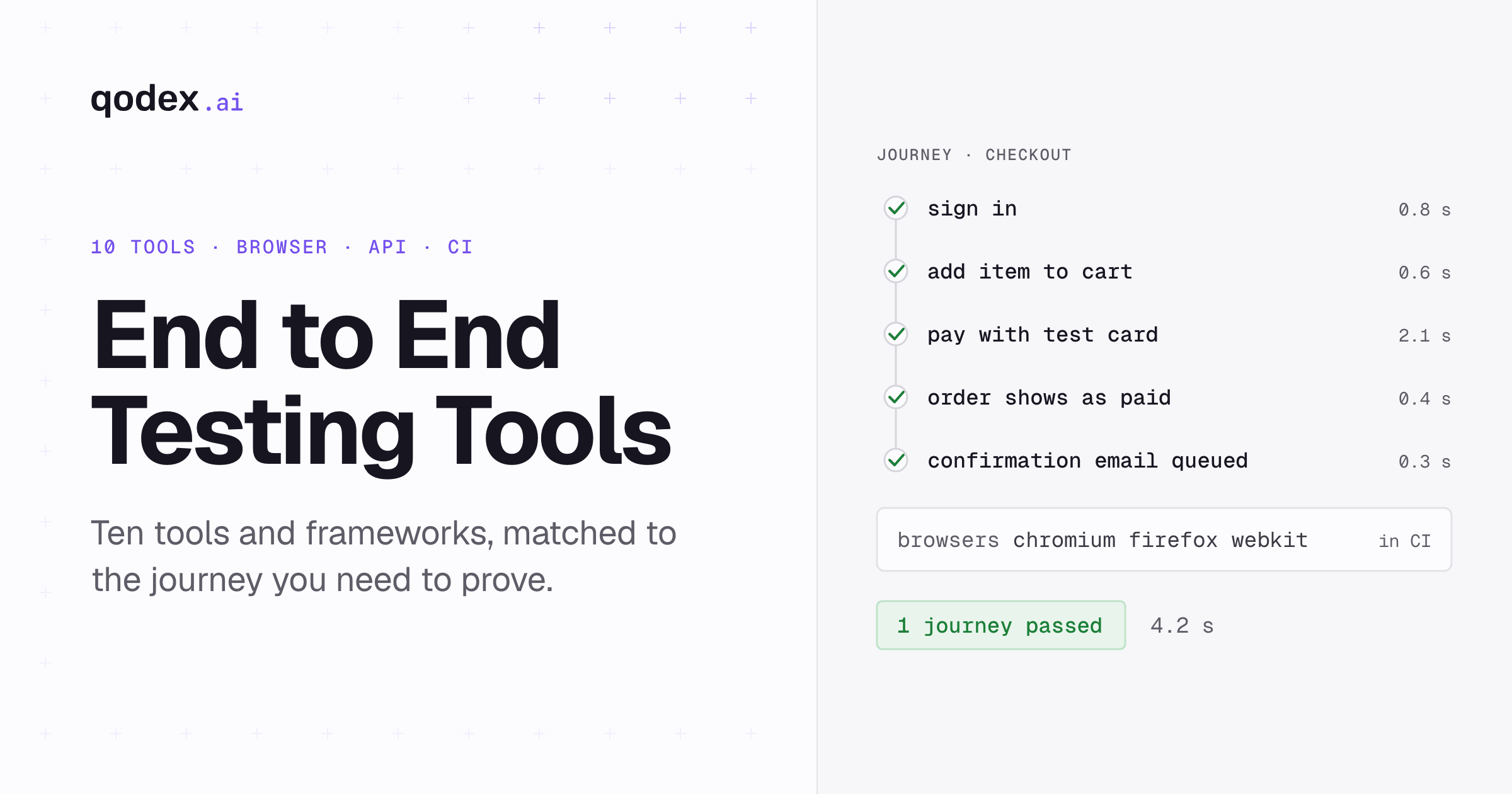
Draw it for a checkout. A shopper opens the store in a browser. The auth service signs them in. The catalog serves the product page. The cart holds the item. The order API accepts the submission, writes it to the database and hands off to the email service, which sends the confirmation. Seven parts. The test starts at the first and asserts on the last. Each boundary gets a decision before the test is written: payment is usually a sandbox, email usually lands in a test inbox, and the rest stays real.

One end-to-end test proves one journey. An end-to-end suite is the short list of journeys that must never break, kept short because each one costs an environment, its own data and somebody's attention to keep honest.
The journey does not have to be a web checkout. A flow can cross a browser UI, APIs, a database, a queue, an email round trip, a third-party service, an operating system or device, and a chain of microservices. A firmware update on a Linux device, a playback session on an OTT app and an email verification loop are the same idea with different boundaries.
Types of end-to-end testing
Two splits show up in most descriptions of the layer. Neither is a standard, and the sources disagree at the edges, so treat them as vocabulary rather than a taxonomy.
Horizontal versus vertical: the split by scope. GeeksforGeeks says horizontal end-to-end testing "tests the complete workflow across multiple applications, systems, or services from the user's perspective". Its example is a customer order that moves through payment, inventory and a confirmation email. Tricentis describes the same type as one that "tests the system from the user's perspective", simulating the end user's activity "in an environment prepared to be very similar to the production" one.
Vertical is where the two part company. GeeksforGeeks says vertical end-to-end testing "validates a complete workflow across different layers of a single application, including the user interface, APIs, backend services, and database", with user registration as its example. What both mean in practice: horizontal follows a customer sideways across systems, and vertical follows one transaction down through the layers that carry it. Sources: GeeksforGeeks and Tricentis, read 19 September 2026.
The labels matter less than the question they answer, which is how wide to draw the boundary before you write the test. A horizontal design asks which systems a customer touches between the first click and the outcome, then decides which of them are real in the test. A vertical design asks which layers carry one transaction, then asserts at each one that the transaction survived intact. The two can sit in one suite: horizontal journeys that prove the product works, and vertical checks on the transaction that costs the most when it goes wrong.
Manual versus automated: the split by execution. A manual end-to-end pass is a person walking the journey and judging the result. That is the right choice while the journey still changes week to week. It also suits a flow that runs a few times a year, and anything where the answer depends on judgment rather than an assertion. An automated end-to-end test is code that drives the same journey on a schedule and asserts on the outcome. It earns its maintenance bill when the journey is stable, repeated and tied to money or access. Most teams run both: a short automated suite on the journeys that must not break, and manual exploration around whatever changed this week.
The two splits are independent, so any journey sits somewhere on both. A horizontal journey can be walked by hand while the screens are still changing and automated once they settle. A vertical check on a payment ledger is a natural candidate for automation, because reading database rows by hand every release is slow and easy to get wrong. Deciding both questions before writing the test is what stops a suite from growing sideways into every screen the product has.
Benefits of end-to-end testing and why it matters
The benefit is evidence about the outcome a customer experiences, which no narrower layer gives. Four things follow: fewer failures that appear only once systems are wired together, checks that cover contracts between teams, release confidence without a manual pass, and a short list of journeys everyone agrees must work.
The last one is the benefit teams underrate. Writing the suite forces a conversation nobody has otherwise, about which journeys the business cannot afford to have broken on a Friday afternoon. That list is useful even before a single test runs, because it tells support what to escalate, tells the on-call engineer what to check first, and tells the team which parts of the product deserve the slowest, most expensive tests they own.
A unit test passes because it checks one part against the assumptions its author made. The failures that reach users live between the parts. The cart sends the price as a string and the order API expects a number, and both suites are green. The session cookie is set on one domain and the checkout page served from another, so the shopper is logged out on the last step. Every unit test passes. Nobody can check out.
CircleCI, Ranorex, Microsoft and Tricentis each give the benefits their own section. What this layer adds is a check on the outcome, which is the thing a customer notices.
Which journeys get one is a business question. Build the cases from what customers are observed doing, not from what the team guesses. Revenue journeys (checkout, upgrade, renewal), access journeys (signup, login, password reset) and retention journeys (the flow users repeat daily) come first. Analytics shows which paths people take; finance shows which cost money when they fail. The overlap is the suite.
E2E versus unit, component, integration, system, functional, UAT and regression testing
The layers are not rivals. Each answers a different question, and a working strategy runs several.
| Layer | Checks | Real parts | Speed | A failure means | Cannot catch |
|---|---|---|---|---|---|
| Unit | One function or class | None | Fastest | A small piece of logic is wrong | Anything between parts |
| Component | One UI or service component | Mocked or narrow | Fast | The component misbehaves | Routing, real backends, the flow |
| Integration | Two or more parts across a real boundary | Some: a database, a queue, a neighbour | Medium | A contract or interaction is wrong | The user's outcome |
| System | The whole deployed system against requirements | Most | Slow | A requirement is unmet | The journey a customer cares about |
| Functional | A feature against its specification | Depends on the layer | Varies | A feature is wrong | Journeys that span features |
| UAT | Business users confirm the product meets their need | Real, usually staging | Varies | It is not what was asked for | Regressions after sign-off |
| Regression | Behaviour that worked before a change still works | Whatever the reused tests use | Depends on the suite | A change broke something | New behaviour |
| End-to-end | One complete journey across the deployed stack | The boundaries that matter; destructive ones stubbed | Slowest | The journey broke; where needs more evidence | Logic on a branch the journey never takes |
Three rows cause most of the confusion. Functional says what is checked: a feature against its specification. End-to-end says how far the check reaches. Regression says why a suite is rerun. One test can be all three. UI is a fourth case: an interface, where E2E is a scope. The Practical Test Pyramid on Martin Fowler's site, written by Ham Vocke, says UI tests are not automatically end-to-end tests, though driving a deployed system through its UI is one form of them. It warns that those broad stack tests are slow to diagnose and prone to timing, browser and environment failures. The UI testing guide covers the interface side.
System testing and end-to-end testing overlap without being the same thing. A system test checks the whole deployed product against its requirements, so it can be organised feature by feature. An end-to-end test follows one journey the way a customer takes it, and ignores everything that journey does not touch. A system suite can be green while the journey that earns the money is broken between two of its steps.
The pyramid and the trophy are shapes, not ratios. Kent C. Dodds's testing trophy puts static checks at the base, gives integration tests the most weight and keeps a small end-to-end layer on top. Dodds drew it for frontend codebases, so it is not a rule for services. Ranorex's 70/20/10 split is a rule of thumb and nothing more. Both shapes share one rule: many narrow tests, fewer broad ones, end-to-end coverage on the journeys that carry the money. See the software testing pyramid for how end-to-end tests fit beside unit, integration, API, and contract tests.
The seven-step end-to-end testing process
IBM lists planning and management, environment setup, tool selection, creation and execution, result validation, defect resolution and automation. The Microsoft playbook groups the work as planning, prerequisites, execution, closure and metrics. Tricentis uses planning, design, execution, analysis, and automation and optimization. The seven steps below keep the shared order.
Scope the journeys. Name the outcomes whose failure costs money or access, one sentence each. For the store: "a signed-in shopper adds one item, pays with sandbox data and receives an order confirmation." A short list of those is the first suite.
Map the systems and the data, and decide every boundary. Mark each part real, stubbed or excluded. Checkout: browser, auth, catalog, cart, order API and database real; payment on the provider's sandbox; email captured by a test inbox; tax stubbed with a fixed rate.
Build the environment and seed the data. A staging deploy with production configuration, one test account per run, a product with a known price, an empty cart. Microsoft calls these prerequisites.
Choose the runner and the evidence. Playwright for the browser, an HTTP client for the order check, and on failure a trace, a screenshot, the console and the network log.
Write the cases. The happy path, then the two failure paths that change the outcome: a declined payment leaves no order, and an expired promo code does not change the total. Locate by role, label and test ID.
Set the execution gates. Write one schedule down and hold to it. An example for the store: the checkout happy path on every pull request, the failure paths and the other journeys nightly, the happy path again after each production deploy. Everything else stays out of the merge gate.
Triage and maintain. Every red run gets one of three labels: an application bug, a test bug or an environment failure. Bugs go to the team that owns the step. Test bugs are fixed or quarantined inside whatever deadline the team writes down. A test is pruned when the journey it covers no longer exists or another test already covers it, never because it has been passing. Track three numbers: total runtime, flake rate and escaped defects.
End-to-end testing example: a checkout flow in Playwright
The Playwright docs describe Playwright Test as "an end-to-end test framework for modern web apps." The test below runs against Sauce Demo, a public demo store: sign in, add one item, open the cart, enter shipping details, review the total, place the order. Install and run:
npm init playwright@latest
npx playwright test
Save this as tests/checkout.spec.ts.
import { test, expect } from '@playwright/test';

test('a customer can complete checkout', async ({ page }) => {
  await page.goto('https://www.saucedemo.com/');

  await page.locator('[data-test="username"]').fill('standard_user');
  await page.locator('[data-test="password"]').fill('secret_sauce');
  await page.locator('[data-test="login-button"]').click();

  await page.locator('[data-test="add-to-cart-sauce-labs-backpack"]').click();
  await page.locator('[data-test="shopping-cart-link"]').click();
  await expect(page.getByText('Sauce Labs Backpack')).toBeVisible();

  await page.locator('[data-test="checkout"]').click();
  await page.locator('[data-test="firstName"]').fill('Ada');
  await page.locator('[data-test="lastName"]').fill('Lovelace');
  await page.locator('[data-test="postalCode"]').fill('10001');
  await page.locator('[data-test="continue"]').click();

  await expect(page.locator('[data-test="total-label"]')).toContainText('Total:');
  await page.locator('[data-test="finish"]').click();
  await expect(page.locator('[data-test="complete-header"]')).toHaveText(
    'Thank you for your order!'
  );
});
Three assertions, each proving one thing.
toBeVisibleon the backpack in the cart: the cart kept the item across a navigation.toContainText('Total:')on the summary: the review page rendered a total line after the shipping details were submitted.toHaveText('Thank you for your order!'): the app rendered the confirmation it shows after a completed order.
One more step makes this end-to-end rather than a long UI test. After finish, call the order API or query the orders table and assert that exactly one order exists for this account with this total. That call is an API test living inside a browser journey. A confirmation screen can be rendered from state the browser already held. A row in the database cannot. Payment has one rule: stub it or use the provider's sandbox. A test never charges a real card.
Add request to the test's fixtures and the same test can send HTTP itself. The version below runs against your own store, whose order API you control. Set four environment variables first: APP_URL for the store, API_URL for the order service, TEST_ACCOUNT_ID for the seeded account, and API_TOKEN for a token allowed to read that account's orders.
One detail decides whether it works. Read the total while the summary page is still on screen, before clicking finish. The click replaces that page, so a read afterwards finds nothing and the test times out on the locator instead of failing on the assertion.
import { test, expect } from '@playwright/test';

test('checkout writes exactly one order', async ({ page, request }) => {
  await page.goto(process.env.APP_URL);

  await page.locator('[data-test="username"]').fill('standard_user');
  await page.locator('[data-test="password"]').fill('secret_sauce');
  await page.locator('[data-test="login-button"]').click();

  await page.locator('[data-test="add-to-cart-sauce-labs-backpack"]').click();
  await page.locator('[data-test="shopping-cart-link"]').click();
  await page.locator('[data-test="checkout"]').click();

  await page.locator('[data-test="firstName"]').fill('Ada');
  await page.locator('[data-test="lastName"]').fill('Lovelace');
  await page.locator('[data-test="postalCode"]').fill('10001');
  await page.locator('[data-test="continue"]').click();

  const total = await page
    .locator('[data-test="total-label"]')
    .innerText();

  await page.locator('[data-test="finish"]').click();
  await expect(page.locator('[data-test="complete-header"]')).toHaveText(
    'Thank you for your order!'
  );

  const orders = await request.get(
    process.env.API_URL + '/orders?account=' + process.env.TEST_ACCOUNT_ID,
    { headers: { Authorization: 'Bearer ' + process.env.API_TOKEN } },
  );

  expect(orders.ok()).toBeTruthy();

  const body = await orders.json();
  expect(body.orders).toHaveLength(1);
  expect(total).toContain(String(body.orders[0].total));
});
That call is what turns the three assertions above into evidence. Without it they prove the cart kept the item across a navigation, that a review page rendered a total line, and that the app rendered its confirmation copy. All three are worth having, and none of them proves the order was written down. With it, the test says there is exactly one order for this account and its total matches what the shopper saw.
The same shape covers an OTT app: sign in on the TV client, pick a title, start playback, and assert that the entitlement service recorded the session. Three more journeys, sketched the same way. These are example designs, not measured results from a particular team.
| Journey | Systems crossed | Final assertion |
|---|---|---|
| Linux device firmware update | Device agent, update server, signing service, fleet database | The device boots the new build and the fleet record shows the update applied |
| OTT playback and resume | TV client, authentication, entitlement service, CDN, playback position store | A resume on a second device starts within a few seconds of where playback stopped |
| Email verification | Signup form, account API, mail provider, test inbox | The account stays unverified until the link is opened, then reads verified in the database |
Each of those makes a different boundary decision, which is the part worth copying. In the Linux firmware journey, keep a real device or an emulator in the path, because the point is that the new build boots, and give the test a fleet record it can read afterwards. In the OTT journey, use two clients, since resume is only shown when a second device picks up the position the first one left. In the email journey, do not stop at the mail provider accepting the message, which says nothing about the link inside it: open the link from a test inbox, then check the verified flag in the database.
The common rule across all three is that the final assertion sits in the system that stores the outcome, not in the interface that reported it. A screen can say the firmware updated, the playback resumed or the account is verified while the record behind it says otherwise. That is the difference between a long UI test and an end-to-end test, and it is why every row above ends in a database, a fleet record or a store rather than on a page.
End-to-end testing tools and frameworks
One agent, three code-first frameworks and two low-code platforms. Versions and prices were checked on 19 September 2026. The full tools roundup has the long list.
| Tool | Model | Best fit | Version or pricing | Main boundary |
|---|---|---|---|---|
| Qodex | Agent | Describe a journey in a sentence; API, UI and OWASP-aligned security scenarios run against your app, and the UI scenarios come back as Playwright you own | Per project, per month: Individual $0 with 25 scenarios and 100 runs a month; Startup from $1,299 with 200 scenarios and 10,000 runs; Scale from $2,500, unlimited | Web apps in Playwright browsers |
| Playwright | Code | Cross-browser web journeys; its docs list a test runner, assertions, isolation and parallelization together; see Playwright versus Cypress | @playwright/test 1.63.0, Apache-2.0; Chromium, WebKit and Firefox | Web browsers, with native mobile emulation for Chrome on Android and Mobile Safari rather than native apps |
| Cypress | Code | JavaScript and TypeScript teams that want in-browser debugging; its docs build retry-ability into every query | Cypress 16.1.0, MIT | Its docs say commands run inside the browser |
| Selenium | Code | Many language bindings or a Grid; see automating UI testing with Selenium | 4.49.0 stable, released 9 September 2026, with C#, Ruby, Java, Python and JavaScript bindings | WebDriver, with Selenium Grid for running scripts on remote machines |
| Testim | Low-code | Managed low-code authoring; the capability list is the vendor's own | No public price retrievable; the pricing page blocks automated fetches | Commercial; capabilities are vendor claims |
| mabl | Low-code | Web, mobile and API testing on one managed platform | Custom pricing; cloud use from 500 credits a month, local runs free, 14-day trial | Credit-based; limits are vendor claims |
Choosing comes down to three questions. Which language the team already writes, since the suite will be maintained in it. Which browsers the journey must pass on. And who keeps the suite green next quarter: a code-first framework needs an engineer, a low-code platform needs a licence and a champion, and an agent needs someone to review its diffs.
Common end-to-end testing challenges and costs
The cost drivers repeat from team to team, even though the size of each one does not. Runtime: a real browser walks every system in the journey, and whatever that costs is multiplied across browsers and pull requests. Test data: every run needs its own account, cart and order. Unstable selectors: a class name changes and a test that checks nothing about styling fails. Third parties: a payment sandbox has an outage and the suite goes red. Environment drift: staging stops matching production. Ownership: a suite nobody owns is a suite everybody ignores. Triage: someone reads every red run.
Fowler's practical test pyramid names the same trap from the other side. It calls end-to-end tests broad stack tests, and warns that they are slower to diagnose than narrower tests and prone to timing, browser, animation, popup and environment failures. That is the maintenance bill a short suite is meant to keep inside.
The published flakiness numbers come from wider test corpora, not from end-to-end suites alone. Google reported that about 1.5% of all test runs across its corpus returned a flaky result, almost 16% of its tests showed some flakiness, and about 84% of pass-to-fail transitions involved a flaky test. Those are Google-wide figures across its whole corpus, not an end-to-end benchmark.
Luo, Hariri, Eloussi and Marinov studied 201 commits that likely fixed flaky tests across 51 Apache projects. The leading causes were asynchronous waits, concurrency and test-order dependency. Their findings, in the paper's own words: "Most flaky tests (78%) are flaky the first time they are written"; "Many Async Wait flaky tests (54%) are fixed using waitFor"; and "Some fixes to flaky tests (24%) modify the CUT, and most of these cases (94%) fix a bug in the CUT", where CUT is the code under test. Again, automated tests in general; no source gave an end-to-end-only flake rate.
What the numbers support is a triage rule. A red run has three explanations: an application bug, a test bug or an environment failure. Label it before anyone reruns it; a rerun that passes hides the second and third. Flaky tests covers the causes.
End-to-end testing best practices and automation checklist
The first best practice is deciding what not to automate. A manual pass suits a journey that is still changing, one that runs a few times a year, or a result that needs a human judgment. Automation suits the opposite: stable, repeated and worth money, such as checkout, login, or the report a customer downloads every Monday. An automated test of a moving target is a maintenance bill with no return. Everything below assumes a journey that has passed that test.
Stable selectors. Roles, labels and test IDs, never a generated class name or a positional XPath.
Isolated data per run. Each run creates its own account, cart and order and cleans up after itself.
API calls for setup. Create the account and the cart through the API; drive the browser only for the steps under test.
A production-like environment. Same configuration, feature flags and dependency versions.
Traces and screenshots on failure. A red run without evidence is a rerun waiting to happen.
CI gates by journey. One example split: the money journeys on every pull request, the rest nightly, the happy paths after deploy.
Retries with a cap. Set the cap low and write it down. A retry covers a slow network; enough retries hide a real bug.
Quarantine rules. Agree a flake threshold up front. A test that crosses it leaves the merge gate until the cause is fixed.
An owner per journey. A name, not a team, who reads the red runs and decides the label.
Pruning on a schedule. Review the suite on a fixed cadence and drop the tests whose journey is gone or whose coverage another test already carries.
Match the runner to the boundary: a test inbox for email flows, a real device or emulator for device and operating-system flows, and services deployed together for microservice flows. These decisions belong in the test strategy; what comes out of them is an automated test suite.
Treat the list above as a checklist to run before a journey joins the merge gate, not as a wish list for later. Require stable selectors, isolated data, API setup, a production-like environment and a named owner before a journey gates a merge. A journey missing those tends to fail for reasons that have nothing to do with the product, and the team ends up blaming end-to-end testing instead of the setup. Fix each item before the test joins the gate, while nothing else depends on it.
How Qodex runs one end-to-end test across the browser, the API and the security boundary
Qodex takes the journey as one sentence in chat rather than as a script, which is the AI QA pattern applied to a whole flow. For this checkout the instruction reads: "Test checkout from login to order confirmation. Add one item, verify the cart total, submit the order with sandbox data, confirm the order API succeeds, and check that a second user cannot read the order. Return the final screenshot, the relevant request and response, and classify any failure as an app bug, stale test, or environment issue."
A run of that instruction returns four things. The browser steps: a deterministic crawl finds the pages, then a real browser signs in, adds the item, reads the total and submits the order, logging every step with a screenshot. Every run also captures screenshots at desktop, tablet and phone widths. The API evidence: the order request and its response, next to the step that sent it. The authorization check: the same order requested as a second user, which is the broken object-level authorization case Qodex's security testing covers. There the semantics are inverted on purpose, so the test passes when the attack is blocked and fails when it is not. The test file: the journey saved as standard Playwright, parameterized by environment, synced to your repository, so replays are plain code with no model in the loop.
A failure is classified before it reaches anyone. A real bug arrives with the failing step, the request that failed and a screenshot. A stale test arrives as a proposed diff to approve or reject. An environment issue, such as a preview that did not boot, is flagged and not counted as a failure. On a pull request the finding lands with its screenshot, and the check can hold the merge.
See how Qodex UI testing works.
Frequently Asked Questions
What is another name for end-to-end testing?
E2E testing is the abbreviation. System testing and user acceptance testing overlap with it but are not synonyms: system testing checks the whole product against requirements, and UAT is a business sign-off.
What is the difference between E2E testing and UAT?
User acceptance testing is people from the business confirming the product does what they asked for, usually before a release. End-to-end testing is a check that one journey still works across every system it touches. The difference is purpose and scope, not how either one is run. UAT answers "is this what we wanted?" E2E answers "does the journey still reach its outcome?"
What is the difference between E2E and regression testing?
Regression testing is the reason a suite is rerun: to prove a change did not break behaviour that used to work. End-to-end testing is the scope of a test: one whole journey across the stack. A checkout test rerun on every pull request is both at once.
What is the difference between functional and end-to-end testing?
Functional testing checks that a feature does what its specification says, at any layer: one API call, one screen, one service. End-to-end testing checks that a whole journey reaches its outcome across all of them. An end-to-end test can be functional, and most functional tests stop short of end to end.
Is UI testing the same as end-to-end testing?
No. UI testing is about the interface: does the screen render and respond. End-to-end testing is about scope: did the click reach the API, the database and the confirmation. A UI test is end-to-end when it drives the fully deployed system through a complete journey. It stops being end-to-end when it runs against mocks, or when it stops at one screen.
When should end-to-end tests run?
There is no universal cadence; pick one and write it down. This example schedule works for many teams. The journeys that carry money or access run on every pull request against a preview environment and block the merge. The full suite runs nightly or before a release. The happy paths run again after each production deploy. Whatever the schedule, set a runtime budget for the merge gate and keep the gate inside it.
Why are end-to-end tests slow or flaky?
Slow because a real browser walks through every system in the journey and each step waits on a network. Flaky because the journey has more places to fail than any narrower test: timing, animations, third-party outages, shared data, drifting environments. The published causes are asynchronous waits, concurrency and test-order dependency.
Which end-to-end testing tool should I choose?
Match the tool to the team. Playwright for cross-browser coverage; Cypress if the team lives in JavaScript and wants in-browser debugging; Selenium for many language bindings or an existing Grid; Testim or mabl for a managed low-code platform. To describe the journey in a sentence and own the Playwright it produces, see Qodex UI testing.