
Scenarios
An API scenario is a reusable test for one API behavior. It describes the request steps to run, the data to capture, the assertions to check, and whether the scenario is still a draft or ready for scheduled runs.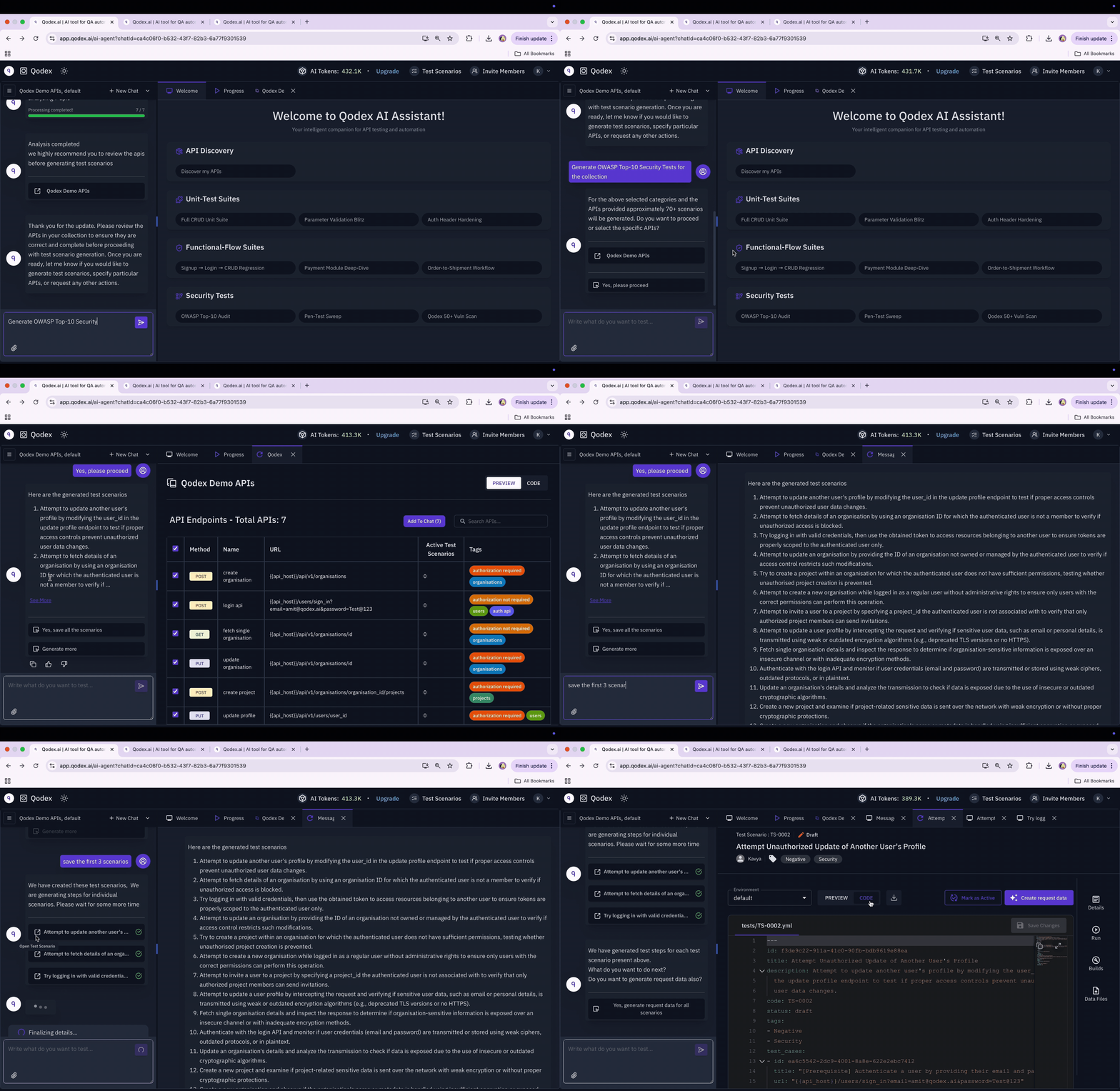
How a scenario is structured
Each scenario is stored on the project with the steps, captures, and assertions needed to test one behavior. Here is an abbreviated shape:typeisapi,ui, ormixed. This page coversapi.statusisdraftoractive. The scheduler only runsactive.steps[]are ordered. Each step has anaction, atarget, optionalauth, optionalbody, optionalcapturesfor chaining, andexpectations(the assertions).tagsfilter scenarios at run time (smoke,checkout,auth).priorityiscritical,high,medium, orlow.
Lifecycle: draft to active
Every scenario starts asdraft. Qodex can recommend and generate tests, but humans decide when a test is ready for automation.
Promote a scenario when the steps and assertions look right: open it from Scenarios (under Test in the sidebar) and click Mark active in the detail panel, or select several rows and click Activate. Click the ACTIVE state, or select rows and click Deactivate, to move a scenario back to
draft when the underlying endpoint changes and you need a quiet window to update.
The draft default is deliberate. Generated scenarios are recommendations, not releases. Scheduled suites only execute scenarios you have explicitly promoted.
Authoring from chat
In a chat, describe the behavior:staging environment. The verdict (pass, fail, error) attaches to the scenario row immediately so you can triage right away.
Prompts that work well:
- Name a behavior, not a step list. “Test the refund flow” beats “POST /refunds then GET /orders/123”.
- Reference your terms: module names (
auth,users,billing), HTTP codes (401,403,422), and edge cases (missing email,expired token). - Constrain auth explicitly when it matters: “as admin”, “without a token”, “as a viewer trying to write”.
Authoring from a known request
When you already know exactly what request and assertions you want, start from the request instead of a behavior description:- Build and send the request in the API Playground until it works, then save it.
- Open the endpoint in the API catalog (API under Context in the sidebar) and click Generate tests. Qodex opens a new chat grounded on that endpoint.
- Spell out the steps, captures, and expectations you want, for example: “one step, expect 201, capture
$.idasuserId, assert$.emailequals the email sent.” - Review the saved draft in Scenarios and promote it when it looks right.
Rename a scenario
Open the scenario in Scenarios, hover its title in the detail panel, and click the pencil icon (Rename scenario). Type the new name and press Enter or click Save. Press Escape or click Cancel to keep the old name. A name cannot be empty. Renaming does not change the scenario’s steps, status, or run history.Delete scenarios
To permanently remove one or more tests, open Scenarios and either select the rows you no longer need or open the scenario detail. Click Delete, then confirm Delete in the dialog.Remove a scenario data file
Open the scenario detail, select Data, click Remove next to its CSV file, and confirm the removal. The CSV is deleted from storage, so download it first if you need to reuse it.Combining AI and manual edits
Click Edit on a scenario to open a chat scoped to it. The agent walks you through what the scenario currently tests and asks what to change: the body, a header, the auth, or an assertion. It reads the current shape and edits on top instead of regenerating from scratch. Common pattern: let the agent scaffold the structure, including steps, captures, and basic expectations. Then hand-edit the values and assertions that depend on your business rules.Auto-verification
API scenarios run against the target environment the moment you save them. The verdict attaches to the row immediately. See Auto-verification on save for what is checked and what is not.Inspect a run’s request and response
Open a test run and expand an API step to see its URL, request headers, request body, response status, response body, and assertions.- Long response bodies: the step keeps a preview of the response. When the body was cut, the step says so, for example “Preview, first 2,000 of 48,113 chars.” Click Show full response to load the whole body from the step’s saved artifact. Assertions always run against the whole response, never the preview.
- Copy the request or response: under API request / response (redacted), switch between Request and Response, then click the copy icon to copy that JSON. Sensitive headers and body fields are redacted.
On the roadmap
Related
Chaining and postscripts
Reference earlier-step outputs in later steps.
Test rules in plain English
Assertions written in English, executed as JavaScript.
Request data generation
How Qodex fills params, headers, and bodies.
Auto-verification on save
The verdict that attaches the moment you save.