
Import a Postman collection
Import a Postman v2.1 collection when your team already has useful requests in Postman. Qodex catalogs every request, preserves folder structure, keeps headers and bodies, and reads auth fromrequest.auth.
Prerequisites
- A project in Qodex.
- A Postman v2.1 collection exported as JSON (
.postman_collection.json). - One environment with the base URL of the system under test.
1. Upload the collection
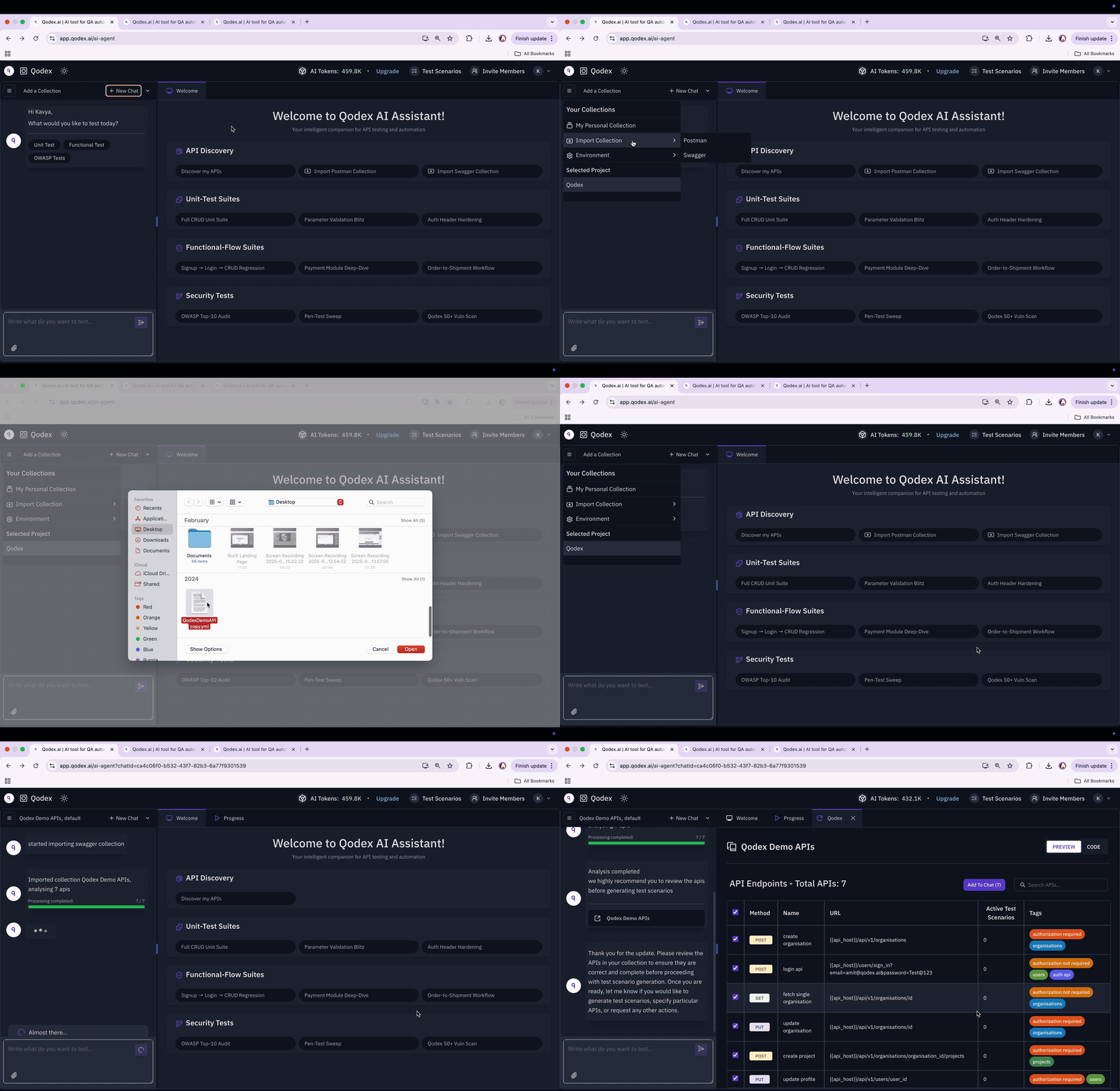
In chat, attach the.postman_collection.json file. Qodex detects the Postman shape automatically and routes it to the Postman importer.
The importer walks the nested item[] tree, flattens it into endpoints, and preserves:
- Method and URL.
- Headers from the request.
- Body from
request.body(raw, formdata, urlencoded, file, GraphQL). - Auth from
request.auth, kept as a structured shape on the endpoint row. - Collection-root auth, applied to every request that doesn’t override it.
- Folder names as tags.
{{var}} are preserved, so they line up with Qodex’s own interpolation against the active environment.
2. Review discovered requests
Open API under Context in the sidebar and pick the new collection to review what was imported. Every request appears as a row with method, path, name, and tags. Folder names from the collection become tags so you can filter by module. The catalog row is the editable source of truth. Params, headers, body, and auth all live on the same row the API Playground edits, so the catalog and playground do not drift.3. Configure auth profiles
If the collection declares auth at the root or per request, Qodex preserves the structured shape, such as basic, bearer, or apiKey. The agent reads it directly from the endpoint catalog when authoring tests. For runtime auth, create one auth profile per role:adminfor privileged operations.userfor regular-account access.viewerfor read-only checks.
4. Author your first scenario from chat
In a chat, ask:Auth, generates scenarios for the requested behaviors, verifies them against staging, and saves them as drafts.
Try it yourself
Endpoint catalog
Browse every imported request.
API Playground
Run any request from the collection by hand.
Next steps
Scenarios
See how a generated scenario is structured.
Chaining and postscripts
Pass IDs and tokens between steps.