
Test rules in plain English
Test rules are the assertions that decide whether an API scenario passed. You can let Qodex generate rules from plain English, or write the structured assertion yourself when the check needs to be exact.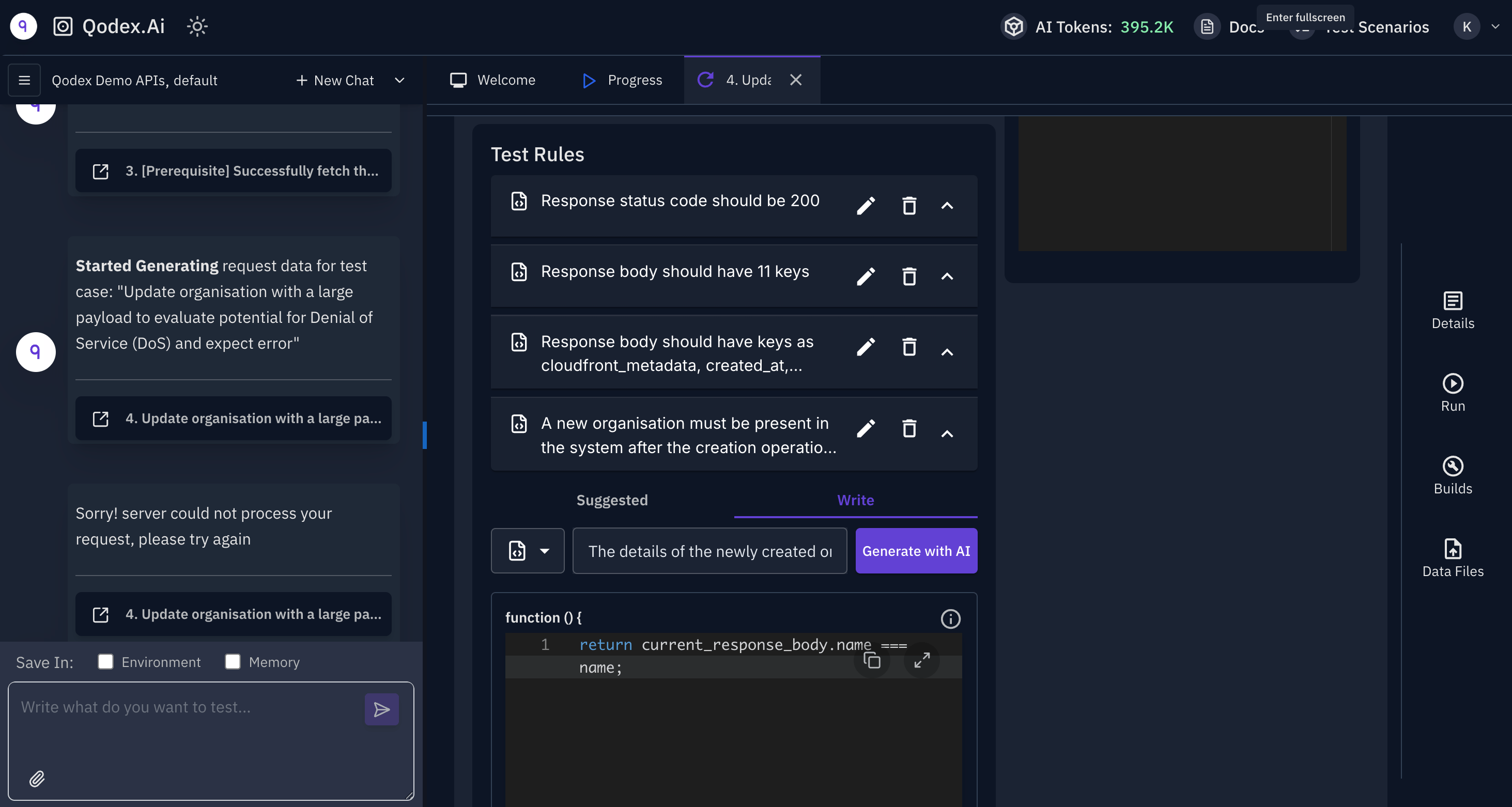
How rules differ from scenario steps
A step is what the test does. A rule is what the test expects to see.
A single step can carry many rules. A scenario passes only when every step’s rules evaluate true.
Rules persist on the step as
expectations[], each one a structured assertion:
Writing rules in plain English
When you ask the agent to author a scenario, it generates rules based on the endpoint’s response schema and common validation patterns. You see them in the Suggested rules panel on the step. Common auto-generated rules:- “Status code should be 200.”
- “Response body should contain
user_id.” - “Field
emailshould match the input email.” - “Error message should appear when email is missing.”
Writing rules manually
When the English-to-assertion conversion is not sharp enough, write the assertion directly. Open the step, go to the Write tab, and pick a rule kind:- Status:
equals,in [200, 201, 204],notEquals. - JSONPath:
exists,equals,notEquals,contains,matches,lengthEquals,lengthGreaterThan. - Header:
equals,contains,matches,existson the header name (case-insensitive). - Body shape: validate the response body against a JSON Schema or a TypeScript-style shape.
- Custom JavaScript: a free-form expression that returns truthy for pass, falsy for fail.
current_status_code,current_response_body,current_response_headers.current_request_body,current_request_headers.${var}interpolation happens before the expression evaluates, so captures and environment variables work.
When to do which
In practice, let the agent draft and hand-edit the rules where it matters. The agent is fast at shape, such as status and JSONPath checks. Humans are better at business invariants, such as totals matching or audit trails being complete.
What runs at execution time
The runner evaluatesexpectations[] on every step. A failing expectation:
- Marks the step
fail. - Captures the expected and actual values into the test run record.
- Surfaces in the per-step breakdown in the Test Runs view.
On the roadmap
Related
Scenarios
The structure that carries rules.
Auto-verification on save
Rules run the moment you save.
Request data generation
The data that rules evaluate against.
Findings
What happens when a rule fails on an active scenario.