
Findings
Findings are the durable issues Qodex creates when a test or a code scan finds something worth tracking. A finding includes the bug description, severity, evidence, reproduction steps, category, status, and the scenario that produced it. Open them from Findings at the top of the sidebar. Qodex does not turn every failed run into a finding. It first classifies the failure as a real bug, stale test, or environment issue. Only real product or security issues should become findings.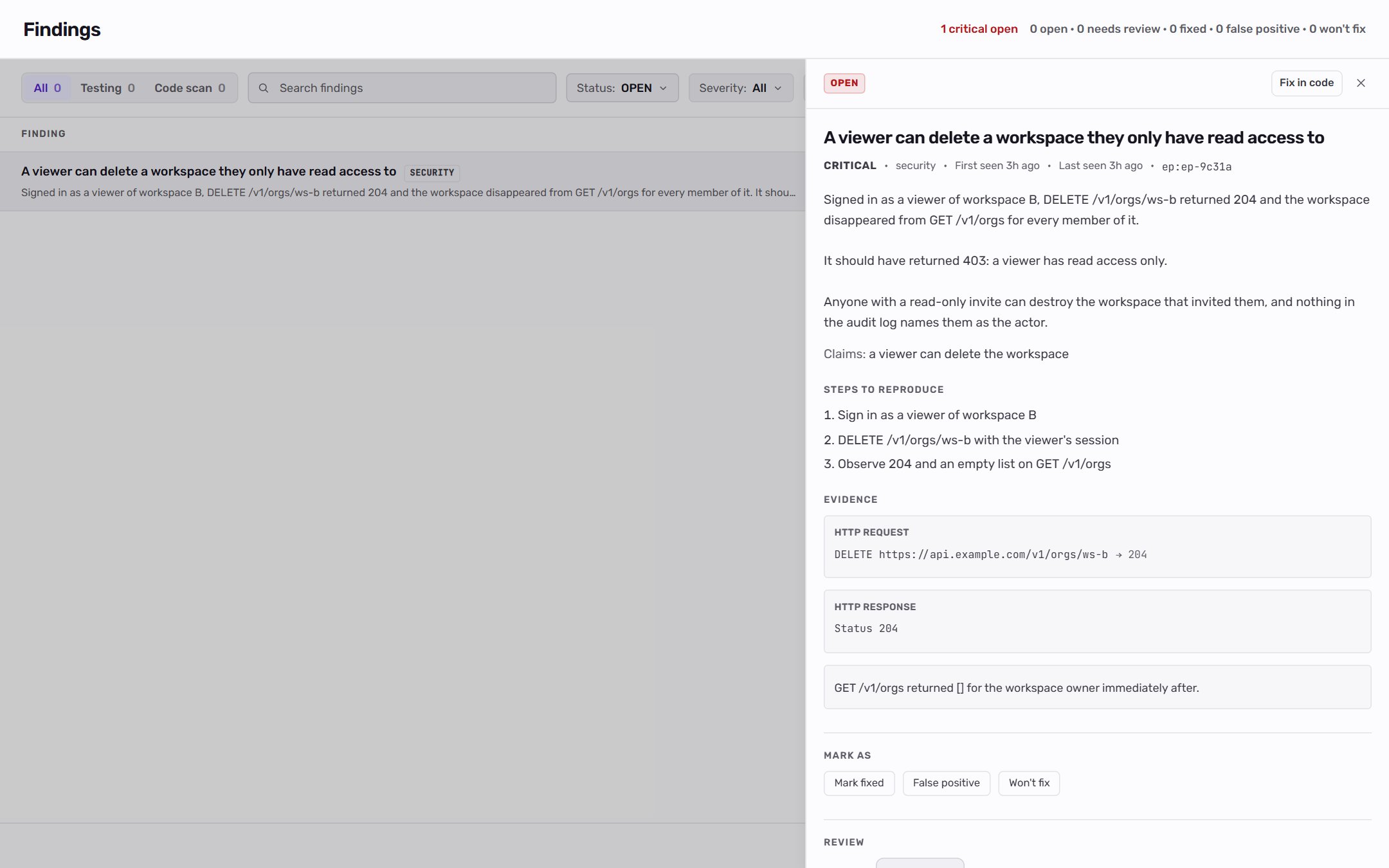
What a finding contains
How findings are created
Findings can come from several places:- API scenarios that fail with a real product issue.
- UI scenarios with evidence-backed failures.
- Security scenarios where the attack succeeds.
- Agent investigations in chat or Autopilot.
- Code scan, which reads a linked repository and files what it finds.
Does Qodex fix issues automatically?
Qodex’s automatic fixing is about keeping tests current, not patching your application. When a UI test fails because the page changed rather than because of a bug, Qodex re-resolves the step and repairs the test on its own, so stable coverage keeps replaying. See replay cache and self-healing. For a real product bug, Qodex does not rewrite your code for you. It finds the bug, classifies it as a real issue, and files a finding with severity, evidence, and reproduction steps. In PR review it can suggest a code change inline that you choose whether to apply.Explore this section
Severity model
Understand critical, high, medium, low, and info.
Failure classification
See how Qodex decides whether a failed run is a real bug.
Triage workflow
Filter, review, and move findings through their statuses.
Findings concept
Read the shorter conceptual overview.
Related
Security testing
Learn how attack scenarios produce security findings.
Run tests
Run scenarios that can create or verify findings.