
Autopilot
Autopilot is how Qodex works between your sessions, not just during them. Autopilot agents run on their own: on a schedule, when a bug is opened, or when you press Run now. Everything they do or need from you lands as a task card on the Autopilot board, so you stay in charge of what changes in your project. Autopilot is in beta.Find Autopilot
Autopilot has its own section in the left navigation, with two rows:
When tasks are waiting on you, the Autopilot section shows a count, even when the section is folded.
Both pages open with a weekly summary: runs, tests written, bugs reported, and how many tasks are waiting on you. Click the waiting count to jump to the Tasks board.
Turn Autopilot on
Autopilot is switched on per project by the Qodex team. When it is off, the page header says Autopilot is off. Qodex works only when you ask it to in chat. Click Book a call to enable to set it up. When Autopilot is on, Qodex tests continuously and raises tasks when it needs you. A daily email sums up the day and skips quiet days. A question that blocks a run is emailed right away.Agents
An agent is a standing job with its own instructions, trigger, and run history. Each agent is backed by a mission. Open Autopilot > Agents to see:- Switched on: agents that are running on their trigger.
- Switched off: agents you added and paused.
- Add an agent: ready-made agents this project has not added yet.
Ready-made agents
Scheduled triggers run in UTC.
Auto-fix bugs needs a linked repository, because it opens a pull request against your code. Only a project admin can add it. From a finding, Fix in code sends that bug to the Auto-fix agent, or takes you to the agent’s card if it is not added or switched on yet.
Tests for new production errors needs an observability connector such as Sentry.
Add an agent
1
Pick an agent
Open Autopilot > Agents and click Add on a ready-made agent under Add an agent.
2
Tell it what matters
Edit Instructions. Write what this agent should care about, in your own words. Every run reads this first.
3
Choose connectors
Pick which connectors the agent may use during a run. You can change this later on the agent’s page.
4
Add it
Click Add. The agent appears under Switched on and runs on its default trigger.
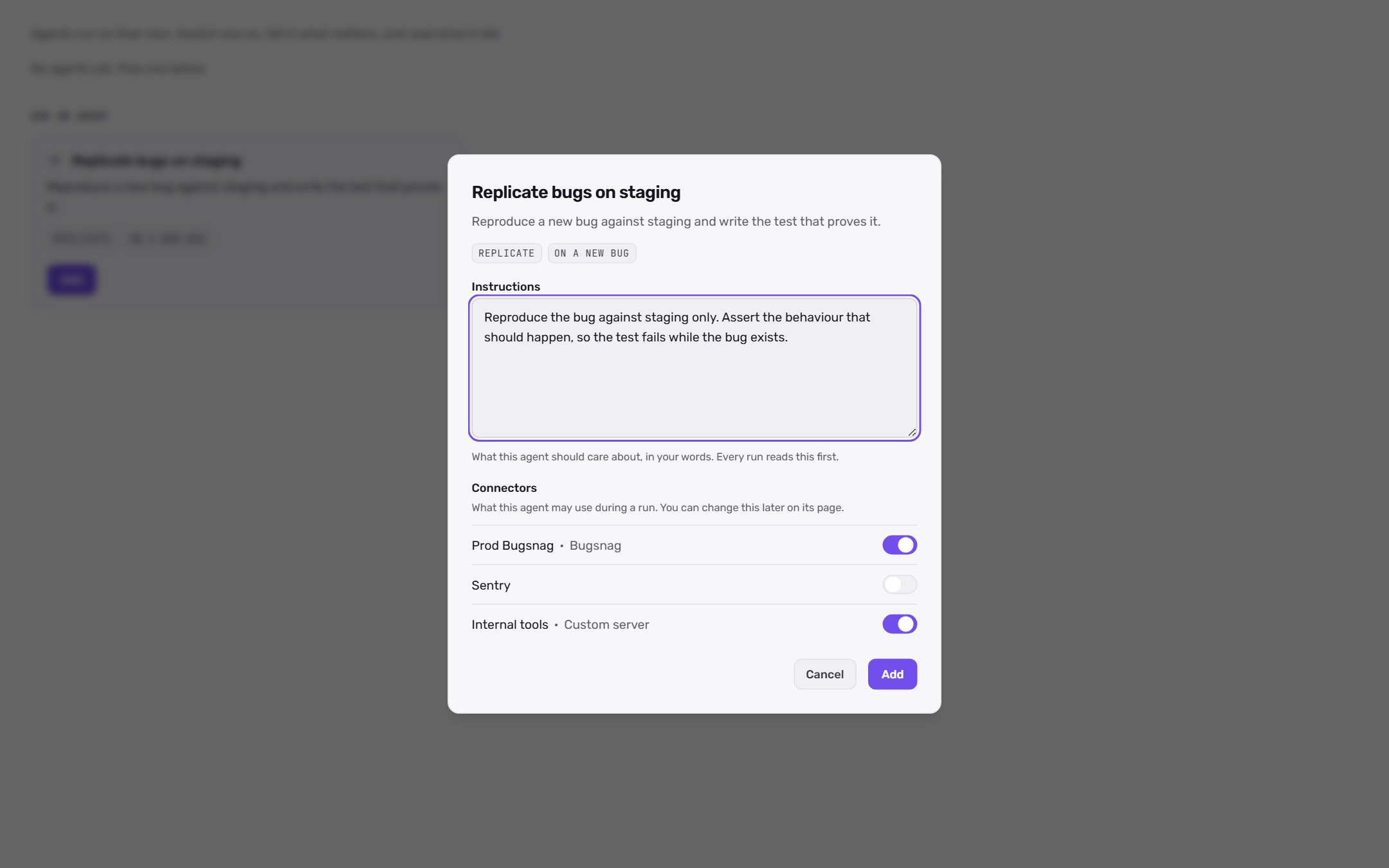
Configure an agent
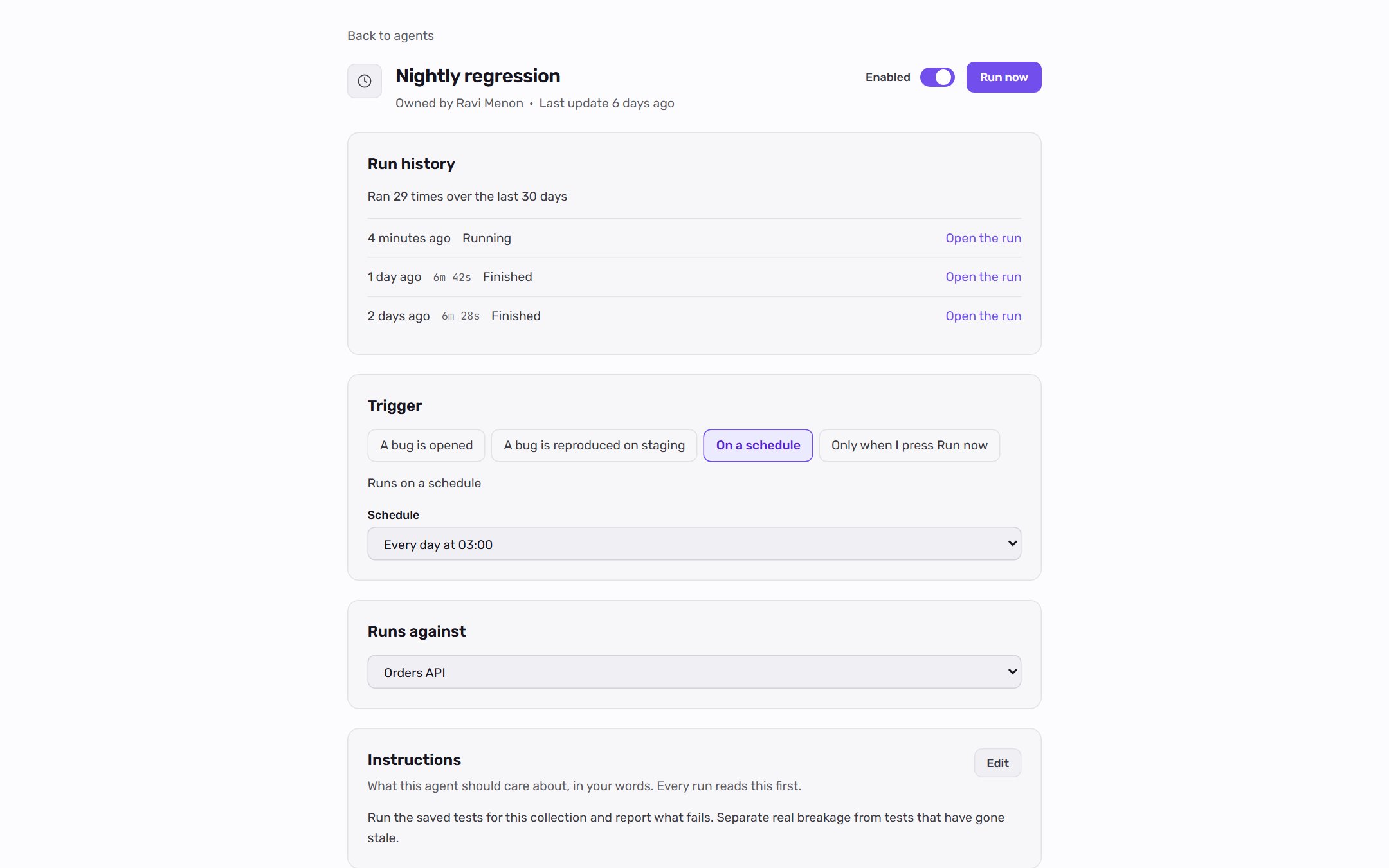
Click an agent to open its page. The page shows:
Changes to the trigger, instructions, and connectors publish a new version of the agent when you click Save.
For bug triggers, choose which severities the agent answers under Severity includes and set Runs a day, at most. Schedules offer common times such as Every hour or Every day at 02:00, or a Custom schedule written as a five-field cron expression in UTC.
For an agent that answers bugs, Run now opens the list of bugs it could work on.
Tasks
Open Autopilot > Tasks to see the board. Each column is one state:
Each column loads the newest cards first. Click Load more to see older ones.
Click a card to open its thread in a side panel. Nothing on the board itself changes a task.
Work with a card
- Comment in the thread. Type
@to mention a project member. - Answer a question in your own words when the agent asks for details.
- For “is this intended?” questions, choose Yes, intended or No, that is a bug. Yes records the behavior as a rule Qodex may cite from now on. No files the bug the agent was holding back.
- Approve or Dismiss a card with the shortcuts under the composer.
- For a proposal, tick the items you want and click Approve selected. Items left unticked are rejected, and the card closes.
- For a failed work task, click Retry.
Follow a card
Mentioning someone, commenting, or deciding on a card makes you a watcher. Watchers get an email for every later comment, decision, or change on that card. Click Follow on any card to get those emails, or Unfollow to stop them.Ask your team a question
Click Ask a question on the Tasks board to post your own question. You can attach it to the project, a collection, or a scenario. The question goes on the board with its own thread. Anyone on the project can answer, and the answer reaches the agent.Safety
Autonomy is governed:- Generated tests start as drafts. A person promotes them to active.
- Agents run under strict budgets and a code-enforced safety envelope.
- Every action is auditable from its card or the agent’s run history.
- Auto-fix opens a pull request for a person to review. It does not merge anything.
Related
Missions
See the repeatable jobs behind each agent.
Sentry and other connectors
Connect an error tracker for production-error agents.
Findings
Review the bugs agents reproduce and fix.
Operating modes
See how Autopilot fits next to chat, schedules, and CI.