Types of Software Testing: The Complete Guide (2026)
What Are the Types of Software Testing?
Software testing types fall into two broad categories: functional testing (unit, integration, system, and acceptance testing), which verifies that features work as specified, and non-functional testing (performance, security, usability, and compatibility testing), which verifies how well the system works under real conditions. Around those two pillars sit specialized methods, including regression, smoke, sanity, exploratory, API, contract, mobile, and accessibility testing, that teams combine to cover risk end to end.
No product uses every type. The skill is knowing what each type catches, where it fits in the development cycle, and which mix matches your risks. This guide covers exactly that, type by type; for the ground-up introduction to the discipline itself, start with our software testing guide.
Functional vs Non-Functional Testing at a Glance
| Functional Testing | Non-Functional Testing | |
|---|---|---|
| Question answered | Does the feature work as specified? | How well does the system behave? |
| Verifies | Behavior against requirements | Quality attributes: speed, security, usability |
| Examples | Unit, integration, system, acceptance | Performance, security, usability, compatibility |
| Based on | Requirements and user stories | Benchmarks, SLAs, standards |
| Typical failure found | Wrong output, broken workflow | Slow page, breach vector, confusing UX |
| When it runs | Throughout development | Mostly later stages, plus CI gates |
You need both: a checkout that calculates totals perfectly but takes forty seconds under load fails your users just as surely as one that calculates them wrong. Our functional and non-functional testing checklist pairs the two in practice.
Functional Testing Types
Unit Testing
Unit testing verifies individual components in isolation, usually at the function or class level, and is written and run by developers as they code. Units tests execute in milliseconds, which makes them the foundation of every CI pipeline: each commit is verified before it can break anything downstream. See unit testing definition and examples for a deep dive.
Integration Testing
Integration testing verifies that modules work together: API calls between services, database reads and writes, microservice communication. It catches the interface bugs unit tests structurally cannot see, like mismatched data formats between two individually correct components. Our guide to integration testing types and tools covers the strategies (top-down, bottom-up, sandwich, big-bang) in detail.
System Testing
System testing evaluates the complete, integrated application against its requirements: end-to-end business flows, user interfaces, data integrity, the works. It is the first point where the software is tested as the thing users will actually receive. More in our system testing guide.
Acceptance Testing
Acceptance testing confirms the software meets business requirements and user needs, and is typically the final gate before release. Its main sub-types:
User Acceptance Testing (UAT): end users verify the software fits their real workflows
Business Acceptance Testing (BAT): stakeholders verify business requirements are met
Regulatory Acceptance Testing: compliance with legal and regulatory standards is validated
The Four Levels Compared
| Level | SDLC stage | Primary owner | Where it runs | Automatable? | Typical tools |
|---|---|---|---|---|---|
| Unit | Build | Developer | CI runner | High | JUnit, pytest, Jest |
| Integration | Build to pre-merge | Dev/QA | CI + ephemeral env | High | REST Assured, Pact, Testcontainers |
| System | Pre-release | QA | Dedicated env | Medium/High | Playwright, Cypress |
| Acceptance (UAT) | Pre-prod | Business/QA | Staging | Medium | Manual + scripted |
Non-Functional Testing Types
Performance Testing
Performance testing measures speed, scalability, and stability under various conditions. Its main forms:
Load testing: behavior under expected traffic; finds bottlenecks before peak days do
Stress testing: pushes past normal capacity to find the breaking point
Spike testing: sudden traffic surges, like a product launch or viral moment
Endurance (soak) testing: sustained load over hours or days to expose memory leaks and degradation
Scalability testing: how gracefully the system grows and shrinks with demand
The classic example: verifying an e-commerce platform survives Black Friday. See load vs stress vs performance testing for how the forms differ.
Security Testing
Security testing hunts for vulnerabilities before attackers do: penetration testing simulates real attacks, vulnerability scanning sweeps for known weaknesses, fuzz testing throws malformed input at the system, and risk assessment ranks what matters most. The main automated approaches compared:
| Type | What it finds | When to run |
|---|---|---|
| SAST | In-code flaws, unsafe dependencies | On every pull request |
| DAST | Runtime vulnerabilities (XSS, SQLi) | Against preview/prod URLs |
| IAST | Issues surfaced during live test runs | During UI/API suites |
| Pentest | Real-world exploit paths | Quarterly or pre-major-release |
APIs deserve special attention here; see the most common API security vulnerabilities and how to close them.
Usability Testing
Usability testing evaluates whether real users can actually use the product: observers watch users perform tasks and note where they hesitate, misclick, or give up. It finds the failures functional tests are blind to, because "works as specified" and "makes sense to a human" are different bars.
Compatibility Testing
Compatibility testing verifies correct behavior across browsers, devices, and operating systems. A practical device-browser matrix beats exhaustive coverage:
| Tier | Browsers/OS | Viewports | What to run |
|---|---|---|---|
| Core | Chrome, Safari, Firefox (latest) / iOS & Android N-1 | 1440, 1024, 390 | Smoke + core user flows |
| Extended | Edge, older Safari/Android | 1280, 768 | Sanity + visual diffs |
Accessibility Testing
Accessibility testing (against WCAG 2.2) verifies the product works for users with disabilities: keyboard navigation, contrast, semantic landmarks, and screen-reader flows. Automate the quick checks (axe, Playwright accessibility assertions) and review complex widgets manually. Beyond compliance, it is simply a larger addressable audience.
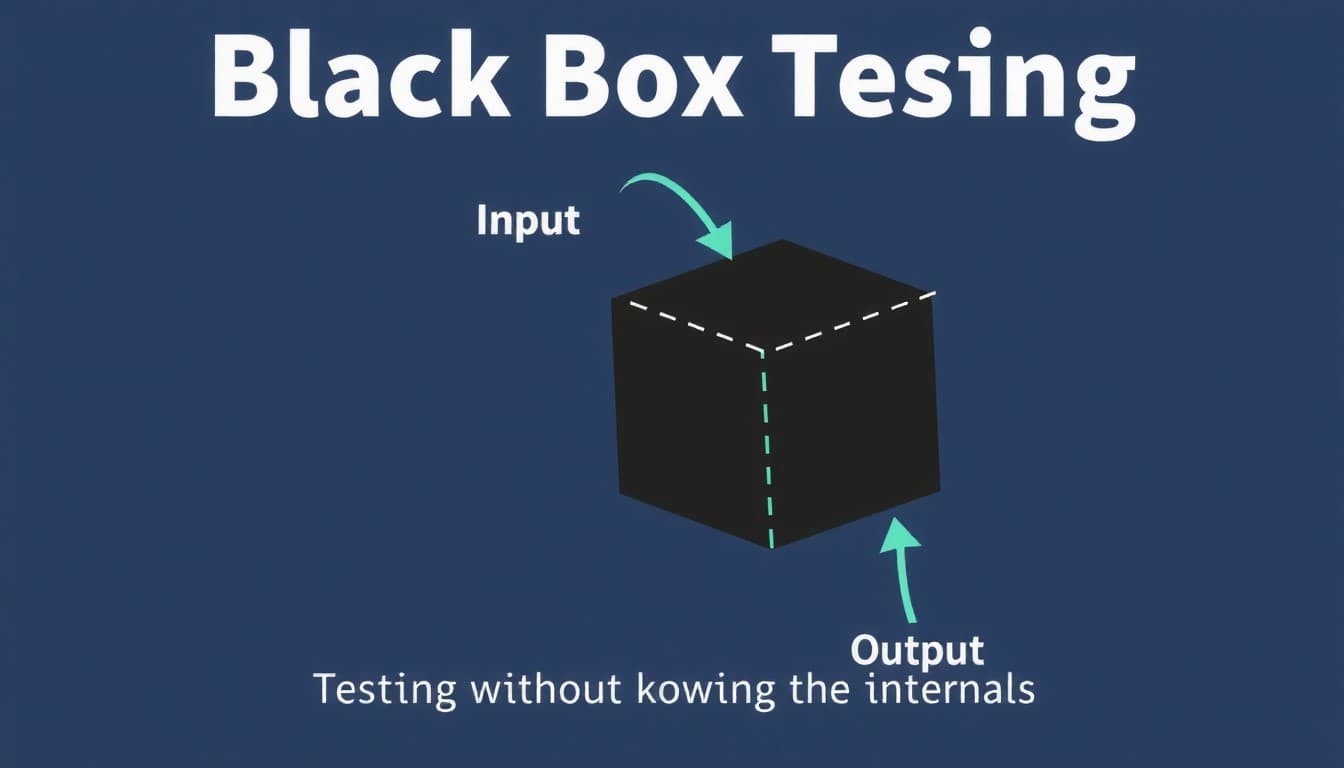
Testing by Code Knowledge: Black Box, White Box, Gray Box
| Approach | Tester knows the code? | Best for |
|---|---|---|
| Black box | No; tests behavior against requirements | Acceptance, regression, cross-browser flows |
| White box | Yes; tests internal paths and logic | Complex algorithms, security-critical modules, coverage goals |
| Gray box | Partially; knows interfaces/contracts | API testing, integration scenarios with realistic constraints |
These are not separate test types so much as lenses: a unit test is white box by nature, UAT is black box, and most API testing is gray box.
Change-Related Testing: Regression, Smoke, and Sanity
Every code change threatens existing behavior, and three testing types manage that risk:
Regression testing re-verifies existing functionality after changes; it is the deep safety net, covered in building an effective regression test suite.
Smoke testing quickly checks a new build's critical functions before deeper testing begins; see our smoke testing guide.
Sanity testing narrowly verifies a specific fix or change on an otherwise stable build; the sanity vs smoke comparison untangles the two.
Specialized Testing Types
API Testing
API testing verifies endpoints directly: correct responses, graceful error handling, schema conformance, authentication. Because APIs sit beneath every modern UI, API tests are faster and more stable than UI tests covering the same logic. Start with API testing in software development.
Contract Testing
Contract testing verifies that a provider service honors the request/response shapes its consumers expect, without standing up full environments. Consumer-driven contracts run in CI on both sides, which slashes flaky end-to-end dependencies in microservice fleets.
Exploratory Testing
Exploratory testing has testers design and execute tests simultaneously, following the application's behavior instead of a script. It finds the bugs nobody thought to write cases for. Full treatment in our exploratory testing guide.
Ad-hoc Testing
Unstructured, intuition-driven checking with no plan or documentation. Cheap and occasionally lucky, but unlike exploratory testing it has no charters, sessions, or records, so treat it as a supplement, never a strategy.
Mobile App Testing
Mobile testing covers functionality, performance, and usability across devices and OS versions, with mobile-specific concerns: interrupted sessions, flaky networks, gestures, battery drain, and store-review requirements.
Backward Compatibility Testing
Verifies that new versions still handle data, files, and integrations created by older versions, essential for anything with an installed base or long-lived stored data.
Manual vs Automated Testing
Every type above can be executed manually, by automation, or both. Manual testing brings human judgment (essential for exploratory and usability work); automation brings speed, repeatability, and scale (essential for unit, regression, and performance work). Most teams automate the repetitive verification layer and spend human time on judgment-heavy testing. The full trade-off analysis lives in our manual vs automation testing comparison, and well-structured test cases make either path work; see how to write test cases.
Where Each Type Fits in the Software Testing Life Cycle
The software testing life cycle (STLC) runs from requirement analysis through test planning, case development, environment setup, execution, and closure. The testing types slot into it in a reliable order:
| Development stage | Testing types that run there |
|---|---|
| While coding | Unit testing, static analysis (SAST) |
| On every commit/merge | Smoke testing, integration testing, contract testing |
| Feature complete | System testing, API testing, exploratory testing |
| After fixes and changes | Sanity testing, regression testing |
| Pre-release | Acceptance (UAT), performance, security, accessibility |
| Post-deploy | Smoke checks, monitoring, DAST |
A reliable test environment with stable seeded data underpins every row of that table: use synthetic datasets for edge cases and masked production samples for realism, and spin up ephemeral per-PR environments where you can.
Shift-Left and Shift-Right Testing
Shift-left moves quality earlier: static analysis, unit tests, and contract tests run on each commit so defects never reach integration. Shift-right validates resilience in production: synthetic monitoring, canary releases, feature flags, and chaos experiments. Together they shorten feedback loops on both ends: pre-merge checks (unit, contract, smoke UI) and post-deploy checks (SLO monitors, error budgets, synthetic journeys). This is the direction modern agile testing practice has been moving for years.
How to Choose the Right Mix of Testing Types
Rank your risks. A payments product weights security and regression; a consumer app weights usability and compatibility; an API platform weights contract and integration testing.
Cover the pyramid base first. Broad unit coverage, then integration, then a thin layer of end-to-end system tests. Inverted pyramids (all UI tests) are slow and brittle.
Gate every build with smoke tests and every release with regression and acceptance passes.
Schedule the specialized types. Performance before high-traffic events, security on a recurring cadence, accessibility before major UI releases.
Leave room for exploration. Scripted coverage guards the known; exploratory sessions find the unknown.
Release Readiness Checklist
Before shipping, confirm: critical paths pass; high-severity security findings closed; performance baselines met; accessibility issues triaged; rollback plan defined. Lock the version, tag the evidence (reports and artifacts), and freeze test-data snapshots so results stay reproducible.
Unit coverage meets your critical-path bar
Contract tests green on both consumer and provider sides
UAT sign-off recorded
DAST scan clean of high-severity findings
P95 response time within target
AI in Software Testing
The newest layer across all these types is agentic AI. Tools like Qodex generate and maintain functional test cases from plain-English descriptions, keep API and UI suites current as the product changes, and fold security and regression checks into the same loop. The testing taxonomy stays the same; what changes is who writes and maintains the tests. For teams whose coverage always lags the roadmap, that authoring-and-maintenance bottleneck is usually the real constraint, not execution.
Related: Backward Compatibility Testing | What It is, Example & How-To
Related: Comparison Testing in Software Engineering with Examples
Frequently Asked Questions
What are the main types of software testing?
The main types fall into two categories: functional testing (unit, integration, system, and acceptance testing), which verifies features work as specified, and non-functional testing (performance, security, usability, and compatibility testing), which evaluates quality attributes like speed and resilience. Teams supplement these with specialized methods such as regression, smoke, sanity, exploratory, API, contract, and accessibility testing.
What are the four levels of software testing?
The four levels are unit testing (individual components, written by developers), integration testing (modules working together), system testing (the complete application end to end), and acceptance testing (validation against business and user requirements, usually the final gate before release). Each level catches a class of defects the previous one cannot see.
What is the difference between functional and non-functional testing?
Functional testing checks that the software does the right thing: features behave according to requirements, workflows complete, outputs are correct. Non-functional testing checks how well it does it: how fast pages load, how the system behaves under load, whether it resists attack, and whether users find it usable. A release needs both to succeed.
What is the difference between manual testing and automated testing?
Manual testing has humans execute test cases, which is ideal for exploratory and usability work where judgment matters. Automated testing uses scripts and frameworks to run repetitive tests fast and consistently, which is ideal for unit, regression, and performance work. Most teams combine them: automation guards known behavior while humans investigate the unknown.
Which types of software testing are most important for CI/CD pipelines?
Unit tests and smoke tests on every commit, integration and contract tests before merge, and automated regression before release form the core CI/CD testing stack. Security scanning (SAST on pull requests, DAST on deployed environments) increasingly runs in the same pipeline, so every change is verified for both correctness and safety without manual gates.
How do I choose which testing types my project needs?
Rank your product's risks and map testing types to them: security-sensitive products need deep security and regression testing, consumer products need usability and compatibility coverage, API-first products need contract and integration testing. Then build from a base of unit tests, gate builds with smoke tests, and add specialized types where your risk ranking says the failures would hurt most.
Conclusion
The types of software testing are not a menu where you pick one; they are layers that catch different failures. Functional levels verify the software does the right thing, non-functional types verify it does so under real conditions, and change-related and exploratory methods keep it true as the product evolves. Map them to your risks, automate the repetitive layers, and revisit the mix as the product grows.
To see how an AI agent can generate and maintain that coverage for you, try Qodex free.