Mobile App API Security: Tokens, Pinning, Tests
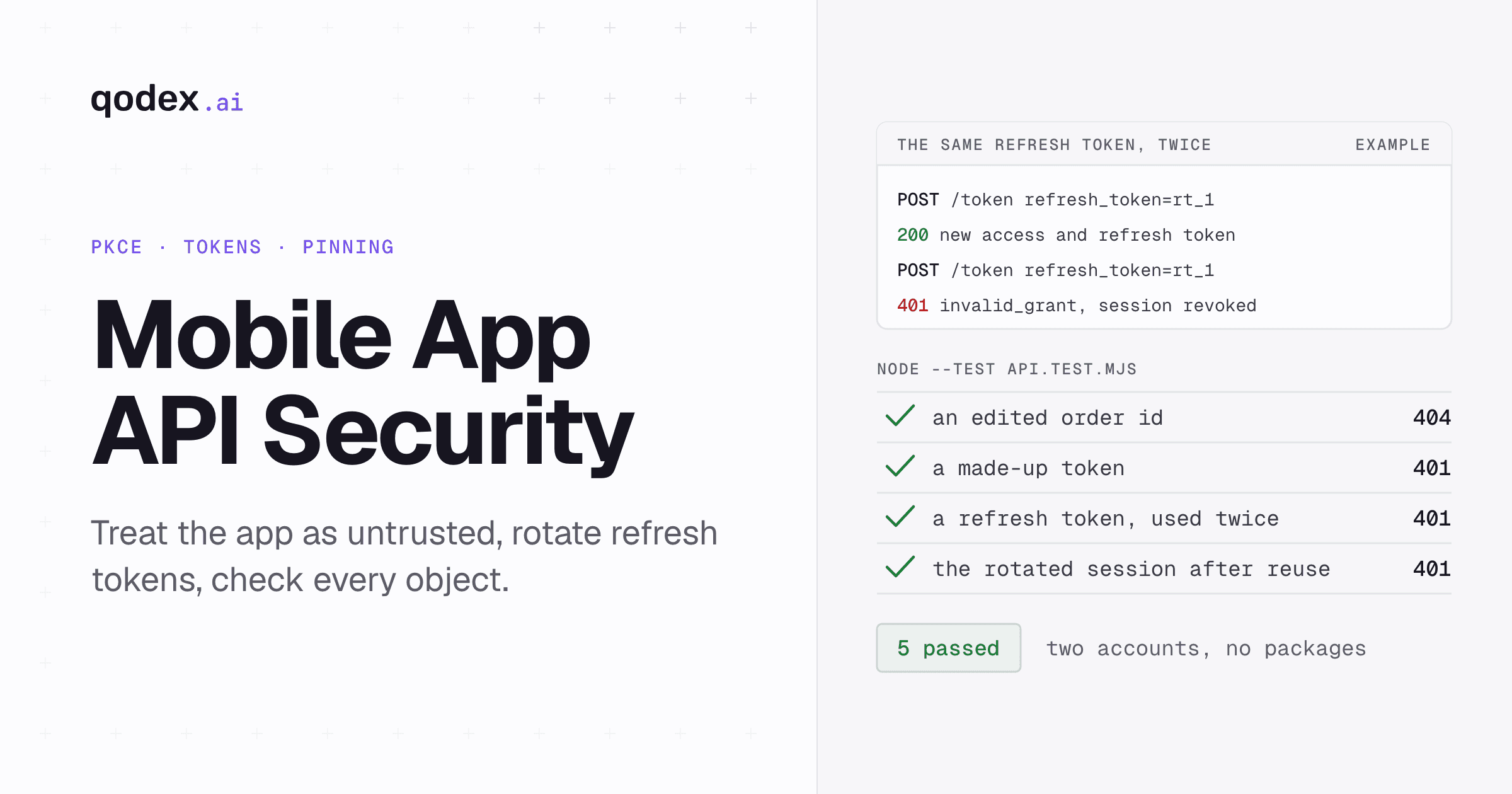
Mobile app API security means protecting the API your app calls while assuming the app can be inspected, copied and replayed. Anyone can read and change the requests their own phone sends. So the server decides: sign users in with OAuth and PKCE, keep access tokens short-lived, rotate refresh tokens, and check object ownership on every request. Pinning and attestation add signals. Neither replaces those checks.
The example on this page ran as printed in an empty folder with Node 26.10.0 and its built-in test runner, no packages. Every output block is copied from that run's log.
Qodex runs attack chains against your preview on every pull request, from flows it has already tested, with two real accounts. See Qodex security testing or try it on your API.
Why the API cannot trust the mobile app
A web app's code runs partly on your servers. A mobile app's code runs entirely on a device you do not control, and anyone can download a copy. Two consequences follow, and the OAuth standards state both.
Secrets in the app are not secret. RFC 8252 is the OAuth guidance for native apps. It says secrets shipped in an app for many users "should not be treated as confidential secrets, as one user may inspect their copy and learn the shared secret". An API key in the binary identifies the app. It does not prove the caller is your app. Source: RFC 8252, section 8.5.
Requests can be edited on the device. RFC 9700, the OAuth security best current practice, describes an attacker working on their own device who "has full access to the request contents". Change an order id, replay a call, drop a parameter. Source: RFC 9700, section 4.8.1.
Both were read 4 October 2026. The design rule that follows: the app cannot keep a secret from the person holding the phone, so API permissions are enforced on the server. Our REST API security guide covers the server controls that apply to any client. This page covers what changes when the client is a phone.
Sign in with OAuth and PKCE
RFC 8252 says native apps "MUST use an external user-agent" for OAuth requests, which in practice means the system browser, not a web view inside the app. It also says public native app clients "MUST implement" PKCE, and authorization servers "MUST support PKCE for such clients". Source: RFC 8252, read 4 October 2026.
PKCE, defined in RFC 7636, binds the authorization code to the app instance that asked for it:
The app makes a fresh random
code_verifierfor each sign-in, between 43 and 128 characters.It sends a hash of it, the
code_challenge, withcode_challenge_method=S256.When it trades the code for tokens, it sends the original verifier. The server rejects a mismatch with
invalid_grant.
Source: RFC 7636, sections 4.1 to 4.6, read 4 October 2026. A stolen authorization code is useless without the verifier. PKCE does nothing for an access token that has already leaked. That is what the next section is for.
Keep tokens short-lived and rotate refresh tokens
Access tokens should expire quickly, and refresh tokens should not be reusable. RFC 9700 says: "Refresh tokens for public clients MUST be sender-constrained or use refresh token rotation". Source: RFC 9700, section 2.2.2. Under rotation, each refresh returns a new refresh token and invalidates the old one. Source: RFC 9700, section 4.14. Both read 4 October 2026.
Rotation also detects theft. If an attacker and the real app both hold the same refresh token, one of them will present a token that was already used. RFC 9700 says the server cannot tell which party that was, "but it will revoke the active refresh token". The cost is that the real user signs in again.
On the device, keep tokens in the platform's protected storage, not in plain app preferences. OWASP's Mobile Application Security Verification Standard covers this under MASVS-STORAGE, and sign-in under MASVS-AUTH. Source: OWASP MASVS, read 4 October 2026.
Check object ownership on every request
The app shows Ana her orders and never shows her Bo's. That is a screen decision, not a security one. An edited request can ask for any order id the server will answer. OWASP's API1:2023, broken object level authorization, describes this and includes a connected-car app whose API trusted the vehicle number it was sent. Source: OWASP API1:2023, read 4 October 2026.
The fix is a check in every handler that reads an object by id: does the signed-in user own this object, or have a grant to it? Take the user from the verified token, never from a field the app sends.
A runnable mobile app API security test
The demo is the API a mobile app might call. It issues random access tokens that expire after five minutes and refresh tokens that rotate. It detects reuse and returns orders only to their owner. Tests sign in two accounts, Ana and Bo, in-process, and each reads only its own order. In a real app, sign-in is the OAuth flow above. Save this as api.mjs:
// api.mjs: the API a mobile app talks to. Node built-ins only.
import { createServer } from 'node:http';
import { randomBytes } from 'node:crypto';

const ACCESS_TTL_MS = 5 * 60 * 1000;
const accounts = { ana: 'u1', bo: 'u2' }; // two test accounts
const orders = new Map([
  ['ord_1001', { id: 'ord_1001', owner: 'u1', total: 42 }],
  ['ord_1002', { id: 'ord_1002', owner: 'u2', total: 17 }],
]);
const accessTokens = new Map(); // token -> { userId, family, expires }
const refreshTokens = new Map(); // token -> { userId, family, used }
const revokedFamilies = new Set();

const token = () => randomBytes(32).toString('base64url');

function issue(userId, family = token()) {
  const access = token();
  const refresh = token();
  accessTokens.set(access, { userId, family, expires: Date.now() + ACCESS_TTL_MS });
  refreshTokens.set(refresh, { userId, family, used: false });
  return { access_token: access, refresh_token: refresh, expires_in: ACCESS_TTL_MS / 1000 };
}

function send(res, status, body) {
  res.writeHead(status, { 'content-type': 'application/json', 'cache-control': 'no-store' });
  res.end(JSON.stringify(body));
}

const MAX_BODY = 10_000; // bytes
const TOO_LARGE = Symbol('too large');
const CUT_OFF = Symbol('cut off');

async function json(req) {
  let raw = '', size = 0;
  try {
    for await (const chunk of req) { size += chunk.length; if (size <= MAX_BODY) raw += chunk; }
  } catch {
    return CUT_OFF; // the client stopped sending mid-body
  }
  if (size > MAX_BODY) return TOO_LARGE;
  try {
    const body = JSON.parse(raw);
    return body !== null && typeof body === 'object' ? body : {};
  } catch { return {}; }
}

export function start() {
  const server = createServer(async (req, res) => {
    const url = new URL(req.url, 'http://localhost');

    if (req.method === 'POST' && url.pathname === '/token') {
      const body = await json(req);
      if (body === TOO_LARGE) return send(res, 413, { error: 'body too large' });
      if (body === CUT_OFF) return send(res, 400, { error: 'incomplete body' });
      if (body.grant_type === 'refresh_token') {
        const record = refreshTokens.get(body.refresh_token);
        if (!record || revokedFamilies.has(record.family)) return send(res, 401, { error: 'invalid_grant' });
        if (record.used) {
          revokedFamilies.add(record.family); // reuse: someone else holds a copy
          return send(res, 401, { error: 'invalid_grant' });
        }
        record.used = true;
        return send(res, 200, issue(record.userId, record.family));
      }
      return send(res, 400, { error: 'unsupported_grant_type' });
    }

    const auth = accessTokens.get((req.headers.authorization ?? '').replace(/^Bearer /, ''));
    if (!auth || auth.expires < Date.now() || revokedFamilies.has(auth.family)) {
      return send(res, 401, { error: 'invalid_token' });
    }

    const match = /^\/v1\/orders\/([\w]+)$/.exec(url.pathname);
    if (req.method === 'GET' && match) {
      const order = orders.get(match[1]);
      if (!order || order.owner !== auth.userId) return send(res, 404, { error: 'not_found' });
      return send(res, 200, order);
    }
    send(res, 404, { error: 'not_found' });
  });
  // Tests sign in in-process. Your real sign-in (OAuth with PKCE in the app) replaces this.
  const signIn = (name) => issue(accounts[name]);
  return new Promise((resolve) => server.listen(0, '127.0.0.1', () => resolve({ server, signIn })));
}
The tests act like an attacker with a copy of the app's traffic. They edit an order id, send a made-up token, replay a refresh token, and drop a connection halfway through a token request. Save this as api.test.mjs:
// api.test.mjs: what the API must refuse, whatever the app sends.
import { test, before, after } from 'node:test';
import assert from 'node:assert/strict';
import { connect } from 'node:net';
import { start } from './api.mjs';

// Sends half a request body, then hangs up, the way a dropped mobile connection does.
const cutOff = (port, path, header = '') => new Promise((resolve) => {
  const socket = connect(port, '127.0.0.1', () => {
    socket.write(`POST ${path} HTTP/1.1\r\nHost: 127.0.0.1\r\nContent-Type: application/json\r\n`
      + `Content-Length: 100\r\n${header}\r\n{"half":`);
    setTimeout(() => { socket.destroy(); setTimeout(resolve, 100); }, 50);
  });
});

let server, signIn, base;
before(async () => {
  ({ server, signIn } = await start());
  base = `http://127.0.0.1:${server.address().port}`;
});
after(() => server.close());

const post = (path, body) => fetch(base + path, {
  method: 'POST',
  headers: { 'content-type': 'application/json' },
  body: JSON.stringify(body),
});
const refresh = (refresh_token) => post('/token', { grant_type: 'refresh_token', refresh_token });
const getOrder = (id, access) => fetch(`${base}/v1/orders/${id}`, {
  headers: { authorization: `Bearer ${access}` },
});

test('an edited order id returns 404, not another user\'s order', async () => {
  const ana = signIn('ana');
  const bo = signIn('bo');
  assert.equal((await getOrder('ord_1001', ana.access_token)).status, 200);
  assert.equal((await getOrder('ord_1002', ana.access_token)).status, 404);
  assert.equal((await getOrder('ord_1002', bo.access_token)).status, 200);
  assert.equal((await getOrder('ord_1001', bo.access_token)).status, 404);
});

test('a missing or made-up token is refused', async () => {
  assert.equal((await fetch(`${base}/v1/orders/ord_1001`)).status, 401);
  assert.equal((await getOrder('ord_1001', 'not-a-real-token')).status, 401);
});

test('a refresh token works once', async () => {
  const ana = signIn('ana');
  assert.equal((await refresh(ana.refresh_token)).status, 200);
  assert.equal((await refresh(ana.refresh_token)).status, 401);
});

test('reusing a refresh token signs out the whole session', async () => {
  const ana = signIn('ana');
  const rotated = await (await refresh(ana.refresh_token)).json();
  assert.equal((await getOrder('ord_1001', rotated.access_token)).status, 200);

  await refresh(ana.refresh_token); // a second copy of the old token turns up
  assert.equal((await getOrder('ord_1001', rotated.access_token)).status, 401);
  assert.equal((await refresh(rotated.refresh_token)).status, 401);
});

test('a token request cut off mid-body does not take the API down', async () => {
  await cutOff(server.address().port, '/token');
  assert.equal((await fetch(`${base}/v1/orders/ord_1001`)).status, 401);
});
Run it:
$ node --test
✔ an edited order id returns 404, not another user's order (13.981459ms)
✔ a missing or made-up token is refused (1.151125ms)
✔ a refresh token works once (2.834084ms)
✔ reusing a refresh token signs out the whole session (2.810084ms)
✔ a token request cut off mid-body does not take the API down (152.23275ms)
ℹ tests 5
ℹ suites 0
ℹ pass 5
ℹ fail 0
ℹ cancelled 0
ℹ skipped 0
ℹ todo 0
ℹ duration_ms 269.434792
To see the reuse check earn its place, delete these four lines from api.mjs:
        if (record.used) {
          revokedFamilies.add(record.family); // reuse: someone else holds a copy
          return send(res, 401, { error: 'invalid_grant' });
        }
Then run the tests again:
$ node --test
✔ an edited order id returns 404, not another user's order (14.330459ms)
✔ a missing or made-up token is refused (1.64975ms)
✖ a refresh token works once (3.766ms)
✖ reusing a refresh token signs out the whole session (2.264625ms)
✔ a token request cut off mid-body does not take the API down (152.445834ms)
ℹ tests 5
ℹ suites 0
ℹ pass 3
ℹ fail 2
ℹ cancelled 0
ℹ skipped 0
ℹ todo 0
ℹ duration_ms 277.863625

✖ failing tests:

test at api.test.mjs:47:1
✖ a refresh token works once (3.766ms)
  AssertionError [ERR_ASSERTION]: Expected values to be strictly equal:

  200 !== 401

  ...

test at api.test.mjs:53:1
✖ reusing a refresh token signs out the whole session (2.264625ms)
  AssertionError [ERR_ASSERTION]: Expected values to be strictly equal:

  200 !== 401

  ...
Without the check, a refresh token can be spent twice, and a copied token keeps working after the real app has rotated past it. We trimmed the stack traces from that output. Put the four lines back and both tests pass again. For setting up mobile API tests more generally, see our mobile app API testing guide.
What certificate pinning does and does not do
Pinning makes the app refuse a TLS connection unless the server presents a key the app expects. It protects the user's traffic from a proxy they did not install. On Android, the Network Security Configuration pins hashes of public keys, and only SHA-256 digests are supported. Source: Android network security configuration, read 4 October 2026.
The same Android page gives two operational warnings. Pin sets should include a backup key, so a forced key or CA change does not cut off every installed app. An expiration date on pins avoids broken old apps, but "may enable attackers to bypass your pinned certificates".
What pinning does not do: it runs inside the app, so the person who owns the device can remove it from their own copy. It says nothing about who the user is, and it cannot stop Ana from asking for Bo's order. The server checks above still carry the weight.
Play Integrity and App Attest are risk signals
Both platforms can vouch that a request came from an unmodified copy of your app on a genuine device.
Play Integrity on Android. Google says it "works best when used alongside other signals" and not as your only anti-abuse mechanism. Its guidance is to bind each request with
requestHashor anonceand to avoid caching verdicts, because a cached verdict can be reused from another environment. It also suggests tiered responses on the server. Source: Play Integrity overview, read 4 October 2026.App Attest on iOS. The app checks
isSupportedfirst, because some devices cannot attest. Attestation embeds the hash of a one-time challenge from your server to resist replay, and Apple says the challenge should be at least 16 bytes. Source: Establishing your app's integrity, read 4 October 2026.
Treat a good verdict as one input to a risk decision, such as whether to allow a sign-up or require an extra check. It does not identify the user and it does not grant access to an object.
Limit requests per user, device and operation
A mobile client makes automated abuse cheap: one script can replay sign-in, coupon or search calls at volume. OWASP's API4:2023 asks for limits per client or user and per operation, plus bounds on payload size, batch size and page size. Source: OWASP API4:2023, read 4 October 2026.
Count per user first, because that is the identity the server verified. A device signal can add a second budget, for example on sign-up from a fresh install. Apply tighter limits to operations that are costly to abuse, such as one-time codes and password resets.
Map the controls to MASVS and the OWASP API Top 10
Two OWASP documents split the work. MASVS covers the app: storage, crypto, auth, network, platform, code, resilience and privacy. The API Security Top 10 covers the server. A mobile release needs both.
| Control | Mobile risk | App side | Server side | Proof |
|---|---|---|---|---|
| OAuth with PKCE | A stolen authorization code | System browser, fresh verifier, S256 | Requires and checks the verifier | A wrong verifier gets invalid_grant |
| Token lifetime and rotation | A copied token | MASVS-STORAGE, MASVS-AUTH | Short access tokens, rotating refresh tokens (API2) | A reused refresh token gets 401 |
| Object checks | An edited object id | Nothing it can enforce | Owner check in every handler (API1) | Another user's id gets 404 |
| Pinning | A proxy on the network | MASVS-NETWORK, backup pin | Valid TLS, key rotation plan | Connection fails when the chain holds no pinned key |
| Attestation | A modified app | MASVS-RESILIENCE | Verify the verdict, bind it to the request | A replayed verdict is refused |
| Rate limits | Scripted replay | Back off when refused | Budgets per user and operation (API4) | The call over the budget is refused |
For the server-side test process around this table, see the API security testing guide.
Conclusion
Assume every request your API receives could have been edited by the person holding the phone. Then put each rule where that person cannot reach it. Sign-in goes through OAuth with PKCE, and refresh tokens rotate with reuse detection. Ownership checks run in every handler, and limits are counted per user. Pinning and attestation help, but only as signals. The tests above are a starting set to run on every change.
Frequently Asked Questions
Can users see the API requests their mobile app sends?
Yes, for their own device. RFC 9700 describes an attacker on their own device with full access to the request contents. Design the API so that reading and editing those requests gives nothing beyond what the user is already allowed.
Is an API key inside the app enough to secure the API?
No. RFC 8252 says a secret shipped in an app distributed to many users should not be treated as confidential, because any user can inspect their copy. The key identifies the app. User sign-in and server-side authorization protect the data.
Does PKCE stop a stolen access token from being used?
No. PKCE protects the step where the app trades an authorization code for tokens. A leaked access token is limited by short lifetimes and, where your server supports them, sender-constrained tokens. Refresh tokens need rotation or sender constraints under RFC 9700.
Where should a mobile app store its tokens?
In the platform's protected storage, not in plain preferences or files. MASVS-STORAGE covers the requirements. Keep access tokens short-lived, so a token that does leak stops working soon.
Does certificate pinning replace server-side authorization?
No. Pinning protects the connection from an unexpected proxy. It runs in the app, so the device owner can remove it from their copy, and it says nothing about which objects a user may read.
Do Play Integrity or App Attest identify the user?
No. They vouch for the app and the device. Use the verdict as a risk signal next to normal sign-in and authorization, and bind it to the request so it cannot be replayed.
Should rate limits be per user or per device?
Per user first, because the server has verified that identity. A per-device budget can add a second limit for anonymous operations such as sign-up. OWASP API4:2023 also asks for limits per operation.