What Is AI Testing? Types, Examples, Tools & Best Practices
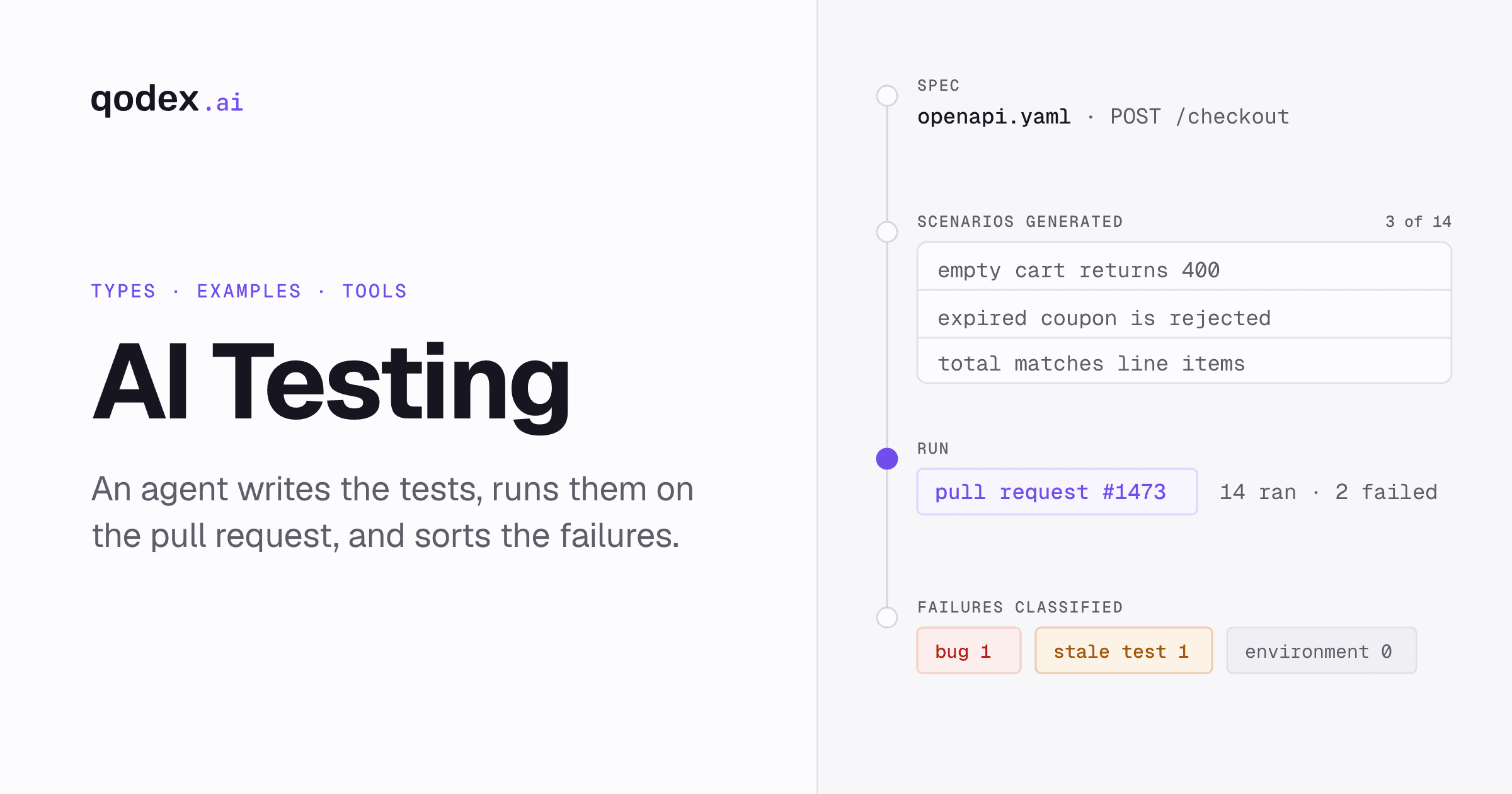
AI testing uses artificial intelligence to plan, generate, run, analyze, and maintain software tests. In practice, AI in software testing spans a wide range: a tool that suggests a test while you type, a system that picks which tests to run after a code change, and agentic testing where an agent runs the whole loop on its own. This guide sets out the AI QA vocabulary, walks one pull request from the failing request to the fix, and covers AI test automation across API, security, UI, and code review. It ends with an adoption checklist and a directory of deeper guides.
What is AI testing?
AI testing is software testing where an artificial intelligence model does part of the testing work: reading requirements, proposing scenarios, writing test code, choosing what to run, or classifying a failure. A person still decides what quality means for the product and approves what ships. Agentic testing is the autonomous end of that range.
The mechanics are less exotic than the label. AI-powered testing uses machine learning and data analysis to automate and improve parts of the testing process. Three technology families do most of that work:
Machine learning ranks and predicts. It reads past defects, code changes, and run history to guess where the risk sits this week.
Natural language processing, which is a model reading and writing human language, turns user stories and requirements into proposed test cases.
Computer vision compares what a screen looks like now against what it looked like before. That is how visual regression testing spots an unintended change.
Those three show up at five points in a testing workflow: test case generation, risk-based execution, defect prediction and detection, test maintenance, and result analysis. A tool that does one of them is still AI testing. A tool that does all five without a person driving is something else.
That something else is agentic testing, where the model is the operator rather than the helper. Agentic testing is software testing performed by an autonomous AI agent rather than a person writing and maintaining scripts. The agent explores your application, decides what is worth testing, writes runnable test scenarios, runs them on every change, and classifies each failure as a real bug, a stale test, or an environment issue. Read that as a concept definition, not as a checklist every vendor passes. Most products sold as AI testing do two or three of the five. For a survey of what is actually on the market, see the guide to AI testing software and QA tools.
The reason this got urgent is on the other side of the pipeline. Coding agents raised how much one engineer ships per week, so pull requests now arrive faster than any team can hand-write tests for them. The two old answers both break under that load. Manual QA scales with headcount, and headcount is not what changed. Scripted suites rot the moment the code they describe moves, and somebody has to patch them by hand every time. Test authoring became the bottleneck, which is why the interesting AI testing tools now target authoring and triage rather than execution.
AI testing vocabulary: AI-assisted, agentic testing, autonomous testing, generative AI, and traditional automation
Five terms get used as if they mean the same thing. They do not. The table below is the short version.
If you are testing the agent itself, including its plans, tool calls, guardrails, and non-deterministic behavior, use our AI agent testing guide.
| Term | What it is | Who does the work | Go deeper |
|---|---|---|---|
| AI-assisted testing | A person directs the work while AI proposes scenarios, code, selectors, data, or analysis. | The person chooses and applies the output. | AI testing software and QA tools |
| Agentic testing | An AI agent runs a loop across exploration, authoring, execution, and triage. | The agent runs the loop; a person reviews decisions and promotes tests. | This guide, plus best AI QA tools |
| Autonomous testing | The operating outcome where a suite runs and maintains routine coverage with little supervision. | Mostly the system, with human approval for scope and ambiguous failures. | This guide |
| Generative AI testing | A model creates testing artifacts such as cases, data, or scripts from requirements, code, and prompts. | The model authors; a person still verifies the output runs and passes. | Generative AI tools for software testing |
| Traditional test automation | Engineers define scripts and assertions, then a runner repeats those instructions. | Execution is automatic; authoring and maintenance stay human work. | AI test automation: how it works, uses, and ROI |
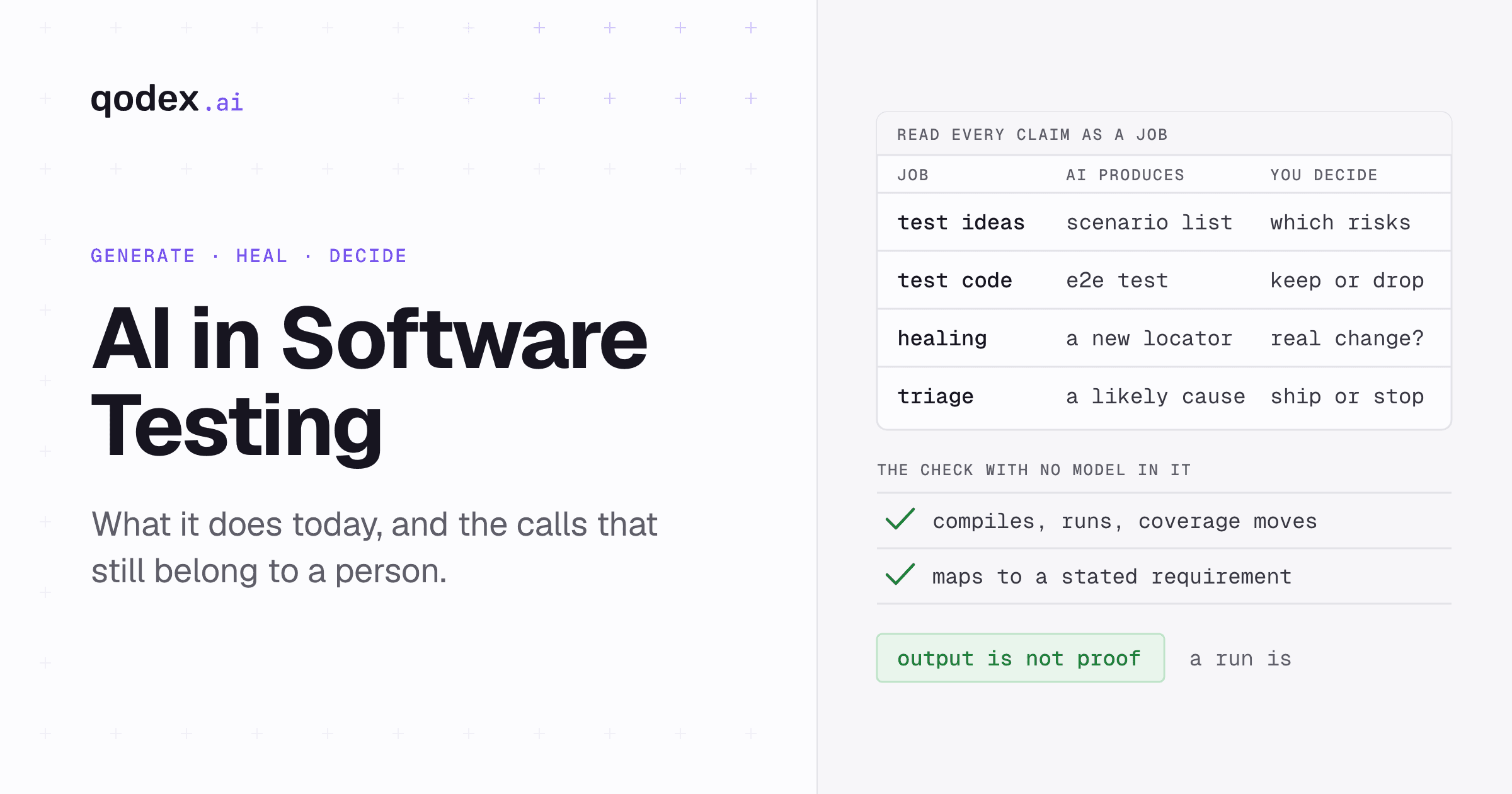
Three of those get swapped for each other constantly, so here is the line. Automated testing means a script runs without a person clicking through it, but a human still wrote and maintains that script. Autonomous testing is an outcome: a suite that runs and maintains itself with little human supervision. Agentic testing is the method that gets you there: an AI agent doing the testing work end to end, from exploring the app to authoring, running, and triaging tests. Agentic is how, autonomous is the result, automated is the execution layer underneath both.
One caution on the word autonomous. A suite that maintains itself still needs a person to set scope and to rule on ambiguous failures. Autonomy describes how much routine work runs unattended. It does not describe a system with no reviewer. Generation is the same story: a model writing a hundred test cases is an authoring capability, not evidence that any of them passed.
AI in software testing: where the workflow changes
AI does not replace a testing workflow. It changes six specific stages of one, and it changes each of them differently.
| Stage | What AI changes | Read more |
|---|---|---|
| Planning | Turns requirements, user stories, API descriptions, and code context into proposed test goals and scenarios for review. | Shift left testing strategy |
| Risk selection | Ranks tests and changed areas using code changes, past defects, logs, and business impact, so the riskiest checks run first. | AI in risk-based test prioritization |
| Test data | Generates synthetic inputs, boundary values, and varied records instead of copying sensitive production data. | AI test data generation |
| Execution | Chooses or generates the tests, but repeat runs should use explicit steps and assertions so the same input is checked the same way. | AI test automation: how it works, uses, and ROI |
| Triage | Groups a failure as a product bug, a stale test, or an environment problem, and attaches the request, response, logs, and repro steps. | Findings and failure classification |
| Maintenance | Suggests updates when interfaces, selectors, or contracts change. A reviewer decides whether the app changed correctly or the test went stale. | Backward compatibility testing |
The execution row is the one teams get wrong. Authoring with a model is useful precisely because it is creative. Replaying with a model is not, because you want the hundredth run to behave exactly like the first. Keep those two phases apart: let the model write the test, then run the test as plain code. That split is what makes a self-running suite something people trust rather than mute.
What AI testing can cover: API, security, UI, and code review
Testing layers do not disappear because an agent writes the tests. They are still four different jobs with four different failure modes.
API testing. Requests, status codes, response bodies, schemas, authentication, side effects, and service-to-service behavior. This is the layer where generation works best, because an OpenAPI or Postman file already describes the surface. See the API testing guide.
Security testing. Authorization, authentication bypass, injection, data exposure, and other hostile-input or access-control failures. Security scenarios read backwards: a pass means the attack was blocked. See the API security testing guide.
UI testing. User flows, element behavior, visual changes, browser errors, and network failures in a real interface. Computer vision earns its place here, comparing rendered screens to catch changes nobody intended. See the UI testing guide.
Code review. Pull-request changes, likely risk areas, and findings that can be checked against an actual test run rather than guessed from the diff. See AI code review.
End-to-end and functional testing are not a fifth layer. They are journeys that cross the layers above: log in through the browser, capture the session, then assert over HTTP that the data landed. A tool that owns only one layer cannot follow that journey past its own boundary.
A worked example: a coupon field on pull request 482
Definitions only go so far. Here is one change, five scenarios, a real failure, and the fix. The host below is a placeholder and the values are illustrative, but the shape is what a pull-request run actually looks like.
1. The API change
Pull request 482 adds optional coupon support to POST /v1/orders. Existing clients do not send coupon_code, so the old no-coupon request must still create an order. That backward-compatibility case is the one a rushed reviewer skips.
2. Scenarios proposed from the change
A request without coupon_code returns 201 and the undiscounted total.
A valid coupon_code returns 201, records the code, and reduces the total once.
An unknown or expired code returns 422 with a stable error shape.
A coupon cannot reduce the order total below zero.
An unauthenticated request still returns 401.
These are proposals, not release checks. A person reads them, cuts what is noise, and adds what the model missed. Keeping generation separate from verification is the whole discipline: the model is good at listing cases, and it has no idea which ones your business cares about.
3. Run the baseline scenario against the pull request
curl --request POST \
  --url https://pr-482.preview.example.com/v1/orders \
  --header 'Content-Type: application/json' \
  --header "Authorization: Bearer $PREVIEW_TOKEN" \
  --data '{"items":[{"sku":"mug-01","quantity":2}]}'
Expected result:
{
  "id": "ord_4821",
  "status": "created",
  "total": 3000,
  "currency": "USD",
  "coupon_code": null
}
Assertions: status is 201, id is a string, total is 3000, coupon_code is null, and the response matches the order schema.
To write this check as a Playwright test, paste the command into the curl converter and add the assertions to the request it generates.
4. The failed request and response
The pull-request run sends that exact request and records this instead:
HTTP/1.1 500 Internal Server Error
Content-Type: application/json

{
  "error": "INTERNAL_ERROR",
  "message": "Cannot read properties of undefined",
  "request_id": "req_8f21"
}
FAIL POST /v1/orders without coupon_code
expected status: 201
actual status: 500
failed before response-schema assertions
request_id: req_8f21Two things make this report useful rather than annoying. It names the scenario in words a reviewer understands, and it carries the request id, so the server log for this exact call is one search away.
5. The fix and the rerun
The new coupon branch reads the coupon record even when no code was supplied. Make that lookup conditional, keep coupon_code nullable, and calculate the undiscounted total when the field is absent. Rerun all five scenarios against the same preview. The baseline returns its 201, the valid and invalid coupon paths keep their own results, and the pull request can move.
Notice what the AI did and did not do here. It proposed the five cases, wrote the request, and labeled the failure as a product bug rather than a flaky test. A person approved the scenarios, read the server log behind that request id, and wrote the fix. That division of labor is the realistic version of AI testing today.
The same loop on a production regression
The second use case starts after a release, not before one. A customer reports that saved orders lost their currency field overnight. The useful move is to turn that report into a permanent check: capture the exact request that reproduces it, assert on the field that vanished, and add it to the suite so the same regression cannot ship twice. An agent is good at this because the reproduction, the assertion, and the scheduled rerun are three steps it can do from one bug report. What it cannot do is decide the class of defect this belongs to, or which upstream practice would have caught it earlier. That is the work in defect prevention, and it stays with your team.
The same loop on pull-request risk
The third use case is a judgment call rather than a bug. A pull request three days before a release rewrites the pricing calculation. Nothing in it is obviously wrong. AI helps by ranking the change as high risk from the files it touches and the defect history around them, then running the pricing scenarios against the preview build instead of waiting for the nightly. The release decision, and whether the change belongs in this release at all, follows your code freeze rules. Risk scoring tells you where to look. It does not tell you what to ship.
How the Qodex AI QA agent works
Qodex is one implementation of the agentic pattern, and it is worth walking through because the loop is the same shape whichever vendor you pick.
Explore. The agent crawls your web app in a real Chromium browser, reads any OpenAPI, Swagger, or Postman collection you import, and, when a GitHub repo is linked, reads the route table and auth wiring from source. It tests against real handlers instead of guesses.
Generate. You describe what to verify in plain English. The agent writes a structured scenario with a goal, ordered steps, and explicit assertions, plus a standard Playwright or HTTP script. Scenarios start as drafts, and API scenarios are verified against your target on save, so you see a real verdict before promoting anything.
Execute. Once a scenario is active, replay is plain code execution: same requests, same assertions, no model in the loop. The hundredth rerun costs what the first one did.
Classify. When a run fails, the agent decides what happened: a real bug filed with severity, repro steps, and evidence; a stale test the app legitimately outgrew, flagged with a suggested fix; or an environment issue where the target was simply down.
Remember. The agent keeps a per-project memory of auth flows, API patterns, UI structure, and past findings, and injects it into every run. Coverage compounds instead of resetting each session.
Runs start three ways: on a schedule for nightly regression and weekly security audits, on a webhook from your CI or deploy hook, or on demand from chat. The output is standard, parameterized Playwright and HTTP code you can read, edit, and commit to git, so leaving does not mean rewriting the suite. The full mechanics are in the how Qodex works documentation.
Benefits, limits, and trust controls
The honest version has three columns: what autonomy actually saves, where it still needs a person, and what you have to put in place before you trust it.
Where it saves work. Authoring keeps pace with shipping, which matters more every quarter as coding agents push more pull requests per engineer. Triage stops being a morning ritual, because a changed selector arrives labeled as a stale test rather than as a 2am page. Coverage grows on endpoints and pages nobody had time to write tests for. And non-technical reviewers can read a scenario written in plain English, which widens who can contribute. Diverse perspectives lead to a wider range of test cases, catching edge cases and user experience issues that technical teams might miss.
Where a person still decides. Scope, priority, and the definition of done stay human. So does any ambiguous failure, and so does promoting a draft scenario into the suite that gates releases. Write down who reviews AI-generated tests and results before they count, and make that review tightest in the areas where a miss is expensive.
What makes it trustworthy. Three controls, in order of importance:
Deterministic replay. Authoring uses a model, so it varies. Replay must not. If a vendor cannot tell you whether a rerun re-invokes the model, assume it does, and assume the bill and the flakiness that come with it. See how rerun costs work.
Failure classification you can audit. Every failure should arrive labeled and evidenced. A suite that cries wolf gets muted within a month. False-positive handling is the part to interrogate during a trial.
Transparency. Use tools that explain their decisions, so a tester can see why a scenario was proposed or why a failure was classified the way it was. An unexplained verdict is not reviewable, and an unreviewable verdict is not trustworthy.
AI testing tools and approaches
There are three ways to bring AI into testing, and most teams end up with more than one.
Add AI to the tools you have. Generation and self-healing features inside an existing framework or platform. Lowest disruption, smallest gain, and you keep every maintenance cost you already pay.
Generate the artifacts, run them yourself. Use a model to produce cases, data, or scripts, then run them on your own infrastructure. Good when your runner and reporting are already solid and authoring is the bottleneck.
Hand the loop to an agent. Exploration, authoring, execution, and triage in one system. The largest change to how a team works, and the only option that also removes triage effort.
For a side-by-side of the products in each camp, see the best AI QA tools. If your interest is specifically in the generation half, generative AI tools for software testing covers what creates cases, data, and scripts, and what each one leaves for you.
How to evaluate an AI testing platform
Demos are built to look good. These six questions are the ones that separate products in a trial, and every one of them is answerable in an afternoon on your own codebase.
Does a rerun call the model again? If yes, your bill and your flake rate both scale with run count. Ask for the number, not the adjective.
Can you read and export the generated tests? Standard code you can commit is portable. A recording blob is a lock-in you discover at renewal.
What happens on a failure? Ask to see the failure report for a real bug and for a stale test. If both look the same, there is no classifier.
Which layers does one agent actually cover? Many products cover UI only. If the journey you care about crosses UI and API, a UI-only tool tests half of it.
How does it authenticate? Authorization bugs are the expensive ones, and a tool that cannot hold several logged-in roles cannot find them.
Where does your data go? Test data, source code, and traffic each get a separate answer. Get all three in writing.
Run the trial on a repository with real complexity, not the sample app. The gap between the two is where most AI testing disappointment lives.
Testing foundations AI does not replace
An agent changes who writes the tests. It does not change what makes a release safe. Five foundations still belong to your team.
Compatibility with what already exists. New releases must keep working for current clients and stored data. That is a decision about contracts, not a test an agent can invent. See backward compatibility testing.
Release stages. Alpha, beta, and gamma exist because different audiences catch different problems. See alpha, beta, and gamma testing.
Prevention over detection. Root-cause work stops a defect class from returning. Finding the same bug faster is worth less than not shipping it again. See defect prevention principles.
Measurement. Defect density tells you whether quality is moving. Without a number, more tests is a feeling. See defect density in test automation.
Ownership. Somebody has to own the quality bar and the tooling behind it. See SDET vs QA for how that role splits.
AI test automation adoption checklist
Seven steps, in order. Steps one and two are the ones teams skip, and skipping them is why pilots stall.
Audit what you do today. Go through your current testing processes, tools, and methods. Find the pain points, the bottlenecks, and the places where manual effort is high. Measure test coverage, defect detection rates, and the time spent on each testing activity.
Pick one success metric. Escaped defects per release, time from pull request to green suite, or percentage of endpoints covered. One number, measured before you start.
Choose a narrow pilot. One service or one user journey, with a real owner. Broad pilots produce broad opinions and no decision.
Fix the five common mistakes while you are in there. Starting testing too late, manual testing overload, inadequate test coverage, poor test case management, and neglecting continuous testing. The actions are the mirror image: test earlier, automate the repeatable checks, map coverage against real risk, version tests alongside code, and run them on every change. Shift left testing covers the first of those in depth.
Put a review gate on generated scenarios. Product managers and business analysts approve the scenarios written from requirements. Early involvement from non-technical stakeholders identifies problems sooner and prevents rework later in the cycle.
Wire it into the pipeline. On every pull request, plus a nightly run. A suite that runs when someone remembers to press go is not automation.
Read the metric, then widen. Compare against the number from step two before adding a second service. If it did not move, find out why before scaling the thing that did not work.
If you want to try the mechanics before the process, the Qodex quickstart gets a first scenario running against your own app.
AI testing topic directory
Twenty-one guides, grouped by what you are trying to do.
AI methods and tools
AI testing tools: how AI is changing QA. Where AI fits in software testing and how to evaluate AI-powered QA platforms.
10 best AI testing tools in 2026. AI testing tools compared by approach, price, and tradeoffs.
10 best generative AI testing tools in 2026. Ten tools that generate testing artifacts, compared by artifact, test layer, price, and limit.
AI test automation: how it works, uses, and ROI. The definition, and the measures used to judge whether it paid off.
5 ways to use Cursor AI for free. Free-tier, trial, and student routes for using Cursor AI.
Testim AI test automation: features, pricing, limits and 12 alternatives. What Tricentis Testim's AI does on web, mobile and Salesforce, what its pricing page publishes, where a recorder stops, and 12 alternatives by constraint.
AI in the testing workflow
Shift left testing: strategy, types, and how to start. How teams move tests earlier into requirements, development, and continuous integration.
AI risk-based test prioritization. How risk signals rank the tests and changed areas that should run first.
AI test data generation. Synthetic test data, varied inputs, privacy, and generation methods.
Claude code review: setup, prompts, cost and limits. How to review pull requests with Claude Code, the GitHub app, or the API, and where an agent that runs the tests fits.
AI regression testing. How AI selects, generates, heals, and runs regression tests from each change, with a pull request workflow and a runnable example.
Snyk AI code review: features, pricing, limits and alternatives. What Snyk Code and DeepCode AI check on a pull request, what they cost, where static security review stops, and 12 alternatives by constraint.
Free AI Code Review: Every Free Tier Compared (2026). Which tools are really free, for private repos and open source, and the quickest free path.
Quality foundations
Backward compatibility testing. How to check that new releases still work for existing clients and data.
Alpha, beta, and gamma testing explained. The three release stages, their participants, and when each is used.
Defect prevention: 7 principles that work. Root-cause analysis and the practices that stop repeat defects.
Defect density: formula, examples, and benchmarks. The formula and how teams read the number.
Code freeze in software testing. When a release freeze is used and how testing works during it.
Functional testing vs regression testing. What each test type checks, when each runs in CI, how they overlap, and how to run both from one suite.
QA roles and ownership
QA lead job description. Responsibilities, skills, hiring fields, and salary benchmarks.
SDET vs QA. How the two roles differ in responsibilities, skills, and career path.
FAQs about AI testing
What is AI testing?
AI testing is software testing where an artificial intelligence model does part of the work: reading requirements, proposing scenarios, writing test code, choosing what to run, or classifying a failure. It runs on machine learning, natural language processing, and computer vision. A person still sets the quality bar and approves what ships.
What is the difference between AI-assisted, agentic, and autonomous testing?
AI-assisted testing keeps a person driving while AI suggests. Agentic testing hands the loop to an agent that explores, authors, runs, and triages, with a human reviewing and promoting. Autonomous testing is the outcome those methods aim at: a suite that runs and maintains routine coverage without daily supervision. Agentic is the method, autonomous is the result.
What is agentic testing?
Agentic testing is software testing performed by an autonomous AI agent rather than a person writing and maintaining scripts. The agent explores your application, decides what is worth testing, writes runnable test scenarios, runs them on every change, and classifies each failure as a real bug, a stale test, or an environment issue. You direct it in plain language, and it keeps a memory of your app across runs.
Will AI replace QA engineers?
No, but it moves the job. The mechanical half goes to the agent: writing scenarios, patching selectors, rerunning suites. The judgment half stays human: deciding what quality means for this product, reviewing and promoting what the agent drafts, and calling ambiguous failures. Teams that adopt AI testing well end up with fewer people writing scripts and more people deciding what to check.
Is AI testing reliable?
It depends on whether authoring and replay are separated. Authoring uses a model and varies by nature, which is why a person reviews a scenario before it gates a release. Replay of an approved scenario should be plain code: same requests, same assertions, same result every run. Ask any vendor whether a rerun re-invokes the model. That single answer predicts most of the reliability you will get.
Can AI testing cover security?
Yes, and it covers the part scanners miss. The expensive API vulnerabilities are authorization failures, where one user reads another user's data or a regular role reaches an admin function. Finding those needs a valid session and several roles, not a scan of source code. Security scenarios also read backwards: a pass means the attack was blocked, so a tool that weakens an assertion to go green is doing harm.
What does AI testing cost to run?
Two costs, and vendors often quote only the first. There is the subscription, and there is the model cost per run. If a rerun re-invokes the model, running the full suite on every deploy becomes a budgeting decision instead of an engineering one. If replay is deterministic code, run count stops driving cost. Get the per-rerun answer in writing during the trial.
How do I get started with AI testing?
Pick one service or one user journey, set a single success metric before you start, and run a two-week pilot against a real repository rather than a sample app. Review every generated scenario before it gates a release. The Qodex quickstart walks through connecting an app and getting a first scenario running.
Turn production failures into regression tests
The tests worth having are the ones written from failures you already had. Qodex Autopilot watches production, turns each real failure into a runnable regression test, and replays it on every change: see how Autopilot works.