GitLab AI Code Review: Setup, Pricing, and Tools
GitLab AI code review has two paths. Code Review Flow is the agentic option: it analyzes merge request changes, gathers related repository context, and posts review comments. It runs on Free, Premium, and Ultimate with GitLab Credits. The non-agentic GitLab Duo Code Review requires the GitLab Duo Enterprise add-on. Both answer to @GitLabDuo, and teams can request a review by hand or turn on automatic reviews. Source: GitLab Docs, read 19 September 2026.
If your team also ships from GitHub, Qodex reviews those pull requests with six passes and a Check Run that can gate the merge. See Qodex AI code review.
GitLab AI code review in one minute
One reviewer name, @GitLabDuo, sits in front of two products. Which one answers depends on the add-on held by whoever triggered the review, and a group Owner can override that. If a review session appears in the merge request activity feed, Code Review Flow ran. If none appears, GitLab Duo Code Review ran. Source: GitLab Duo in merge requests, read 19 September 2026.
Code Review Flow is the newer of the two. It became generally available in GitLab 18.8 and reached the Free tier on GitLab.com, paid with credits, in 18.10. It runs as a CI/CD job, so it needs a runner, and it reads more than the diff: a pre-scan pulls in related files first. Source: Code Review Flow, read 19 September 2026.
The short verdict. If your code already lives in GitLab, try Code Review Flow first. Its two constraints are the runner you provide and a per-review credit charge. Once those bite, use the table below. For the practice in general, see automated code review.
Code Review Flow versus GitLab Duo Code Review
These are two features with one reviewer identity, and GitLab documents them side by side.
| Detail | Code Review Flow | GitLab Duo Code Review |
|---|---|---|
| Reviewer | @GitLabDuo | @GitLabDuo |
| Type | Agentic | Non-agentic |
| Required add-on | None, uses GitLab Credits | GitLab Duo Enterprise |
| Context | Repository structure and cross-file dependencies | The merge request and its diffs |
| Analysis | Multi-step agentic reasoning | Single pass |
| Session created | Yes | No |
| Automatic reviews | Yes | Yes |
Every cell comes from the feature comparison on GitLab Duo in merge requests, read 19 September 2026. Both features also accept custom instructions and custom comments.
Billing is where the two split hardest. Code Review Flow charges credits per execution, attributed to whoever started the review. GitLab Duo Code Review comes with the Duo Enterprise add-on and consumes no credits. GitLab's rule is plain: if the initiating user has a GitLab Duo Enterprise seat, GitLab Duo Code Review runs, and if not, Code Review Flow runs. A group Owner can override that and send every review to Code Review Flow. On GitLab.com the switch is under Settings, GitLab Duo, Change configuration, Flow execution, Allow foundational flows. Source: GitLab Duo in merge requests, read 19 September 2026.
Which one you get also depends on the trigger. A manual request uses the add-on of the person who asked. A review fired by creating a non-draft merge request, or by marking a draft ready, uses the author's add-on. So two engineers on one project can get different reviewers on the same day.
The model is documented too. GitLab lists Anthropic Claude Sonnet 5 Vertex, updated 6 August 2026, and on GitLab.com a group Owner picks a different one with the Agentic Code Review setting. Self-managed administrators have the equivalent controls, and GitLab Duo with self-hosted models is the route to running the model yourself. Source: Code Review Flow, read 19 September 2026.
How to set up AI review on a GitLab merge request
Four things have to be true before @GitLabDuo answers. Every step below comes from the Code Review Flow docs, read 19 September 2026.
1. Turn the flow on at the top-level group. Meet the GitLab Duo Agent Platform prerequisites, then turn on Allow foundational flows and Code Review for the top-level group. This is a group setting, not a project one, and it is the step people miss. If you belong to more than one Duo namespace, set a default.
2. Check your role. Requesting a review needs Developer, Maintainer, or Owner on the project. Turning on automatic reviews needs Maintainer or Owner for a project, Owner for a group.
3. Give it a runner. Code Review Flow runs as a CI/CD job. Either configure your own runners with the gitlab--duo tag and an executor that supports Docker images, or turn on GitLab-hosted runners for the project. With no runner, the merge request stays quiet.
4. Ask for the review. Open the merge request under Code, then Merge requests. Four routes work:
Assign
@GitLabDuoas a reviewer.Enter the quick action
/assign_reviewer @GitLabDuoin a comment box.Mention
@GitLabDuoin a comment and ask for a review.Open Agentic Chat in the GitLab Duo sidebar and ask it to review the merge request.
Progress shows up under AI, then Sessions. From Agentic Chat you can also select View Agent Session.
You can reply to the review. Mentioning @GitLabDuo under a comment starts an interaction, a separate feature that bills its own credits; ask for a review there and the flow starts instead. Source: GitLab Duo in merge requests, 19 September 2026.
Make reviews automatic
For a project: Settings, then Merge requests, then the GitLab Duo Code Review section, select Enable automatic reviews by GitLab Duo, and save. For a group it is Settings, then General, expand Merge requests, same checkbox. Settings cascade from group to project and the more specific one wins. Source: automatic reviews, read 19 September 2026.
With that on, GitLab Duo reviews every new merge request except three kinds: draft, no changes, and matching an exclusion rule you wrote. Exclusions go in .gitlab/duo/mr-review-automated-rules.yaml on the default branch. GitLab reads them from the default branch only, so a rules file added on a feature branch does nothing.
exclude:
  target_branches:
    - "release/*"
  source_branches:
    - "renovate/*"
  authors:
    - "*-bot"
Each key is optional and patterns are globs. The example skips merge requests aimed at a release branch, those from a dependency bot branch, and those authored by a username ending in -bot. Exclusions only stop automatic reviews; you can still ask by hand.
Features and hard limits
Code Review Flow runs in two stages, and the split explains most of what it gets right and wrong. Source for this section: contextual awareness and file limits, read 19 September 2026.
Pre-scan. The flow reads the diffs and uses them to decide what else to fetch from the repository. GitLab says this typically includes directory listings and related files such as tests and dependencies.
Review. The model then gets the pre-scan result, the merge request title and description, the diffs, the original files, the filenames, and your custom instructions. The line that matters: the review stage cannot fetch more context on demand. Whatever the pre-scan missed is gone for that review.
Two caps sit on top of that, and both are GitLab's own numbers:
Files longer than 10,000 lines. Only the diff is sent. The full file is not included, so a change inside a large generated file or a long legacy module is reviewed without its surroundings.
About 1 MiB of pre-scan context. Past that cap, the context is truncated to about 800 KiB before the review runs. On a very large merge request the review can miss what was cut.
GitLab's own advice is to split large merge requests, exclude irrelevant files, or pick a different model. These caps sit on the data the flow gathers, separate from the model's context window.
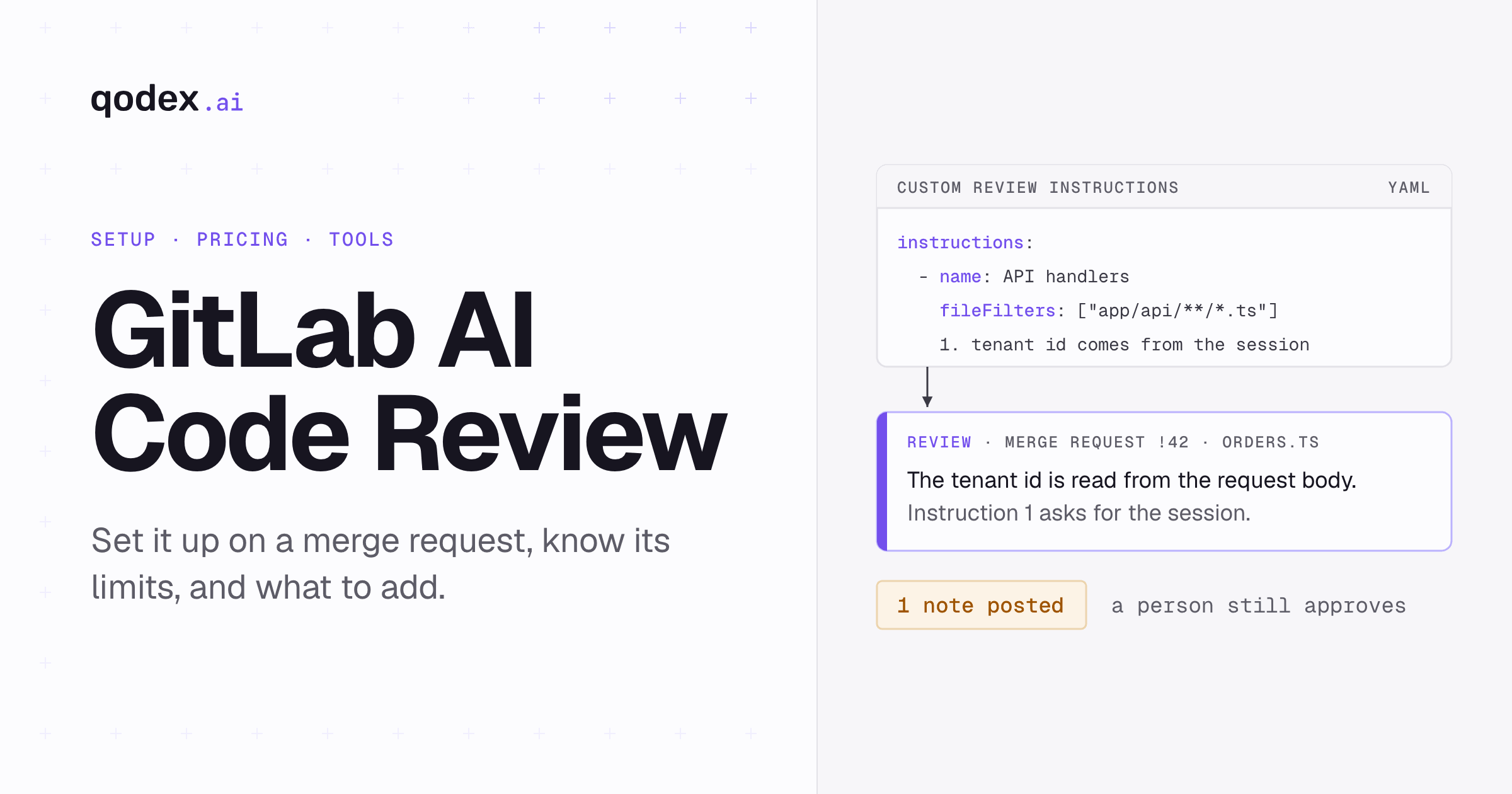
Custom instructions are the other lever. They live in .gitlab/duo/mr-review-instructions.yaml, are available on Premium and Ultimate, and target file patterns with globs. GitLab appends them to its standard review criteria rather than replacing them.
instructions:
  - name: API handlers
    fileFilters:
      - "app/api/**/*.ts"
      - "!**/*.test.ts"
    instructions: |
      1. Check that the tenant id comes from the session, not the request body.
      2. Flag a new database filter on a column with no index.
      3. Ask for a test when a handler changes its response shape.
Note GitLab's own warning: they are guidance for the AI reviewer, not enforced policies, and the docs tell you not to rely on them for security controls or compliance obligations. Use them to steer attention. GitLab also states that Code Review Flow "does not reference AGENTS.md and SKILL.md files", so an existing agent instruction file in the repository does nothing here. Source: custom review instructions, read 19 September 2026.
Trigger a review from the REST API
GitLab added a REST API trigger in 19.4 and labels its status Experiment. The example below comes from the docs with GitLab's own placeholders, so it is an excerpt: it needs a live instance, a token, and credits, and we did not run it. Set project_id to the project, goal to the merge request IID or its full URL, and start_workflow to true. Source: request a review through the REST API, read 19 September 2026.
curl --request POST \
  --header "PRIVATE-TOKEN: <your_access_token>" \
  --header "Content-Type: application/json" \
  --data '{
    "project_id": "5",
    "goal": "42",
    "workflow_definition": "code_review/v1",
    "start_workflow": true
  }' \
  --url "https://gitlab.example.com/api/v4/ai/duo_workflows/workflows"
GitLab tiers, credits, and real unit cost
Two bills, not one: the GitLab plan, and the credits each review burns. All figures here are GitLab's published prices, read 19 September 2026 from GitLab pricing and GitLab Credits.
The plan. Free is $0 per user per month. Premium is $29 per user per month billed annually. Ultimate is custom priced, so you have to ask.
Included credits. Premium includes $12 of GitLab Credits per user per month, Ultimate $24, and GitLab labels this a promotional offer available for a limited time with no end date on the page. They are per user, cannot be shared, reset monthly, and do not roll over. Community program subscriptions get none.
Bought credits. A Monthly Commitment Pool is shared across the subscription and drawn on after a user's included credits run out. It also resets monthly with no rollover. Past that, On-Demand credits bill at a list price of $1 each, once you accept the usage billing terms. Free namespaces can buy a pool too, with on-demand usage capped at $25,000 a calendar month.
What one review costs. Code Review Flow is flat-priced: 4 completed executions per credit with a GitLab-managed model, or 5 per credit with a self-hosted model, whatever number of model calls the flow makes inside. At the $1 list price that works out to $0.25 or $0.20 per review. That is arithmetic on GitLab's published rate, not a measured invoice, and it excludes the CI minutes the runner spends. Source: credit multipliers, read 19 September 2026.
Two details change the sum. On GitLab.com with a GitLab-managed model, a flow that fails before it completes deducts no credits. And interactions in comments "use the model selected for Code Review Flow and consume GitLab Credits separately from the flow", so a long back-and-forth under a review is its own line.
The older path differs again. Non-agentic GitLab Duo Code Review needs the Duo Enterprise add-on and consumes no credits, but GitLab's public pricing page publishes no current standalone price for that add-on, so ask sales.
Third-party AI reviewers that support GitLab
These five document GitLab support on their own pages; for the wider market see the best AI code review tools. Every number below is the vendor's published claim, read 19 September 2026, not an independent test.
| Tool | GitLab hosting | Paid price | Free route | Main limit |
|---|---|---|---|---|
| Code Review Flow | Cloud, self-managed | 4 reviews per $1 credit | Free tier, buy credits | Needs a runner |
| CodeRabbit | Cloud, self-managed | $24 per dev, annual | 14-day trial, public repos | 5 reviews per dev an hour |
| Qodo | Cloud; self-host Enterprise | $30 for 2,500 credits | 14-day trial only | Credits vary by size |
| Greptile | Cloud; self-host Enterprise | $30 per seat, 50 credits | Free for 1 developer | 1 credit a review, 3 for TREX |
| Bito | Cloud; self-host add-on | $12 per seat, annual | 14-day trial on Pro | 5,000 lines a seat |
Sources, all read 19 September 2026. GitLab: docs, credits. CodeRabbit: docs, pricing. Qodo: docs, pricing. Greptile: docs, pricing. Bito: pricing. The best-fit calls below are this page's read, not the vendors'.
CodeRabbit. Sign up with a GitLab.com or self-managed GitLab account and add the repositories you want reviewed. Essentials is $24 per developer per month billed annually, or $30 monthly, and every plan carries a 14-day trial with no card. Public repositories are free forever. Watch the hourly rate limit: 5 reviews per developer per hour on Essentials, 8 on Team, 10 on Advanced. Past that, usage-based reviews run at $0.25 per reviewed file against a cap you set. Best fit: several Git hosts, with linters and security scanning in one pass. Weighing it against others: CodeRabbit alternatives.
Qodo. The installation matrix lists GitLab on all three deployment models: multi-tenant on every plan, single-tenant and on-premises for Enterprise only. Pro Team is $30 a month for a 2,500-credit pool, which Qodo estimates at about 18 reviews, with larger packs at 5,000 and 20,000 credits. Credits are drawn by review size, expire at the end of each monthly cycle, and there is no free tier after the 14-day trial. Pro Team is designed for up to 30 users. Best fit: a regulated deployment needing Qodo's Enterprise "single-tenant SaaS or on-prem" option.
Greptile. The docs list GitLab Cloud and GitLab Self-Managed, and the approach is a graph of the whole repository rather than a file-by-file read. Starter is free for one active developer with unlimited repositories and 50 credits a month. Pro is $30 per seat with 50 credits each and extra credits at $1. A standard review costs 1 credit; a TREX review, which writes and runs targeted tests in a sandbox, costs 3. The pricing page does not say whether unused credits carry over. Self-hosting is Enterprise. Best fit: cross-file context, plus a free way for one person to try it.
Bito. The pricing page lists GitHub, GitLab, and Bitbucket, with reviews in Git, the IDE, and the CLI. Team is $12 per seat per month billed annually, or $15 monthly, metered in lines: 5,000 reviewed lines per seat a month, then $5 per 1,000. Professional is $20 annually or $25 monthly, adds custom guidelines and CI/CD pipeline reviews, and carries a 14-day trial; self-hosting is a $5 per seat add-on there. Cross-repo impact analysis is Enterprise. Best fit: the lowest published seat price, with predictable line volume.
Optimal AI. Optibot claims native GitLab merge request integration on cloud and self-hosted instances, installed through GitLab's integration settings rather than webhooks, at a flat $29 per user per month with a free trial. One caveat: that claim sits on the vendor's own post, the 6 best AI code review tools for GitLab, read 19 September 2026, not a pricing page, and the same post ranks Optibot first.
How to choose
Pick on the constraint you actually have.
No third-party app in the loop. Code Review Flow, with a runner you host. The review lives in the merge request and no separate vendor is installed. The model is a different question: GitLab's default is Anthropic Claude Sonnet 5 on Vertex, and GitLab Duo with self-hosted models is the documented route to a model you run.
Self-managed or on-premises. Code Review Flow covers Self-Managed and Dedicated. Elsewhere, Qodo's "single-tenant SaaS or on-prem" Enterprise option and Greptile's Enterprise self-hosting are the documented routes; Bito's is a paid add-on.
Predictable monthly bill. A per-seat price beats a credit meter when volume swings. CodeRabbit, Greptile Pro, and Bito Team are seat-priced; GitLab and Qodo are metered.
One person or a side project. Greptile's Starter tier is free for a single active developer, and GitLab's Free tier works once you buy credits.
Rules you have to enforce. Keep them in CI, not in a reviewer's instruction file. GitLab says its own are guidance, not policy.
Whichever you pick, run it on a real merge request with a bug you already know about before buying seats. Review quality is the one thing no pricing page tells you. For how to run that trial, see how to do code reviews using AI.
The short version
GitLab's own reviewer is the sensible first try: Code Review Flow is on every tier, reads more than the diff, and costs about $0.25 a review at list price. Give it a runner, turn it on at the top-level group, and watch what the 10,000-line and 1 MiB caps do to your largest merge requests. If a fixed seat price or a free single-developer tier matters more, the table above is the shortlist.
Frequently Asked Questions
Does GitLab have AI code review?
Yes. GitLab Duo reviews merge requests as @GitLabDuo, with two features behind that name. Code Review Flow is the agentic one, on Free, Premium, and Ultimate, paid with credits. GitLab Duo Code Review is the older non-agentic one and needs the Duo Enterprise add-on. Source: GitLab Docs, 19 September 2026.
What is the difference between Code Review Flow and GitLab Duo Code Review?
Code Review Flow uses multi-step reasoning, reads repository structure and cross-file dependencies, creates a session you can watch, and bills credits. GitLab Duo Code Review is a single pass over the merge request and its diffs, creates no session, and comes with the Duo Enterprise add-on instead. Source: GitLab Docs, 19 September 2026.
Is GitLab AI code review available on the Free tier?
Code Review Flow reached the Free tier on GitLab.com in 18.10, paid with credits. Free namespaces can buy a Monthly Commitment Pool, with on-demand usage capped at $25,000 a month. Included credits come only with Premium and Ultimate. Sources: Code Review Flow, GitLab Credits, 19 September 2026.
How much does one GitLab AI review cost in credits?
Flat-priced at 4 completed executions per credit with a GitLab-managed model, 5 with a self-hosted one. Credits list at $1, so about $0.25 or $0.20 a review before the runner's CI minutes. Those are arithmetic on the published rate, not a measured bill. Source: GitLab Credits, 19 September 2026.
How do I assign @GitLabDuo to a merge request?
Open it under Code, then Merge requests. Then do one of four things: assign @GitLabDuo as a reviewer, enter /assign_reviewer @GitLabDuo in a comment box, mention @GitLabDuo and ask for a review, or ask Agentic Chat. Progress appears under AI, then Sessions. Source: Code Review Flow, 19 September 2026.
How do I enable automatic reviews for every merge request?
For a project: Settings, then Merge requests, then the GitLab Duo Code Review section, select Enable automatic reviews by GitLab Duo, save. That needs Maintainer or Owner. For a group it is Settings, then General, same setting, and needs Owner. Group settings cascade down. Source: automatic reviews, 19 September 2026.
Does Code Review Flow need a GitLab Runner?
Yes. It runs as a CI/CD job. Configure your own runners with the gitlab--duo tag and a Docker-capable executor, or turn on GitLab-hosted runners for the project. Without one, a review request produces nothing. Source: prerequisites, 19 September 2026.
What are the file and context limits?
Two caps. For files longer than 10,000 lines, only the diff goes to the model. Pre-scan context is capped at about 1 MiB and truncated to about 800 KiB above that. The review stage cannot fetch more on demand, so a large merge request is reviewed without what was cut. Source: file and context limits, 19 September 2026.
Can custom review instructions enforce security or compliance rules?
No. GitLab states they are guidance for the AI reviewer, not enforced policies, and tells you not to rely on them for security controls or compliance obligations. Put rules that must hold into a deterministic CI check. Source: custom review instructions, 19 September 2026.
Which third-party AI reviewers support GitLab Self-Managed?
CodeRabbit documents self-managed GitLab on its quickstart. Greptile lists GitLab Self-Managed, with self-hosting on Enterprise. Qodo lists GitLab on single-tenant and on-premises, Enterprise only. Bito sells self-hosting as a $5 per seat add-on on Professional. Vendor claims, read 19 September 2026; sources are under the table above.