Playwright Fixtures: Scope, Setup and Teardown
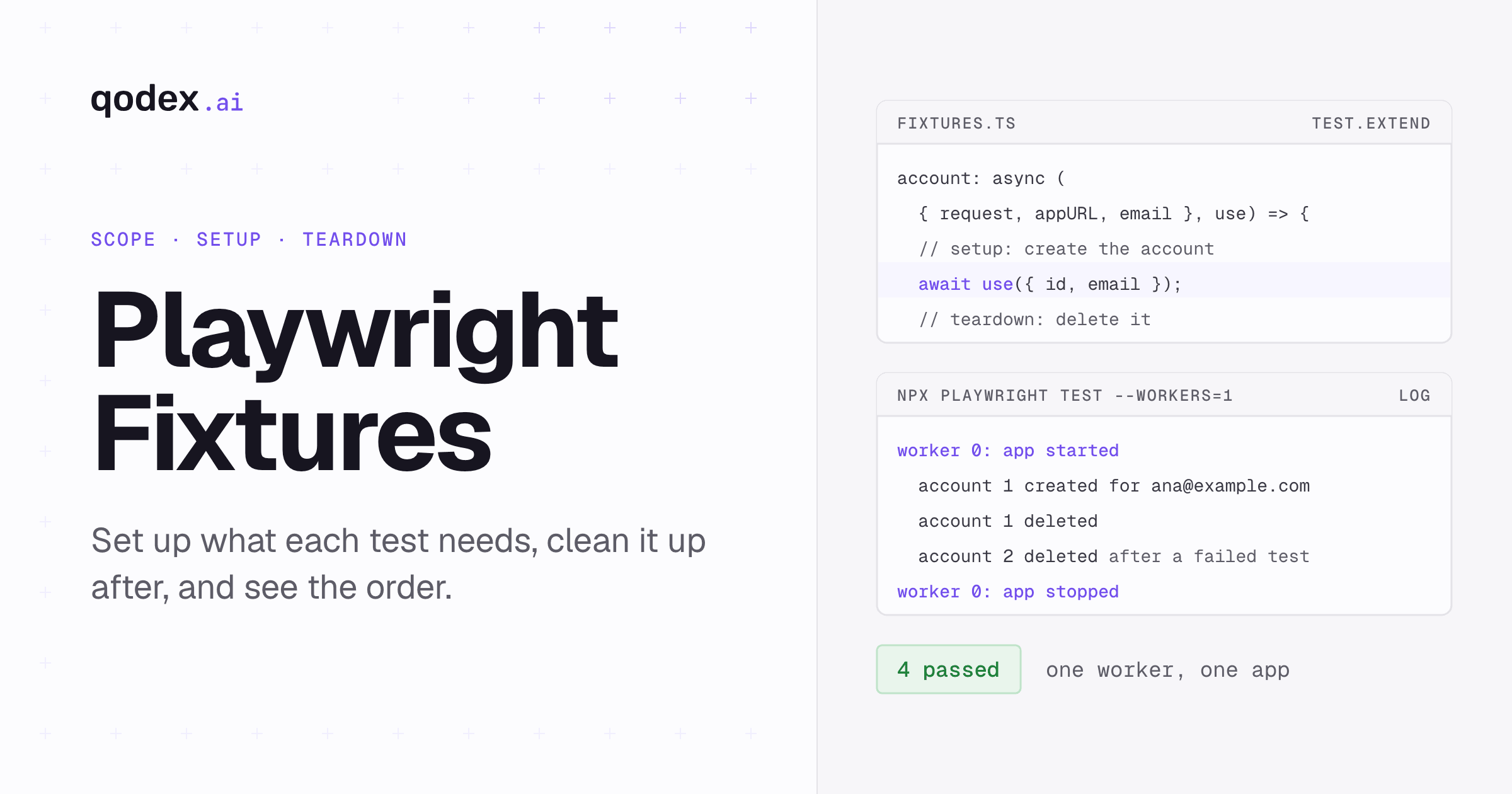
Playwright fixtures are the setup and teardown that Playwright Test runs around each test. A test asks for fixtures by name, such as { page }, and Playwright prepares those, their dependencies and any automatic ones. Add your own with test.extend(): setup goes before await use(value), cleanup after it. Fixtures last one test by default, or one worker process with { scope: 'worker' }.
Checked with Playwright 1.63.0, read 4 October 2026. The two files below ran as printed in an empty folder, and the log is copied from that run.
Prefer not to maintain the setup by hand? Describe the flow in a sentence. Qodex drives the real app, brings back a screenshot of what broke, and saves the run as Playwright you own. See Qodex UI testing or try it on your app.
What Playwright fixtures are
Playwright's own definition: "Test fixtures are used to establish environment for each test, giving the test everything it needs and nothing else." The runner reads which fixtures each test declares, prepares those, and passes them in as the test's first argument. Hooks, annotations and other fixtures receive the same object. Source: the Fixtures API page, read 4 October 2026.
Compared with beforeEach and afterEach, the fixtures guide lists these advantages:
Setup and teardown sit in one place, next to each other.
A fixture is defined once and reused across test files. The built-in
pageworks this way.They are on-demand: Playwright sets up "only the ones needed by your test and nothing else".
They compose, because one fixture can depend on another.
Source: the fixtures guide, read 4 October 2026.
Built-in fixtures and their lifetime
Playwright Test ships these fixtures. Lifetimes are stated as the Fixtures API page states them. Source: the Fixtures API page, read 4 October 2026.
| Fixture | Type | Lifetime | What it gives the test | Added |
|---|---|---|---|---|
page | Page | A new one for each test | An isolated tab, belonging to context | v1.10 |
context | BrowserContext | A new one for each test | A fresh browser profile, cookies and storage | v1.10 |
browser | Browser | Shared by the tests in one worker | The browser process itself | v1.10 |
browserName | "chromium", "firefox" or "webkit" | Not stated | The engine running the test; default 'chromium' | v1.10 |
request | APIRequestContext | A new one for each test | An HTTP client for API calls | v1.10 |
The same page lists mount, added in v1.62, which mounts a component story from a gallery page you serve. Our Playwright component testing guide covers that setup. For the request fixture in API tests, see the Playwright API testing guide.
The split in that table is the design. The expensive thing, the browser, lives for a whole worker. The thing that holds state, the context, is new for every test, so one test's cookies never leak into the next.
A runnable fixture file
The example needs nothing but Playwright. In an empty folder:
npm init -y
npm install -D @playwright/test@1.63.0
npx playwright install chromium
Save this as fixtures.ts. It defines four fixtures. appURL starts a small app once per worker. account creates a test account through that app's API and deletes it afterwards. email is an option with a default, and logTitle runs for every test without being asked for. It also overrides the built-in baseURL, so page.goto('/...') reaches the worker's app.
import { test as base, expect } from '@playwright/test';
import { createServer } from 'node:http';
import type { AddressInfo } from 'node:net';
type Account = { id: number; email: string };
type TestFixtures = {
email: string;
account: Account;
logTitle: void;
};
type WorkerFixtures = {
appURL: string;
};
export const test = base.extend<TestFixtures, WorkerFixtures>({
// Option fixture: a default value that test.use() or a project can override.
email: ['ana@example.com', { option: true }],
// Worker fixture: one small app per worker process, shared by its tests.
appURL: [async ({}, use, workerInfo) => {
const accounts = new Map<number, string>();
let nextId = 1;
const server = createServer((req, res) => {
if (req.method === 'POST' && req.url === '/api/accounts') {
let body = '';
req.on('data', (chunk) => (body += chunk));
req.on('end', () => {
const id = nextId++;
accounts.set(id, JSON.parse(body).email);
res.writeHead(201, { 'content-type': 'application/json' });
res.end(JSON.stringify({ id }));
});
return;
}
const del = /^\/api\/accounts\/(\d+)$/.exec(req.url ?? '');
if (req.method === 'DELETE' && del) {
accounts.delete(Number(del[1]));
res.writeHead(204);
return res.end();
}
const page = /^\/accounts\/(\d+)$/.exec(req.url ?? '');
const email = page ? accounts.get(Number(page[1])) : undefined;
res.writeHead(email ? 200 : 404, { 'content-type': 'text/html' });
const safe = email?.replace(/[<&]/g, (c) => (c === '<' ? '<' : '&'));
res.end(safe ? `<h1>Account</h1><p>${safe}</p>` : '<h1>Not found</h1>');
});
await new Promise<void>((resolve) => server.listen(0, '127.0.0.1', resolve));
const url = `http://127.0.0.1:${(server.address() as AddressInfo).port}`;
console.log(`worker ${workerInfo.workerIndex}: app started`);
await use(url);
await new Promise((resolve) => server.close(resolve));
console.log(`worker ${workerInfo.workerIndex}: app stopped`);
}, { scope: 'worker' }],
// Override a built-in option so page.goto('/...') reaches the worker's app.
baseURL: async ({ appURL }, use) => {
await use(appURL);
},
// Test fixture: create an account before the test, delete it after.
account: async ({ request, appURL, email }, use) => {
const created = await request.post(`${appURL}/api/accounts`, { data: { email } });
const { id } = await created.json();
console.log(` account ${id} created for ${email}`);
await use({ id, email });
await request.delete(`${appURL}/api/accounts/${id}`);
console.log(` account ${id} deleted`);
},
// Automatic fixture: runs for every test, though no test asks for it.
logTitle: [async ({}, use, testInfo) => {
console.log(` > ${testInfo.title}`);
await use();
}, { auto: true }],
});
export { expect };Tests import test from that file instead of from @playwright/test. That one import is how a test gets the custom fixtures. Save this as tests/account.spec.ts:
import { test, expect } from '../fixtures';

test('shows the account page', async ({ page, account }) => {
  await page.goto(`/accounts/${account.id}`);
  await expect(page.getByText(account.email)).toBeVisible();
});

test('does not create an account it does not ask for', async ({ page }) => {
  await page.goto('/accounts/999');
  await expect(page.getByRole('heading')).toHaveText('Not found');
});

test('cleans up after a failing test too', async ({ account }) => {
  test.fail(); // this test is expected to fail
  expect(account.email).toBe('someone-else@example.com');
});

test.describe('with another email', () => {
  test.use({ email: 'bo@example.com' });

  test('uses the overridden option', async ({ account }) => {
    expect(account.email).toBe('bo@example.com');
  });
});
Run it with one worker, so the log reads in order:
$ npx playwright test --workers=1

Running 4 tests using 1 worker

worker 0: app started
  > shows the account page
  account 1 created for ana@example.com
  account 1 deleted
  ✓  1 tests/account.spec.ts:3:5 › shows the account page (72ms)
  > does not create an account it does not ask for
  ✓  2 tests/account.spec.ts:8:5 › does not create an account it does not ask for (45ms)
  > cleans up after a failing test too
  account 2 created for ana@example.com
  account 2 deleted
  ✘  3 tests/account.spec.ts:13:5 › cleans up after a failing test too (4ms)
  > uses the overridden option
  account 3 created for bo@example.com
  account 3 deleted
  ✓  4 tests/account.spec.ts:21:7 › with another email › uses the overridden option (2ms)
worker 0: app stopped

  4 passed (473ms)
What the run log shows
Each line of that log matches a rule in the fixtures guide's section on execution order. Source: the fixtures guide, read 4 October 2026.
Setup before the test, teardown after it. "account 1 created" prints before the first test runs and "account 1 deleted" right after it. Everything before
await use()is setup, everything after it is teardown.Dependencies set up first.
accountdepends onappURL, so the app starts before any account exists. The guide's rule: when fixture A depends on fixture B, "B is always set up before A and torn down after A".Fixtures are lazy. The second test never asks for
account, and no account is created for it. The guide: non-automatic fixtures "are executed lazily, only when the test/hook needs them".Teardown runs after a failure too. The third test fails on purpose (
test.fail()marks it as expected), and "account 2 deleted" still prints. In this run, the failing test did not leave its account behind.Worker fixtures live as long as the worker. "app started" and "app stopped" print once for four tests. Test-scoped fixtures are torn down after each test, worker-scoped ones when the worker process ends.
The ✘ on the third line is the expected failure. Because test.fail() declared it, the run still reports 4 passed.
Worker-scoped and automatic fixtures
Add { scope: 'worker' } to the tuple form, as appURL does, and the fixture runs once per worker process. Use it for things that are slow to create and safe to share: a server, a database container, a signed-in storage state. Worker fixtures receive workerInfo as their third argument, which is where the log's "worker 0" comes from.
A worker can be restarted, for example after a failure, and the new worker sets up its worker fixtures again. The parallelism guide says a replacement worker keeps the same parallelIndex but gets a new workerIndex. Source: parallelism, read 4 October 2026.
{ auto: true } makes a fixture run for every test, or every worker, even when no test lists it. That is what logTitle does, and the log shows its line before each test. The fixtures guide suggests auto fixtures when you want hooks that run before or after each test globally, because beforeEach only covers its own file or describe block. Automatic test fixtures are set up before beforeEach hooks. Source: the fixtures guide, read 4 October 2026.
Option fixtures with test.use and projects
An option is a fixture with a default value, declared with { option: true }. In the example, email defaults to ana@example.com. The test.use({ email: 'bo@example.com' }) line in the describe block changes it for that block only, and the log shows account 3 created for Bo.
Options can also be set per project in playwright.config.ts, under each project's use. That runs the same tests with different values. The parameterization guide shows a person option set to Alice in one project and Bob in another. Source: parameterize tests, read 4 October 2026.
test.use can sit in a file or a describe block, not inside beforeEach or beforeAll. Source: the Test API page, read 4 October 2026.
Fixture timeout, box and title
Three options in the fixture tuple change how a fixture is timed and reported. Source: the fixtures guide, read 4 October 2026.
timeout. A test-scoped fixture's setup and teardown count toward the test's timeout. A slow fixture can take{ timeout: 60000 }to get its own budget. Worker-scoped fixtures have their own timeout, equal to the test timeout unless you set one.box. Custom fixtures appear as steps in UI mode, Trace Viewer and reports.{ box: true }hides a noisy helper from those views, and{ box: 'self' }hides only the wrapper while keeping its inner steps.title.{ title: 'demo app' }replaces the fixture name in reports and error messages.
Boxing was added in v1.46. Source: the release notes, read 4 October 2026. None of the three changes the log above, so we do not print output for them.
Sign in once per worker
The authentication guide has a fixture-based pattern for suites where tests change server-side state. Each parallel worker gets its own account, signs in once, and shares the saved state with its tests. Source: authentication, read 4 October 2026.
A worker-scoped fixture,
workerStorageState, picks an account bytest.info().parallelIndex, signs in with a clean page, and saves the state to a file under the project's output folder.The built-in
storageStatefixture is overridden to use that file, so every test in the worker starts signed in.If the file already exists, the fixture reuses it instead of signing in again.
The guide's version calls an acquireAccount(id) function that you write for your app. It also asks that accounts be unique, so several people can run the suite at the same time. Keep the saved files out of git: the guide warns they "may contain sensitive cookies and headers that could be used to impersonate you or your test account". To record the sign-in steps themselves, see Playwright codegen.
Overriding built-ins, merging, hooks and page objects
Override a built-in by defining a fixture with the same name. The example does this for baseURL. The guide also overrides page so every test starts on a given URL, and storageState for sign-in.
Merge fixture files with mergeTests(testA, testB), added in v1.39. A suite can then pull database fixtures from one module and accessibility fixtures from another into a single test. Source: the fixtures guide, read 4 October 2026.
Hooks still have a place for setup that belongs to one file or one describe block. Once the same beforeEach and afterEach pair appears in several files, it is a fixture.
Page objects and fixtures work together. The page object holds the methods, such as addTodo(). The fixture creates it, runs any setup such as navigation, and hands it to the test. The fixtures guide builds its todoPage fixture this way. Locators inside a page object follow the same rules as anywhere else; our getByRole reference covers them.
Conclusion
Move setup into a fixture when the same beforeEach and afterEach pair repeats, or when cleanup must run even after a failure. Keep per-test state in test-scoped fixtures and slow, shareable resources in worker-scoped ones. Then run with one worker and a few console.log lines, as above, to see the order for yourself. For where fixtures fit in a wider UI test strategy, see the UI testing guide.
Frequently Asked Questions
What is a fixture in Playwright?
A fixture is a value a test receives as an argument, such as page or request, together with the code that sets it up and tears it down. Playwright prepares the fixtures a test asks for, their dependencies and any automatic fixtures, and passes them in the test's first argument.
What is the difference between test and worker scope?
A test-scoped fixture is created for each test and torn down after it. A worker-scoped fixture, declared with { scope: 'worker' }, is created once per worker process and torn down when that worker ends. The built-in page is per test; browser is per worker.
How do setup and teardown work around use()?
Code before await use(value) runs before the test. The test runs while use is pending. Code after it runs once the test is done, including when the test failed, as the log above shows.
When should I use a fixture instead of beforeEach?
When the setup is needed in more than one file, when it has cleanup that must stay next to it, or when only some tests need it. A fixture that is not automatic, and that no requested fixture or hook depends on, is never set up for that test. A hook still suits setup that belongs to one file.
Can a fixture return a page object?
Yes. Create the page object inside the fixture, run its setup, and pass it to use(). The fixtures guide builds a todoPage fixture this way.
How do automatic fixtures and option fixtures differ?
An automatic fixture, { auto: true }, runs for every test even when no test lists it. An option fixture, { option: true }, is a value with a default that test.use() or a project's use can change.
How do I sign in once per worker?
Use a worker-scoped fixture that signs in with an account picked by parallelIndex, saves the storage state to a file, and override storageState to return that file. The authentication guide has the full pattern.
Can I combine fixtures from different files?
Yes, with mergeTests(), added in v1.39. It merges the fixtures of several extended test objects into one that your spec files import.