Playwright API Testing: A Practical Guide
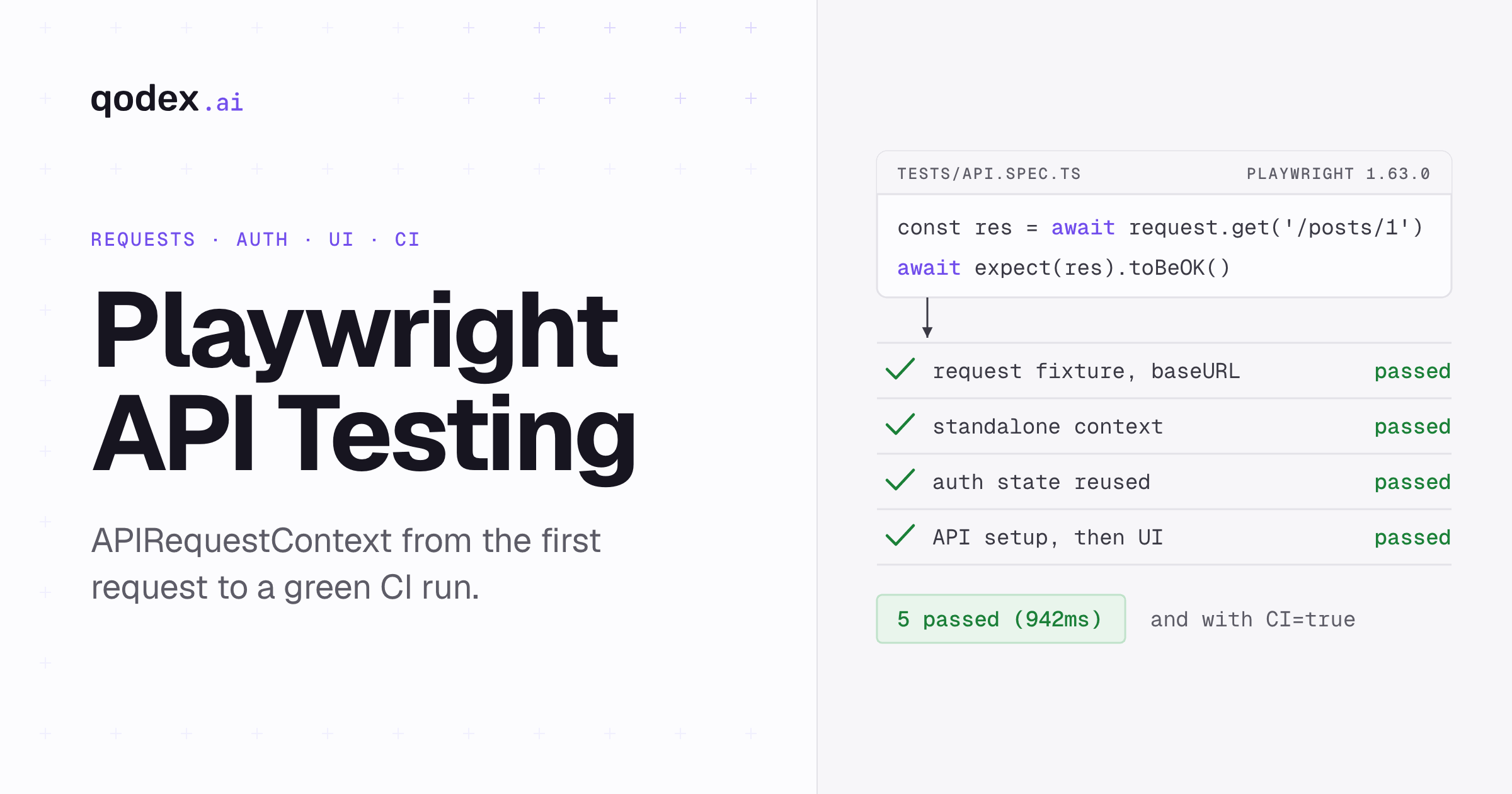
Playwright API testing uses APIRequestContext to send HTTP requests without opening a browser. In Playwright Test, the built-in request fixture inherits baseURL and headers from configuration. You can test endpoints directly, create state before a UI test, verify server state afterward, and reuse authenticated cookies between API and browser contexts. Use explicit status and body assertions, then run the same suite in CI.
If you would rather not write these by hand, Qodex writes API tests from your spec and runs them on every pull request. See Qodex API testing.
Checked with Playwright 1.63.0, read 19 September 2026. Every example on this page was run as printed on 19 September 2026, against the read-only JSONPlaceholder demo API and local fixtures. In our run the versions were @playwright/test 1.63.0 and Node 26.9.0. Five of five tests passed with local defaults, and five of five passed again with CI=true and one worker. Both runs exited zero. Timings depend on the machine, so this page publishes pass counts and the version, not durations.
What Playwright API testing is
Playwright is a browser tool that also speaks plain HTTP. APIRequestContext is the object that does it. It exposes get, post, put, patch, delete, head, and a generic fetch, and it sends those requests from Node, with no browser process involved. Playwright Test hands you one ready-made instance through the request fixture, configured from your test options, including baseURL and extraHTTPHeaders (APIRequestContext reference and the API testing guide, read 19 September 2026).
The fit rule is short. Playwright earns its place when your API checks live next to browser checks: one runner, one config, one report, one CI job. It earns it again when API calls are how you set up or verify a UI test. If you are testing an API and nothing else, and nobody on the team writes Playwright already, a dedicated API client stays simpler.
This page covers the Playwright implementation, not the category. If you need the category definition, test types, and broader tool choices, read what API automation testing is.
Configure the request fixture
Playwright Test ships with API testing built in, so there is nothing extra to install. Pin the version you want, then put the two options that matter into playwright.config.ts.
For custom setup and teardown around use(), worker-scoped fixtures and options, see our Playwright fixtures guide.
baseURL lets every call be a path instead of a full URL, so switching from local to staging is one environment variable. extraHTTPHeaders attaches headers to every request the fixture makes: an Accept header, a client identifier, an authorization header read from the environment.
// playwright.config.ts
import { defineConfig } from '@playwright/test';

export default defineConfig({
  workers: process.env.CI ? 1 : undefined,
  retries: process.env.CI ? 2 : 0,
  use: {
    baseURL: 'https://jsonplaceholder.typicode.com',
    extraHTTPHeaders: {
      Accept: 'application/json',
      'X-Test-Client': 'qodex-playwright-guide',
    },
  },
});
Two things to keep straight about that file.
Secrets come from the environment, never the file. Write
Authorization: `Bearer ${process.env.API_TOKEN}`and keep the token in your shell and in CI secrets. A token pasted into a config lands in git history and stays there.The options are test options, so they are overridable. Call
test.use({ baseURL: 'https://staging.example.com' })inside a describe block and only those tests move. Define a project per environment and the same specs run against both.
Playwright's own package metadata lists @playwright/test 1.63.0 as current, requires Node.js 20 or later, and declares the Apache-2.0 license (npm package metadata, read 19 September 2026). Those are vendor figures, not independent measurements.
Send requests and assert responses
Every verb takes the same shape: a URL or path, then an options object. Query strings go in params. A JSON body goes in data, and Playwright sets the content type for you. A form post goes in form, a file upload in multipart. The return value is an APIResponse with status(), headers(), json(), text() and body().
If the request already exists as a curl command, the curl converter turns it into Playwright APIRequestContext code in your browser, with a note wherever Playwright cannot express a curl option.
Start every response check with await expect(response).toBeOK(), which the docs define as "Ensures the response status code is within 200..299 range" (toBeOK, read 19 September 2026). That one line gives a readable failure with the body attached. Then assert what you actually promised: the exact status, the content type, and the fields of the contract. A 200 that returns the wrong shape is still a broken API.
// tests/api.spec.ts
import { test, expect, request as apiRequest } from '@playwright/test';

test('the request fixture uses baseURL', async ({ request }) => {
  const response = await request.get('/posts/1');

  await expect(response).toBeOK();
  expect(response.status()).toBe(200);
  expect(response.headers()['content-type']).toContain('application/json');
  await expect(response.json()).resolves.toMatchObject({ id: 1, userId: 1 });
});

test('a standalone APIRequestContext is disposable', async () => {
  const api = await apiRequest.newContext({
    baseURL: 'https://jsonplaceholder.typicode.com',
    extraHTTPHeaders: { Accept: 'application/json' },
  });

  try {
    const response = await api.get('/todos/1');
    await expect(response).toBeOK();
    await expect(response.json()).resolves.toMatchObject({
      id: 1,
      completed: false,
    });
  } finally {
    await api.dispose();
  }
});
toMatchObject is doing deliberate work there. Playwright lists it as "Object contains specified properties" (test assertions, read 19 September 2026). The Jest matcher it follows is explicit about the rest: it "will match received objects with properties that are not in the expected object" (Jest expect docs, read 19 September 2026). So a new optional field added by another team does not turn your suite red. When a field must be absent, or must have an exact value, assert that field directly.
Negative cases need one more fact. failOnStatusCode is false by default, so a 404 or a 500 comes back as a response object rather than an exception (APIRequestContext reference, read 19 September 2026). That default is what makes error-path tests readable, and you can flip it per call when you want the throw.
// tests/negative.spec.ts
import { test, expect } from '@playwright/test';

test('a 404 comes back as a response, not an exception', async ({ request }) => {
  const missing = await request.get('/posts/999999');

  expect(missing.status()).toBe(404);
  await expect(missing).not.toBeOK();

  await expect(
    request.get('/posts/999999', { failOnStatusCode: true })
  ).rejects.toThrow();
});
For matcher behavior beyond API responses, use the full Playwright assertions guide.
One 1.63 convenience is worth knowing. Request methods now take a type argument that types the parsed body, so const response = await request.get<User>('/api/users/42') gives you a typed json() (Playwright 1.63 release notes, read 19 September 2026). It is a TypeScript convenience, not a runtime check, so keep asserting the shape.
Choose the right request context
Three objects can send an HTTP request in a Playwright test, and picking the wrong one is the quiet cause of tests that pass alone and fail together. The docs draw the line by cookie storage. An APIRequestContext reached through browserContext.request or page.request fills the Cookie header from the browser context and writes any Set-Cookie header back into it. An instance created with apiRequest.newContext() keeps its own isolated cookies (API testing guide, read 19 September 2026).
| Use | Inherits test.use options? | Cookie behavior | Who disposes it? |
|---|---|---|---|
The request fixture | Yes, baseURL and extraHTTPHeaders | Its own storage, separate from any browser | Playwright Test, after the test |
apiRequest.newContext() | No, you pass the options yourself | Its own isolated jar, per context | You, with await context.dispose() |
page.request or context.request | Inherits the browser context's settings | Shared with the browser context, both ways | Closed with the browser context |
Best fit, in one line each. The fixture suits endpoint tests and day-to-day API work. A manual context suits a second role, or a login performed once and shared. page.request suits a call that has to run as the user the browser is already signed in as.
The practical reading. Use the fixture until something forces you off it. Reach for newContext() when a test needs credentials the config does not carry. Reach for it again when you want a login performed once and shared through a worker-scoped fixture, or a request that browser cookies cannot touch. Reach for page.request only when the call must carry the session the browser already holds, which is exactly when a manual context would give you a confusing 401.
The second test in the example above is the manual form. Note the try/finally around it: a manual context that is never disposed holds its response bodies in memory for the life of the run.
Reuse authentication and storage state safely
Logging in through the interface before every test is slow and fragile. Playwright's answer is to log in once over HTTP and move the resulting cookies. The docs put it plainly: "Storage state is interchangeable between BrowserContext and APIRequestContext" (API testing guide, read 19 September 2026). Call storageState({ path }) on an authenticated request context, then hand that file to newContext() on either side.
The example below is self-contained. It starts a throwaway login server inside the test file, so it runs on any machine with no account and no token. The storage state is held in memory rather than written to a file. The finally block closes the browser context, disposes both request contexts and stops the server, so a failed assertion leaves nothing behind. Swap the fixture server for your own origin and the Playwright half does not change.
Your own suite will often want the file form instead, because a setup project writes the state once and the test projects read it. That is storageState({ path }), and the file it writes is a credential. The rules below apply to it.
// tests/auth.spec.ts
import { test, expect, request as apiRequest } from '@playwright/test';
import type { APIRequestContext, BrowserContext } from '@playwright/test';
import { createServer, Server } from 'node:http';

// A throwaway login server, so the example runs with no real credentials.
function startFixture(): Promise<{ server: Server; origin: string }> {
  const server = createServer((req, res) => {
    if (req.url === '/login') {
      res.setHeader('Set-Cookie', 'session=demo-session; Path=/; HttpOnly');
      res.setHeader('Content-Type', 'application/json');
      res.end(JSON.stringify({ ok: true }));
      return;
    }
    const signedIn = (req.headers.cookie || '').includes('session=demo-session');
    if (req.url === '/me') {
      res.statusCode = signedIn ? 200 : 401;
      res.setHeader('Content-Type', 'application/json');
      res.end(JSON.stringify(signedIn ? { name: 'Ada' } : { error: 'unauthorized' }));
      return;
    }
    res.setHeader('Content-Type', 'text/html');
    res.end(`<h1>${signedIn ? 'Signed in as Ada' : 'Signed out'}</h1>`);
  });
  return new Promise(resolve => {
    server.listen(0, '127.0.0.1', () => {
      const { port } = server.address() as { port: number };
      resolve({ server, origin: `http://127.0.0.1:${port}` });
    });
  });
}

test('storage state moves from an API context to a browser context', async ({ browser }) => {
  const { server, origin } = await startFixture();
  const api = await apiRequest.newContext({ baseURL: origin });
  let reused: APIRequestContext | undefined;
  let context: BrowserContext | undefined;

  try {
    // 1. Log in once through the API.
    const login = await api.post('/login', { data: { user: 'ada', password: 'pw' } });
    await expect(login).toBeOK();

    // 2. Keep the cookies the login returned, in memory, with no file on disk.
    const state = await api.storageState();

    // 3. The same state authenticates a second API context.
    reused = await apiRequest.newContext({ baseURL: origin, storageState: state });
    const me = await reused.get('/me');
    expect(me.status()).toBe(200);
    await expect(me.json()).resolves.toMatchObject({ name: 'Ada' });

    // 4. And the same state authenticates a browser context.
    context = await browser.newContext({ storageState: state });
    const page = await context.newPage();
    await page.goto(origin);
    await expect(page.getByRole('heading')).toHaveText('Signed in as Ada');
  } finally {
    // Every context closes, including after a failed assertion.
    await context?.close();
    await reused?.dispose();
    await api.dispose();
    server.close();
  }
});
Four rules keep this from becoming a security problem.
Treat the state file as a live credential. Playwright warns that saved storage state can contain cookies and headers able to impersonate the test user, and recommends adding
playwright/.authto.gitignore(authentication guide, read 19 September 2026). Do that on the first commit, not after the first leak.One file per role. An admin file and a member file, written by separate setup steps, beat one shared login with conditional logic in the tests.
Plan for expiry. A session that outlives the suite is fine. A session that expires halfway through a nightly run produces a 401 that reads like a product bug. Refresh the state in a setup project rather than reusing yesterday's file.
Never print the token. Log the status code and the user id, not the header.
Playwright 1.63 adds an opfs option that includes the origin private file system in the storage state, so it can be persisted and restored into later contexts (Playwright 1.63 release notes, read 19 September 2026).
Mix API setup with UI tests
The reason to run API tests in Playwright rather than a dedicated client is that the same file can do both jobs. The shape is the same three moves: set up through the API, do one user-visible thing in the browser, then check the server side of what the browser did.
Setting up through the API is the part that pays. Creating a user, an order or a document over HTTP takes one request. Creating the same record by clicking takes a run of form steps, and each of those can break for reasons that have nothing to do with the behavior you are testing. That also keeps the failure honest, because a red test then means the thing under test broke, not the signup form. Our UI testing guide covers the browser half, and Playwright vs Cypress compares how each tool handles this API setup step.
The limit matters just as much. API calls must not replace the behavior the UI test exists to prove. If the test is there to show that clicking Archive archives the post, the click has to happen in the browser. Seed the data over HTTP, then leave the one interaction alone.
// tests/ui-mixing.spec.ts
import { test, expect } from '@playwright/test';

test('API setup, one UI check, then a check on what the UI sent', async ({ page, request }) => {
  // 1. Set up through the API, not through the interface.
  const seed = await request.get('/posts/1');
  await expect(seed).toBeOK();
  const post = await seed.json();

  // 2. Stand the screen up and record the call it makes.
  let archived: unknown = null;
  await page.route('https://app.example.com/api/posts/1/archive', async route => {
    archived = route.request().postDataJSON();
    await route.fulfill({ status: 200, contentType: 'application/json', body: '{"archived":true}' });
  });
  await page.route('https://app.example.com/posts/1', async route => {
    await route.fulfill({
      contentType: 'text/html',
      body: `<main>
        <h1>${post.title}</h1>
        <button id="archive">Archive</button>
        <p id="status">Draft</p>
      </main>
      <script>
        document.getElementById('archive').addEventListener('click', async () => {
          await fetch('/api/posts/1/archive', {
            method: 'POST',
            headers: { 'Content-Type': 'application/json' },
            body: JSON.stringify({ id: 1 }),
          });
          document.getElementById('status').textContent = 'Archived';
        });
      </script>`,
    });
  });

  // 3. The browser does the one thing the UI test exists to prove.
  await page.goto('https://app.example.com/posts/1');
  await expect(page.getByRole('heading')).toHaveText(post.title);
  await page.getByRole('button', { name: 'Archive' }).click();
  await expect(page.locator('#status')).toHaveText('Archived');

  // 4. The server side of the same action.
  expect(archived).toEqual({ id: 1 });
});
That test seeds from the API, stands the screen up with page.route, performs the single click, and then asserts the request body the page actually sent. Against a real application the last step is a GET to your own API instead of a recorded route, which is the "verify server state afterward" half of the pattern.
For the locator style used there, and the fixes for a strict mode violation, see the Playwright getByRole reference.
Make the suite reliable
API tests fail for a small, boring set of reasons. Each has a fix.
Shared data across workers. The docs state that "By default, test files are run in parallel" (parallelism guide, read 19 September 2026), so two tests that both edit user 42 can collide. Generate unique data per test, or scope a fixture to the worker so each worker owns its own record.
Nothing cleans up. Delete what you create in a teardown step, and make the delete tolerant of an object that is already gone. A suite that leaves rows behind accumulates them, and the next run starts from that pile.
Response bodies pile up. A response body stays in memory until the response is disposed or the context closes (APIResponse reference, read 19 September 2026). For the request fixture this takes care of itself. For a long-lived manual context, call
dispose()on large responses.Retries hide the wrong thing.
maxRetriesretries only the ECONNRESET network error, never an HTTP response code, and it defaults to zero (APIRequestContext reference, read 19 September 2026). A flaky 500 will not be retried away, which is correct: fix the endpoint or assert the failure.Timeouts are ambiguous. Set a per-request timeout for a slow endpoint rather than raising the whole suite's limit, so one slow call cannot hide behind a generous global number.
Mutable shared accounts. A single staging login that every test mutates produces the classic "it passes locally" failure. Give each role its own account, or create the account in setup.
Run Playwright API tests in CI
The CI story is short because the tests are ordinary Node code. Pin the version in package.json, install with npm ci so the lockfile decides, and run npx playwright test. API-only tests need no browser binaries at all. The moment one spec opens a page, add npx playwright install --with-deps, which the official CI guide uses for exactly that reason (CI guide, read 19 September 2026).
Playwright recommends setting workers to 1 in CI, to prioritize stability and reproducibility, while adding that "if you have a powerful self-hosted CI system, you may enable parallel tests" (CI guide, read 19 September 2026). That is vendor guidance, and it is a sensible starting point. Begin at one worker, prove the suite is repeatably green, then raise the number and watch what breaks. Anything that fails on the way up was sharing state.
The config at the top of this page already reads the CI environment variable for both settings. That is why the five-test suite ran locally on the default worker count and again under CI=true with one worker and two retries, passing both times. Keep the HTML report and the traces as build artifacts for any suite that includes browser tests, because a failure you cannot reproduce locally is worth the storage. Shard only once the suite survives full parallelism.
The short version
Use the request fixture and put baseURL and headers in the config. Assert with toBeOK(), then assert the exact status and the fields of the contract. Move to a manual context when a test needs its own identity, and to page.request when it needs the browser's session. Log in over HTTP, share the storage state, and keep that file out of git. If your decision is specifically Karate versus Playwright, use the Karate Labs alternatives comparison. For the wider tool landscape, see the API testing hub.
Frequently Asked Questions
Can Playwright be used for API testing without a browser?
Yes. APIRequestContext sends HTTP and HTTPS requests from Node with no browser process involved, and an API-only suite needs no browser binaries in CI. You only need npx playwright install once a spec in the same run opens a page.
What is APIRequestContext?
It is Playwright's HTTP client. It exposes get, post, put, patch, delete, head and a generic fetch, and returns an APIResponse carrying the status, headers and body. Playwright Test gives you a preconfigured instance through the request fixture, and you can create more with apiRequest.newContext().
What is the difference between the request fixture and request.newContext()?
The fixture inherits your test options, including baseURL and extraHTTPHeaders, and the runner tears it down for you. A context from newContext() takes its options directly, keeps its own isolated cookie storage, and has to be disposed in your own code. Use the fixture unless a test needs a separate identity.
How do baseURL and extraHTTPHeaders work?
Both are test options set under use in the config. baseURL is prefixed to any path you pass, so request.get('/posts/1') resolves against it. extraHTTPHeaders is merged into every request the context sends. Both can be overridden per project or per describe block with test.use().
How do I reuse authentication between API and UI tests?
Log in once with a request context, call storageState({ path }), then pass that file to a new request context or to browser.newContext(). The docs state that storage state is interchangeable between BrowserContext and APIRequestContext. Add the directory holding those files to .gitignore.
Can API calls set up data for a Playwright UI test?
Yes, and it is the pattern worth adopting. Create the record over HTTP, then let the browser do only the interaction the test exists to prove, then check the server side afterwards. Do not replace the user-visible step with an API call, or the test stops proving anything about the interface.
How should I assert status codes and JSON responses?
Start with await expect(response).toBeOK(), documented as ensuring the status is within the 200 to 299 range. Then assert the exact status, the content type, and the fields your contract promises. toMatchObject checks named fields and ignores the rest, which keeps the test stable when another team adds an optional field.
Does Playwright retry failed API requests?
Only in one narrow case. The maxRetries option retries the ECONNRESET network error and nothing else, never an HTTP response code, and it defaults to zero. A 500 is returned to your test as a response, because failOnStatusCode is false by default, so you assert on it rather than retrying it away.
Do API-only Playwright tests need browser binaries in CI?
No. A run that never opens a page needs the npm packages and nothing more, so npm ci followed by npx playwright test is the whole job. Add npx playwright install --with-deps as soon as the same run includes a browser test, which the official CI guide does by default.
When is Playwright a poor fit for API-only testing?
When nothing else in your stack uses it. If no browser tests exist, nobody writes TypeScript, and the work is exploring endpoints by hand or running a shared collection, a dedicated API client asks less of the team. Playwright pays off when API and UI checks belong in one runner, one config and one report.