Playwright vs Selenium: Which Should You Choose in 2026?
Playwright vs Selenium is a choice between defaults and reach. Choose Playwright for most new web test suites. Its pinned browser builds, actionability checks, auto-retrying assertions, and Node runner cut setup work and wait code. Choose Selenium when you need real Safari, Ruby, a standards-based WebDriver stack, or when you have a large existing suite and a Grid investment to protect. Do not migrate on a generic speed claim. Benchmark your own critical paths and your maintenance cost first.
Qodex sits above the framework choice: it turns plain-English flows into standard Playwright specs and replays them without a model call. See Qodex UI testing.
Playwright vs Selenium: the decision table
Start with the requirement, not the tool. This table comes from both projects' current documentation, read 15 September 2026. Where the docs support no winner, the row says so.
| Requirement | Playwright 1.63.0 | Selenium 4.49.0 | Winner | Why |
|---|---|---|---|---|
| New web suite | Runner, browsers, traces together | You assemble the pieces | Playwright | Least to wire up first |
| Working Selenium suite | Rewrite cost, no guaranteed return | Page objects and Grid stay | Selenium | A rewrite needs a measured problem |
| JavaScript or TypeScript | Playwright Test, workers included | Bindings only, bring a runner | Playwright | The Node runner carries the defaults |
| Python | Official binding, pytest plugin | Official binding, pytest | Slight Playwright lean | APIs match, so run a spike |
| Java | Official binding, JUnit or TestNG | Official binding, JUnit or TestNG | Close call | Same frameworks underneath |
| .NET and C# | Official binding | Official binding | Close call | Pick on team familiarity |
| Ruby | No official binding | Official binding | Selenium | One supported option for Ruby |
| Chromium | Bundled, pinned to the release | chromedriver via Selenium Manager | Close call | Neither needs manual driver work |
| Branded Chrome and Edge | Runs installed channels | Drives installed browsers | Close call | Both reach shipped Chromium |
| Branded Firefox | Patched build, not branded | geckodriver on installed Firefox | Selenium | Branded Firefox is unsupported |
| WebKit engine | Patched WebKit, recent sources | Not a target of its own | Playwright | Early engine coverage on Linux CI |
| Real Safari | Not supported | SafariDriver documented | Selenium | A Safari release gate decides it |
| Mobile web emulation | Device profiles for viewport, touch, locale | Compatible mobile browsers | Playwright | Built in, and still emulation |
| Native mobile apps | Out of scope | Out of scope, Appium sits beside it | Neither | Web tests do not become app tests |
| Automatic waiting | Actionability checks, retrying assertions | Implicit and explicit waits, never mixed | Playwright | The safe path is the default |
| Parallel CI | Workers and sharding in Node | Runner parallelism plus Grid | Playwright, in Node | Elsewhere you configure it |
| Distributed browser estate | Its own engines and channels | Grid routes remote sessions | Selenium | Grid is built for a browser lab |
| Failure evidence | Trace Viewer: actions, DOM, network | Runner reports plus libraries | Playwright | One artifact, not four |
| API calls in a test | APIRequestContext for REST | Browser control is the job | Playwright | Setup over HTTP inside the test |
| W3C WebDriver requirement | Its own protocol | W3C WebDriver, plus BiDi | Selenium | A WebDriver rule names Selenium |
Three conditions settle the choice on their own: Ruby test code, a branded Safari release gate, and a working suite already in place. If none of them applies to you, the greenfield default holds.
Current versions and what changed
Playwright 1.63.0 was published on 4 September 2026. Selenium 4.49.0 was published on 9 September 2026. Both come from the projects' own release records, read 15 September 2026, and both move often enough to check before you quote them.
Two Selenium changes have not caught up with the blog posts yet. The first is Selenium Manager, a command-line tool written in Rust that ships with every Selenium release from 4.6 onward. The bindings call it when a driver such as chromedriver is not available, and it downloads and manages that driver for you. You can still manage drivers by hand, but you no longer have to, so the old line about driver-version archaeology is out of date.
The second is WebDriver BiDi, a bidirectional protocol the Selenium project and the browser vendors are building as a cross-browser replacement for the Chrome DevTools Protocol. Classic WebDriver is request and response only. BiDi adds events flowing back from the browser, which opens up logging, network work, and script interception. It is arriving in stages, so check the status of the specific capability you need.

Architecture, waiting, and flakiness
Playwright drives browser builds it maintains and versions with each release, through one API that looks the same in every supported language. Selenium is a client library for the W3C WebDriver protocol: your test sends commands to a remote end the browser vendor implements, with BiDi adding the event channel described above. The two are separate implementations, not layers of one stack. Playwright is not built on Selenium, and neither API is a prerequisite for learning the other.
That difference gets sold as a speed story, usually as a persistent socket beating per-command HTTP round trips. Read it as a capability story instead. The protocol decides what each tool can see and control. It does not decide how long your suite takes: the runner, the worker count, the browser, the distance to a remote grid, and the tests themselves all affect that number.
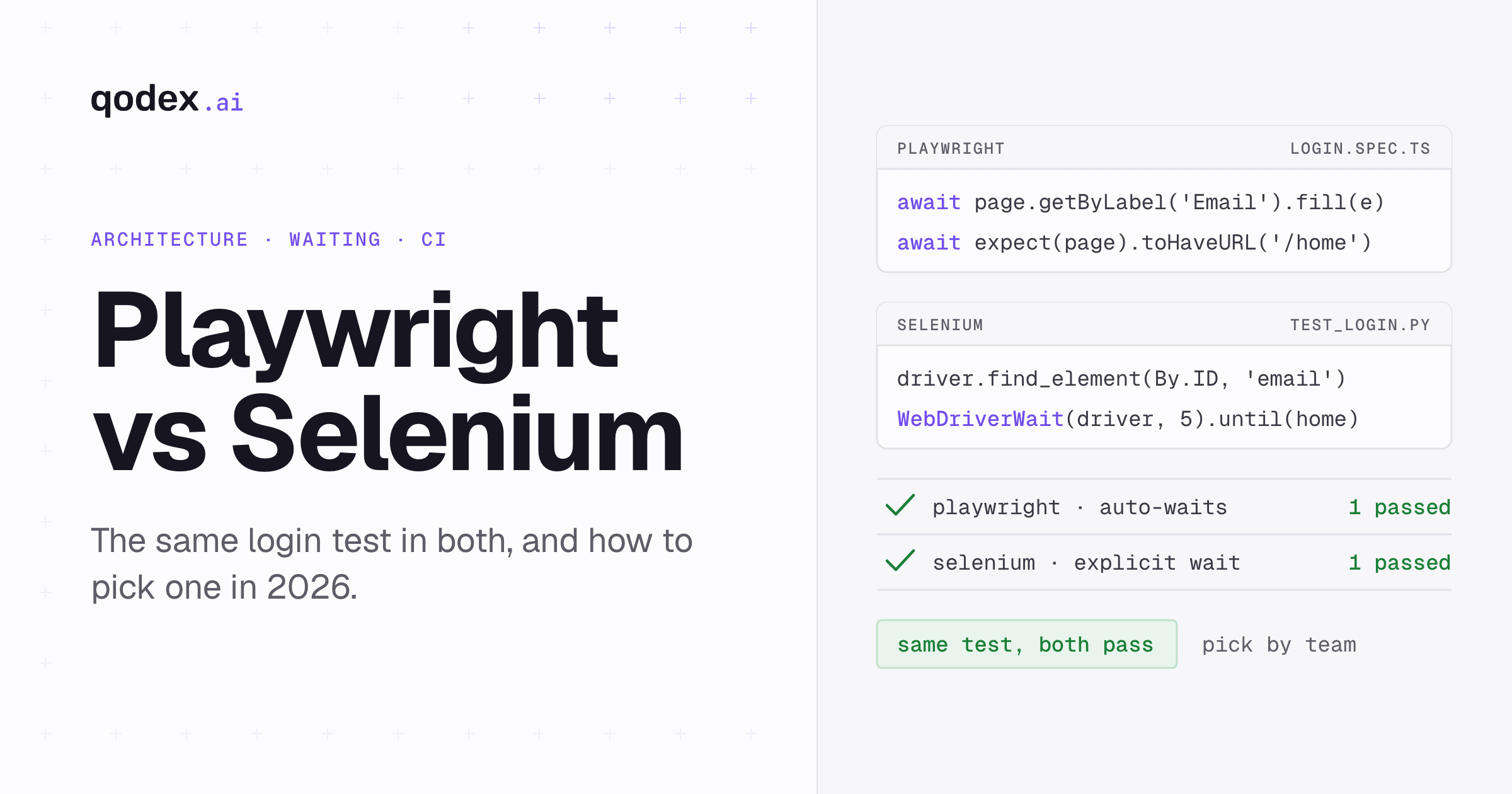
Waiting is the split that actually shows up in your build logs. Before Playwright acts on an element it runs actionability checks: depending on the action, the element has to be attached to the DOM, visible, stable, able to receive events, and enabled. Its assertions retry until the condition holds or the timeout expires. You do not write that wait; it is the default.
Selenium gives you two mechanisms and asks you to pick. An implicit wait polls for a set duration whenever a locator does not resolve immediately. An explicit wait blocks until a named condition is true. Both work when used on their own. The Selenium documentation warns directly against mixing them, because combining the two can produce wait times you did not intend. A lot of the flakiness blamed on Selenium is that warning ignored across a suite.
So the honest summary is about defaults, not ceilings. Selenium can be stable with disciplined waits and locators. Playwright hands you the discipline; Selenium asks you to supply it. Either way, switching frameworks does not repair bad locators or a test that assumes data it never created. Migrating explicit Selenium-style waits? The Playwright waitForSelector reference maps them to locators and retrying assertions.
Languages, runners, and setup
Playwright's documentation covers Node.js, Python, Java, and .NET. Selenium's downloads page lists Java, Python, .NET and C#, Ruby, and JavaScript. The practical gap is Ruby: it is an official Selenium binding and not a Playwright one, so a Ruby codebase has its answer already.
The runner story matters more than the language list, and it is where comparisons usually go wrong. Playwright Test, the integrated runner with worker processes and sharding, is the Node.js product. The Python binding recommends a pytest plugin. Java and .NET use whatever framework you already run, such as JUnit, TestNG, or NUnit. The core browser APIs exist in every supported binding. The integrated runner does not, so "Playwright ships its own runner" should always be read as "in Node".
Selenium is deliberately a browser automation library rather than a test framework. You bring JUnit, pytest, TestNG, NUnit, or another runner, and you wire in reporting yourself. That is more assembly at the start and more freedom later, and for a team with an established test framework it is often no work.
Setup has flipped from the version of this comparison that most articles still repeat. Selenium Manager removes routine driver management. Playwright, meanwhile, downloads browser binaries that are tied to the library version, so upgrading Playwright can mean installing browsers again and budgeting for that download in CI. Neither is a burden, but do not pick a tool on a setup story that was retired years ago.

Browsers, WebKit, Safari, and mobile
This is the section where careless comparisons cost teams a release. Playwright bundles Chromium, a patched Firefox, and a patched WebKit. It can also drive the branded Google Chrome and Microsoft Edge installed on the machine, on their Stable and Beta channels. It cannot drive branded Firefox or branded Safari, and the Playwright documentation says so outright, because both rely on patches.
That distinction is not pedantry. Playwright's WebKit is derived from recent WebKit main-branch sources, often ahead of what Apple ships into Safari. For catching engine-level breakage early on cheap Linux CI it is useful, and Playwright calls Linux CI the most affordable way to run WebKit. For signing off "it works in Safari on our customers' Macs" it is not the same thing. Playwright's own guidance is that the closest-to-Safari experience means running WebKit on macOS, and even that is not Safari.
Selenium documents per-browser support for Chrome, Edge, Firefox, Internet Explorer, and Safari, each through the browser vendor's own driver. If a compliance rule, a support matrix, or a customer contract names branded Safari or branded Firefox, Selenium is the tool that reaches it. That single requirement outranks every convenience argument on the other side.
Mobile splits the same way. Playwright's emulation covers viewport, user agent, touch, geolocation, locale, timezone, and permissions through device profiles, which catches responsive layout and touch-handling problems on any CI machine. It is emulation, not a device, and it will not surface a bug that depends on iOS Safari's real rendering or on device hardware. Selenium drives mobile browsers directly and commonly sits next to Appium for native apps. Neither project turns a desktop web suite into a native app suite.
Parallel CI, debugging, and API work
Playwright Test runs test files across worker processes and supports sharding a suite across CI machines, both through configuration. For a team that wants a parallel run without standing up extra machines, the work is configuration rather than infrastructure. The scope caveat applies again: it is the Node runner. In Python, Java, or .NET, parallelism comes from your own framework.
Selenium Grid solves a different problem. It routes WebDriver sessions to remote browser nodes, which is what you want when the browsers live on a lab of machines with particular operating systems and versions, shared across several teams. Your test runner still decides test-level parallelism. If you already operate a grid, it is an asset rather than overhead, and a Playwright pilot has to beat it on measured evidence.
Debugging is Playwright's clearest lead. Trace Viewer records a run and lets you step through it afterwards with the action list, DOM snapshots at each step, network activity, console output, source, errors, and attachments in one place. When a test fails once in CI and never on your laptop, that artifact is what closes the case. On the Selenium side, what a failure tells you depends on the runner, the bindings, and the reporting tools you put around them, and you assemble and maintain that set yourself.
Playwright also ships APIRequestContext, an HTTP client inside the test process. You can create a user, seed a record, or clean up over REST without launching a browser page, sharing cookies and storage state with the browser context when you want that. Selenium's standardized job is browser control, and BiDi extends events and network work rather than turning it into an API client. A real convenience, not evidence that web tests run faster.
Should you migrate from Selenium to Playwright?
What follows is editorial guidance, drawn from the capability differences above rather than from a benchmark. No independent, reproducible 2026 benchmark of speed, flake rate, or CI cost exists that we would stand behind, and the ones published by tool vendors measure their own scenarios.
Start by naming the problem in numbers. A migration is worth discussing when your suite is dominated by wait code, when failures arrive without enough evidence to diagnose them, or when flaky reruns eat a measurable share of CI time. Actionability checks, retrying assertions, and traces target those three. Feeling dated is not a reason.
Then pilot rather than port. Pick the small set of tests that cost you the most maintenance and rewrite those in Playwright. Run both suites through a full release cycle. Compare the numbers you started with: failures that turned out to be real bugs, time spent fixing tests after UI changes, and wall-clock CI time on the same hardware. Write the exit criteria before the pilot starts.
Reasons to stay put are legitimate. A reliable suite with years of page objects has value that a rewrite throws away. A grid you already run, a Ruby codebase, a Safari release gate, or a written WebDriver requirement each end the conversation on their own. And if the pilot shows your failures come from bad locators and missing test data rather than from the framework, fix those in Selenium instead.
If you are weighing other options at the same time, we keep current lists of Playwright alternatives and Selenium alternatives, a head-to-head on Playwright vs Cypress, a reference for Playwright assertions, and a broader guide to UI testing.
The bottom line
Playwright is the default for a new web test suite. You get pinned browsers, actionability checks, retrying assertions, traces, and in Node a runner with workers, which is less to build before the tests are useful. Selenium wins four specific cases: Ruby test code, branded Safari or branded Firefox as a release gate, a distributed browser estate already running on Grid, and a large suite that works. Neither is faster in the abstract. Measure your own critical paths under your own CI before you decide.
Frequently Asked Questions
Is Playwright better than Selenium?
For most new web suites, yes. It gives you versioned browsers, actionability checks, retrying assertions, Trace Viewer, and a Node runner with workers, so there is less to assemble. Selenium is better for Ruby, branded Safari or Firefox, a documented WebDriver standard, or a working suite worth keeping. Selenium Manager also removed the driver setup that older comparisons still hold against it, so setup is no longer the deciding line.
Is Playwright faster than Selenium?
There is no verified universal answer. Both projects document mechanisms, not a controlled head-to-head benchmark, and published comparisons come from vendors measuring their own scenarios. Playwright's waiting defaults remove common causes of delay and reruns. Run the same flows, browsers, workers, and infrastructure on both before quoting a number. Runner, worker count, browser, test design, and the distance to a remote grid all move the total, so someone else's result does not transfer to your suite.
Can I learn Playwright without Selenium?
Yes. They expose different APIs and neither is a prerequisite for the other. Playwright's actionability checks mean a first working test needs no wait strategy of its own, while Selenium asks you to choose between implicit and explicit waits early. Selenium teaches you the W3C WebDriver standard, which transfers across clients and browsers. Learn whichever one your team already runs, then read the other's docs when a requirement sends you there.
Is Playwright going to replace Selenium?
No. Selenium holds cases Playwright does not reach: branded Safari through SafariDriver, branded Firefox, the official Ruby binding, Grid for a distributed browser estate, and the W3C WebDriver standard. Selenium 4.49.0 shipped on 9 September 2026, and WebDriver BiDi is active work that adds an event channel to the standard. Expect both projects to keep shipping.
Does Playwright require coding?
Yes. Playwright tests are code in JavaScript, TypeScript, Python, Java, or .NET. Selenium tests are code too, in Java, Python, .NET and C#, Ruby, or JavaScript. Playwright's test generator writes a test while you click through the page, which shortens the first draft, but you still read, edit, and maintain what it produced.
What are the downsides of Playwright?
Four worth knowing. It drives a patched Firefox and a patched WebKit, not branded Firefox and Safari. It has no official Ruby binding. Browser binaries are tied to the library version, so upgrades can mean another CI download. And the integrated runner is a Node.js feature, not a Playwright-wide one.
Does Playwright test Safari?
It tests WebKit, the engine behind Safari, not Safari itself. Playwright's documentation states that it does not work with the branded version of Safari, because its build relies on patches. WebKit coverage catches engine breakage early, and Playwright's WebKit comes from the WebKit main branch, often ahead of what Apple ships. If signing off branded Safari is a release requirement, use Selenium with SafariDriver.
Is Playwright or Selenium better for Python?
Both have official Python bindings, so run a short spike rather than taking a side. Playwright's pytest plugin gives each test a new browser context and takes the browser as a command-line argument, and actionability checks cut wait code. Selenium fits a team already on its bindings, and it drives branded Safari and branded Firefox, which Playwright does not.
Is Playwright or Selenium better for Java?
Both offer official Java bindings and both sit under JUnit or TestNG, so the Java experience is closer than the Node one. Playwright brings actionability checks, retrying assertions, and Trace Viewer, which records actions, DOM snapshots, network activity, and console output from a run. Selenium brings the WebDriver standard, branded browser coverage, and Grid. Decide on browser requirements and on what your team already runs, not on the language.
Should I migrate an existing Selenium suite?
Only against a measured problem, such as wait code dominating maintenance or failures you cannot diagnose. Pilot a small set of your highest-maintenance tests in Playwright, run both suites through a release cycle, then compare real bugs caught, time spent fixing tests, and CI time. A reliable suite is usually worth keeping.