Playwright getByRole: Options, Examples, Fixes
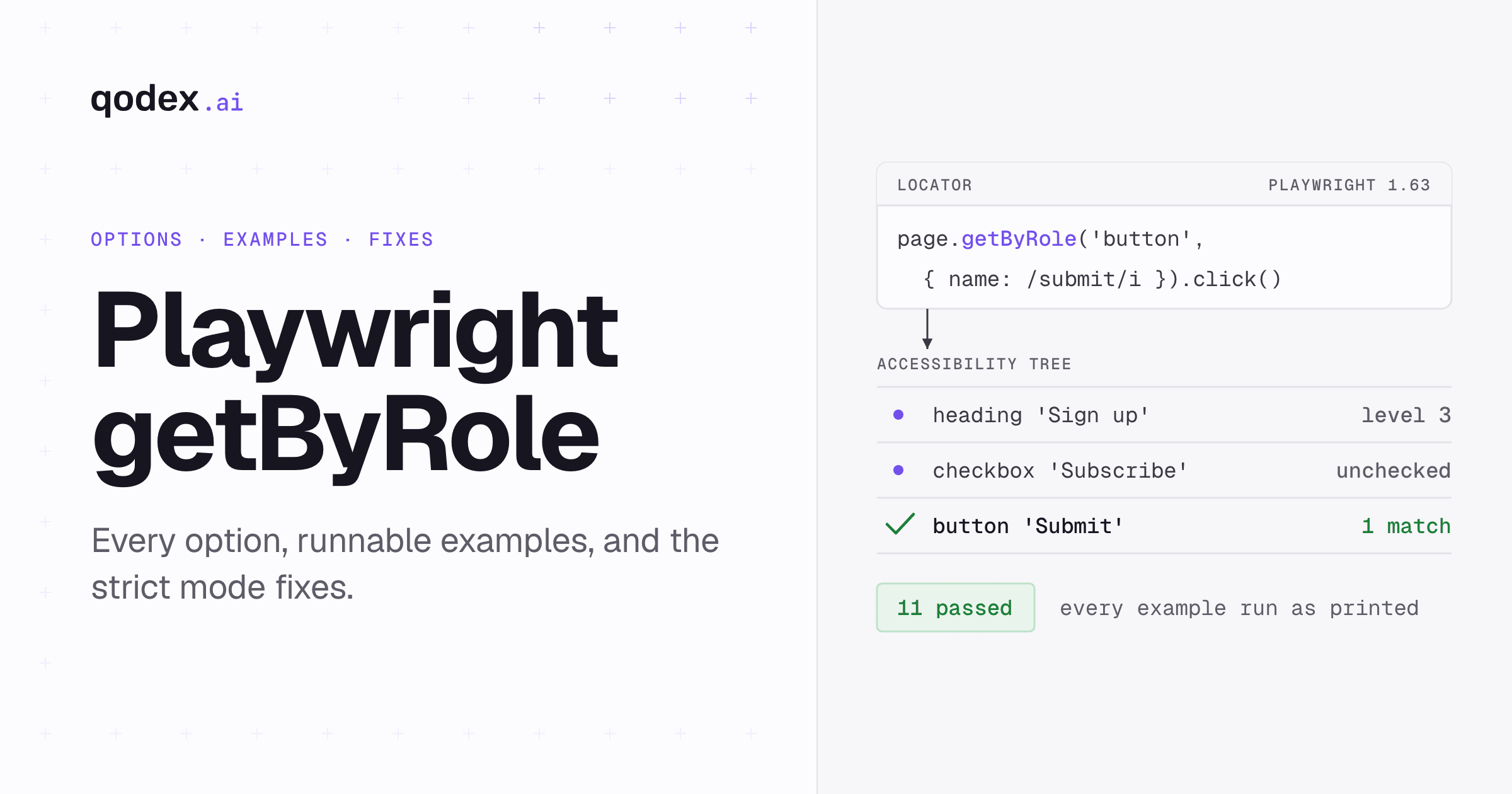
Playwright getByRole returns a locator for an element's explicit or implicit ARIA role, optionally narrowed by its accessible name, state, level or description. Use page.getByRole() first for buttons, links, headings, checkboxes and other interactive UI because it matches the page as users and assistive technology perceive it. Add a unique name in most cases, then act on or assert against the returned locator.
Checked with Playwright 1.63.0, read 18 September 2026. Every test on this page was run as printed, in one file, against local fixtures: 11 tests, 11 passed.
If you would rather not hand-write locators at all, describe the flow in a sentence: Qodex drives the real app, brings back a screenshot of what broke, and saves the run as Playwright you own. See Qodex UI testing.
Playwright getByRole signature
The same method hangs off three classes, and all three return a Locator:
page.getByRole(role, options?): Locator
locator.getByRole(role, options?): Locator
frameLocator.getByRole(role, options?): Locator
role is the only required argument. It is an ARIA role string from a fixed list, such as button, link, heading, checkbox, textbox, listitem, dialog or row. Many HTML elements carry an implicitly defined role that the role locator recognises, so a plain <button> matches button without any role attribute in your markup. getByRole was added in v1.27. Sources: the Locator API page and the locators guide, read 18 September 2026.
Playwright describes locators as "a way to find element(s) on the page at any moment", so you can build a role locator once and keep using it after the page re-renders. Source: the Locator class page, read 19 September 2026. The version on locator and frameLocator searches inside that element or frame instead of the whole document, which is how you scope a role query to one card, dialog or table row.
Every option and default
The second argument is one options object, and every key in it is optional. Each row below is stated as the Locator API page states it, read 18 September 2026.
| Option | Type | Default or behavior |
|---|---|---|
checked | boolean | Filters the state usually set by aria-checked or a native checkbox. No filter when omitted. |
description | string or RegExp | Matches the accessible description. Case-insensitive substring for a string unless exact says otherwise. Added in v1.60. |
disabled | boolean | Filters aria-disabled or disabled. Unlike the other attributes, disabled is inherited through the DOM hierarchy. |
exact | boolean | Defaults to false. Makes name and description case-sensitive whole-string matches. Ignored for a regular expression. Still trims whitespace. Added in v1.28. |
expanded | boolean | Filters aria-expanded. No filter when omitted. |
includeHidden | boolean | Defaults to false, so only elements that are not hidden under ARIA rules match. |
level | number | Filters the level used by heading, listitem, row and treeitem. <h1> to <h6> supply it by default. |
name | string or RegExp | Matches the accessible name. Case-insensitive substring for a string by default. |
pressed | boolean | Filters aria-pressed. No filter when omitted. |
selected | boolean | Filters aria-selected. No filter when omitted. |
Three of those decide most of what you write.
nameis a substring by default.{ name: 'Save' }also matches a button labelled "Save draft", and the comparison ignores case. That is convenient until two controls share a word, at which point it is the reason your test breaks.exactonly affects strings. Pass{ name: 'Save', exact: true }and you get the whole-string, case-sensitive match. Pass a regular expression andexactis ignored, because the expression already says what you mean.The state options filter, they do not assert.
{ checked: false }narrows the match to unchecked boxes. If every box is checked, the locator matches nothing, and a failure about a missing element tells you less than a failure about the wrong state. Useexpect(locator).toBeChecked()when the state is the thing you want to prove.
The boolean state options are worth reaching for in one case: when the accessible name alone is ambiguous but the state is not. A menu with an open and a closed section both labelled "Filters" is one { expanded: true } away from being unique.
Runnable getByRole examples
Every block below is one test from a single file, tests/getbyrole.spec.ts, in a fresh Playwright project. They use page.setContent to build the markup inline, so there is no demo site to start and nothing to keep in sync. Put every block below, and the strict mode blocks in the next section, into that one file: the import line at the top of the first block covers all of them. Then swap the fixtures for your own page.
Start with three implicit-role examples. None of the elements carries a role attribute: the heading, the checkbox and the button each have an implicit one.
import { test, expect } from '@playwright/test';

test('implicit roles on a plain form', async ({ page }) => {
  await page.setContent(`
    <h3>Sign up</h3>
    <label><input type="checkbox" /> Subscribe</label>
    <br />
    <button>Submit</button>
  `);

  await expect(page.getByRole('heading', { name: 'Sign up' })).toBeVisible();
  await page.getByRole('checkbox', { name: 'Subscribe' }).check();
  await page.getByRole('button', { name: /submit/i }).click();
});
The next test is the one to keep near you when a name starts matching too much. Two buttons share the word "Save". The bare substring finds both, exact: true finds only the short one, and an anchored regular expression finds only the long one.
test('name as substring, regex and exact string', async ({ page }) => {
  await page.setContent(`
    <button>Save draft</button>
    <button>Save</button>
  `);

  await expect(page.getByRole('button', { name: 'save' })).toHaveCount(2);
  await expect(page.getByRole('button', { name: 'Save', exact: true })).toHaveCount(1);
  await expect(page.getByRole('button', { name: /^save draft$/i })).toHaveCount(1);
});
level does the same job for headings. Three headings on a settings page all contain the word "Billing", and only the <h1> is the page title.
test('level picks one heading out of several', async ({ page }) => {
  await page.setContent(`
    <h1>Billing</h1>
    <h2>Billing history</h2>
    <h3>Billing contact</h3>
  `);

  await expect(page.getByRole('heading', { name: 'Billing' })).toHaveCount(3);
  await expect(page.getByRole('heading', { name: 'Billing', level: 1 })).toHaveText('Billing');
});
Now the state options together. The checkbox is found unchecked and then checked, the disclosure button is found collapsed and then clicked, and the delete button is identified by the warning text its aria-describedby points at.
test('role, name and state options', async ({ page }) => {
  await page.setContent(`
    <h2>Account</h2>
    <label><input type="checkbox"> Email updates</label>
    <button aria-expanded="false">Details</button>
    <button aria-describedby="danger">Delete</button>
    <p id="danger">Permanently removes the account</p>
  `);

  await expect(page.getByRole('heading', {
    name: 'Account', level: 2, exact: true
  })).toBeVisible();
  await page.getByRole('checkbox', {
    name: 'Email updates', checked: false
  }).check();
  await page.getByRole('button', {
    name: /details/i, expanded: false
  }).click();
  await expect(page.getByRole('button', {
    name: 'Delete', description: /permanently removes/i
  })).toBeVisible();
});
Frames need one extra hop. frameLocator crosses the boundary and getByRole then searches inside that document, not the parent page.
test('getByRole inside a frame', async ({ page }) => {
  await page.setContent(`
    <iframe id="checkout" srcdoc="<button>Pay now</button>"></iframe>
  `);

  const frame = page.frameLocator('#checkout');
  await expect(frame.getByRole('button', { name: 'Pay now' })).toBeVisible();
  await frame.getByRole('button', { name: 'Pay now' }).click();
});
Last, includeHidden, with a warning attached. Turning it on matches elements a user cannot reach, so a test that passes with it can pass against a hidden control. Use it to prove something is hidden, not to make a flaky test go green.
test('includeHidden matches elements users cannot reach', async ({ page }) => {
  await page.setContent(`
    <button>Visible action</button>
    <button aria-hidden="true">Hidden action</button>
  `);

  await expect(page.getByRole('button')).toHaveCount(1);
  await expect(page.getByRole('button', { includeHidden: true })).toHaveCount(2);
});
Strict mode violations and fixes
Locators are strict. Any operation that implies a single target element throws when more than one element matches, so click() on a locator that found two buttons fails instead of guessing. Multi-element operations are fine: count() on the same locator works. Source: the locators guide, read 18 September 2026.
The error tells you how many elements matched and prints each one. Captured from 1.63.0 against two identical buttons:
locator.click: Error: strict mode violation: getByRole('button', { name: 'Remove' }) resolved to 2 elements:
    1) <button>Remove</button> aka getByRole('button', { name: 'Remove' }).first()
    2) <button>Remove</button> aka getByRole('button', { name: 'Remove' }).nth(1)
This test asserts that rejection, so it passes while proving the error is real:
test('a strict mode violation names every match', async ({ page }) => {
  await page.setContent(`
    <button>Remove</button>
    <button>Remove</button>
  `);

  await expect(page.getByRole('button', { name: 'Remove' }).click())
    .rejects.toThrow(/strict mode violation/);
});
Confirm the count before you change anything. toHaveCount turns a guess into a number, and it exposes the match count, which tells "two real matches" apart from "the name is matching more than I meant".
Then work down this list and stop at the first fix that gives you one element. The order is the one Playwright's own guidance implies: narrow the description of the element before you reach for its position. Source: the locators guide, read 18 September 2026.
Add the accessible name.
getByRole('button')matches every button on the page.getByRole('button', { name: 'Save' })usually does not.Add
exact: true. Use this when the collision is caused by substring matching, as with "Save" inside "Save draft".Scope through a semantic parent. A dialog, a group, a list item or a table row. This is the fix that survives redesigns, because it encodes what the control belongs to.
Filter the parent.
filter({ hasText })picks the row by its content,filter({ has })picks it by a child locator.Use a test ID. Reach for
getByTestIdwhen the markup has no semantic contract worth targeting.Use
nth(). Only when the position is itself the thing under test.
Scoping and filtering in code:
test('repair a strict match by scoping', async ({ page }) => {
  await page.setContent(`
    <section role="group" aria-label="Profile"><button>Save</button></section>
    <section role="group" aria-label="Billing"><button>Save</button></section>
  `);

  await expect(page.getByRole('button', { name: 'Save' })).toHaveCount(2);
  // This would throw: await page.getByRole('button', { name: 'Save' }).click();
  const billing = page.getByRole('group', { name: 'Billing' });
  await billing.getByRole('button', { name: 'Save' }).click();
});

test('filter the parent row, then act inside it', async ({ page }) => {
  await page.setContent(`
    <ul>
      <li>Starter plan <button>Upgrade</button></li>
      <li>Team plan <button>Upgrade</button></li>
    </ul>
  `);

  const teamRow = page.getByRole('listitem').filter({ hasText: 'Team plan' });
  await teamRow.getByRole('button', { name: 'Upgrade' }).click();
});
hasText only helps when the distinguishing thing is text. When it is another element, pass that element's locator to has instead. Here the Paid badge, rather than the invoice text, selects the row.
test('filter the parent by a child locator', async ({ page }) => {
  await page.setContent(`
    <ul>
      <li>Invoice 2043 <span>Paid</span> <button>Refund</button></li>
      <li>Invoice 2044 <button>Refund</button></li>
    </ul>
  `);

  const paidRow = page.getByRole('listitem').filter({ has: page.getByText('Paid') });
  await expect(paidRow).toHaveCount(1);
  await paidRow.getByRole('button', { name: 'Refund' }).click();
});first(), last() and nth() opt out of strictness. Playwright does not recommend them, because when the page changes they can click an element you did not intend. Keep them for cases where order is the contract, such as the second step of a numbered wizard.
test('nth is the last resort when order is the contract', async ({ page }) => {
  await page.setContent(`
    <ol>
      <li><button>Step</button></li>
      <li><button>Step</button></li>
      <li><button>Step</button></li>
    </ol>
  `);

  await expect(page.getByRole('button', { name: 'Step' }).nth(1)).toBeVisible();
  await expect(page.getByRole('listitem').nth(2).getByRole('button')).toBeVisible();
});
That is the whole file. Running it:
$ npx playwright test tests/getbyrole.spec.ts

Running 11 tests using 1 worker

  11 passed (1.7s)
Zero matches is the opposite failure and it has several causes, so work through them in this order before you assume the element is late. Is the role the one the browser computes, rather than the one you expected? Is the accessible name the computed name and not the visible text? Is the element inside an iframe, which needs a frameLocator hop first? Is it hidden under ARIA rules, so the default includeHidden: false excludes it? Only when all four check out is this a waiting question, and our Playwright waitForSelector reference covers what to do instead of sleeping. To build and test a role locator against your own markup without writing a spec first, use the Playwright locator builder.
Once the locator is unique, choose the right check from the Playwright assertions reference.
getByRole vs other locators
Playwright's quick guide lists seven recommended built-in locators, the getBy* methods, and CSS or XPath sit outside that list as the structural fallback. Every recommendation in this table comes from the locators guide, read 18 September 2026. Read it as a set of answers to one question: when does getByRole stop being the right call?
| Locator | Matches | Best for | Main limit | Prefer when |
|---|---|---|---|---|
getByRole | ARIA role, name and state | Buttons, links, headings, controls | Depends on correct semantics and accessible names | Default for interactive UI |
getByLabel | Associated label text | Form controls | Needs a real label association | The field has a user-facing label |
getByPlaceholder | Placeholder text | Unlabelled inputs | Placeholder is weaker UX and can change | No label exists |
getByText | Visible text content | Non-interactive copy | Can match containers or repeated text | Asserting or selecting visible copy |
getByAltText | Image or area alternative text | Images and image buttons | Only applies where alt text exists | The alternative text is the user contract |
getByTitle | The title attribute | Rare title-based UI | Title is often absent or weak | Title is intentional and stable |
getByTestId | The configured test ID attribute | Semantic gaps and stable test contracts | Not user-facing | Role or text cannot identify reliably |
| CSS or XPath | DOM structure or attributes | Last-resort structural cases | Brittle when DOM structure changes | Built-ins cannot express the target |
Read the table top down. getByRole sits first because it describes the element the way a person describes it: the Save button, the Billing heading, the Email updates checkbox. A test written that way keeps working when the class names, the wrapper divs or the CSS framework change, because none of those is part of the description.
Two rows are worth separating from the rest. getByLabel is the better fit for a form control that has a real label association: getByRole('textbox', { name: 'Email' }) and getByLabel('Email') reach the same input, and the label version says what the form already promises without you naming the role. getByText is the better fit for copy nobody interacts with, such as an error message or an empty-state line, where there is no control and so no useful role to ask for.
getByTestId is not a failure either. When an element has no semantic contract worth targeting, inventing a role only to make a locator work is worse than adding a stable attribute. The rule that holds up is short. Use the role when the element has a real semantic contract. Use a test ID when it does not, and use CSS or XPath only when neither can express the target.
For the broader strategy, examples and tool choices, use the UI testing guide.
To see which locator Playwright picks for each element on a running page, record a flow with Playwright codegen.
Accessible names, hidden elements and ARIA limits
The name option matches the accessible name, which is computed rather than read off one attribute. Playwright says role locators follow the W3C specifications for ARIA role, ARIA attributes and accessible name, so the value it compares against is whatever that computation produces for the element, not the text you can see. Source: the locators guide, read 18 September 2026. That is why a button whose visible text is "Save" can carry a different accessible name once an aria-label is set, and why your locator then misses it. When a role locator finds nothing and the role is right, read the computed name in the browser's accessibility inspector before you change the locator family.
Hidden elements are excluded by default. includeHidden "controls whether hidden elements are matched. By default, only non-hidden elements, as defined by ARIA, are matched by role selector". Source: the Locator API page, read 19 September 2026. That default is correct: if a user cannot reach it, a test should not click it.
One limit to be plain about. A role locator gives early feedback about ARIA, but it is not an accessibility audit and does not replace conformance testing. Playwright says so on the Locator API page, read 18 September 2026. Role locators provide useful feedback, but run a real audit with the Playwright accessibility testing guide.
Frequently Asked Questions
What does Playwright getByRole do?
It returns a locator that finds elements by their explicit or implicit ARIA role, optionally narrowed by accessible name, state, level or description. It does not touch the page when you call it. The search runs when you act on the locator or assert against it, which is why a locator built once still works after the page re-renders.
Is the name option required?
No, only role is required. In practice you usually want name too, because a page usually has more than one button or link and an operation such as click() throws when the locator matches several elements. Playwright's guidance is that you should usually pass the accessible name as well.
How does Playwright calculate the accessible name?
It uses the browser's computed accessible name. Playwright states that role locators follow the W3C specifications for ARIA role, ARIA attributes and accessible name, so the computation is the browser's, not Playwright's. Check the name in the browser's accessibility inspector when a locator misses. The computed name, not the visible text, is what getByRole compares against.
When should I use exact: true instead of a regex?
Use exact: true when you know the whole string and want a case-sensitive, whole-string match. Use a regular expression when the name is partly dynamic, such as a count or a user's name inside it, or when you want case-insensitive matching on a pattern. exact is ignored when the value is a regular expression.
Why does getByRole throw a strict mode violation?
Because the locator matched more than one element and the operation needs exactly one. The error message prints every match. Fix it by adding the name, adding exact: true, scoping through a semantic parent, filtering the parent by text or by a child locator, or, as the last resort, nth().
What is the difference between getByRole and getByText?
getByRole finds an element by what it is and what it is called. getByText finds any element that contains matching text, which is often a wrapper rather than the control. Use the role for semantic controls such as buttons, links and checkboxes, and text for non-interactive copy you want to assert on. A labelled form field is the exception in the other direction: getByLabel is the shorter way to reach it.
Is getByRole better than getByTestId?
Prefer getByRole when the element has a real semantic contract, because it tests what the user perceives. Prefer getByTestId when it does not. A test ID is stable and honest, and adding a fake role only to make a locator work is worse.
Does getByRole find hidden or disabled elements?
Hidden elements are skipped by default. Pass includeHidden: true to match them, and use that to prove something is hidden rather than to make a test pass. Disabled elements do match, and you can filter on the state with disabled: true or disabled: false. Note that disabled is inherited through the DOM hierarchy.