Playwright waitForSelector: States, Timeout, Migration
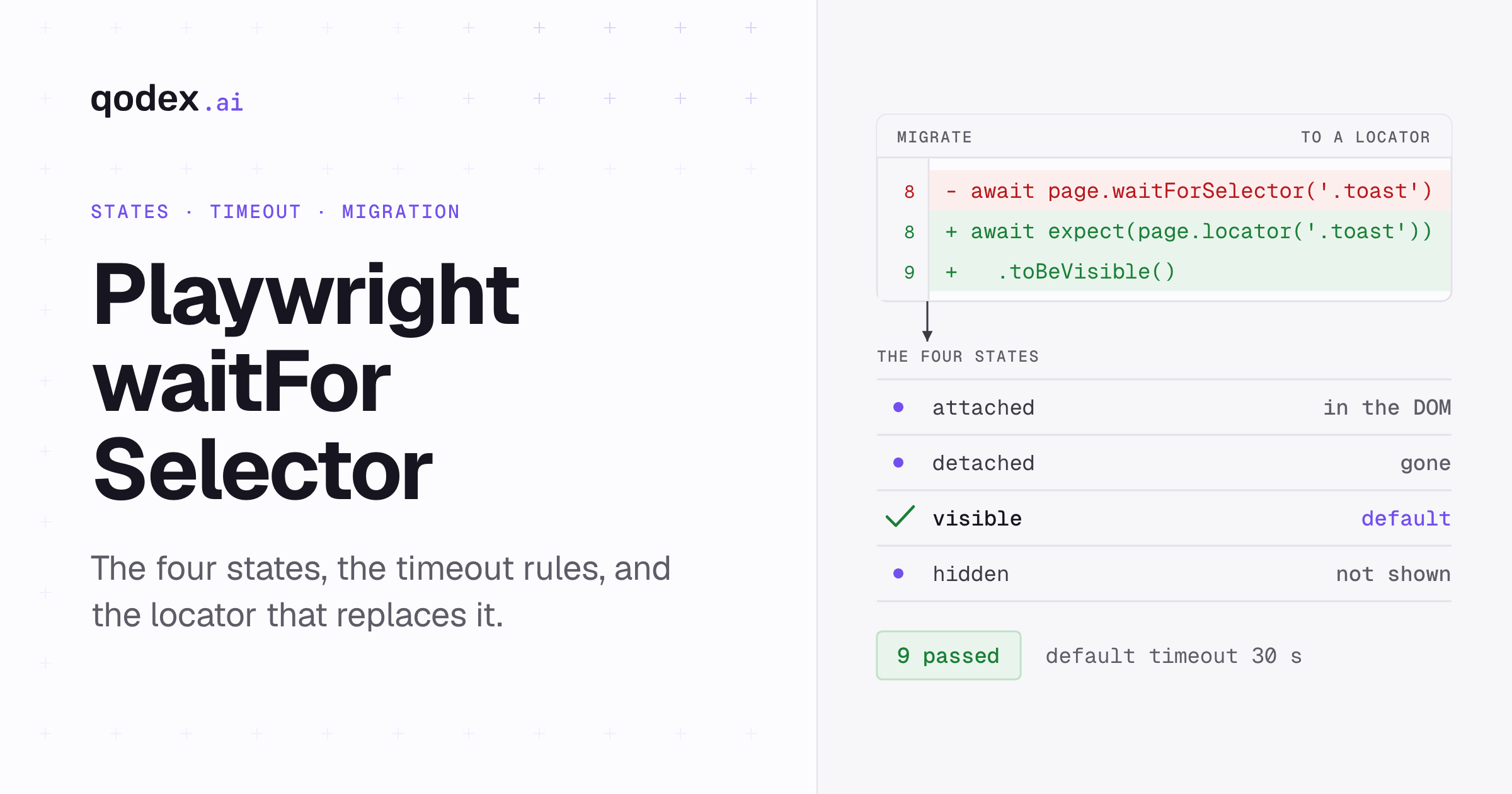
Playwright waitForSelector, written page.waitForSelector(selector, options), waits until a selector reaches visible, attached, hidden or detached, then returns an ElementHandle or null for hidden and detached. In Playwright 1.63.0 it is discouraged. Prefer locator actions, which auto-wait, and web-first expect assertions, which retry. Use locator.waitFor() only when you need an explicit state wait without making an assertion.
If the waits in your suite are the problem, Qodex writes the flow for you: it drives the real app, brings back a screenshot of what broke, and saves the run as Playwright you own. See Qodex UI testing.
Checked with Playwright 1.63.0, read September 18, 2026. Every test on this page was run as printed, in one file, against local fixtures on that version: 9 tests, 9 passed. It is part of our UI testing guide.
Playwright waitForSelector signature and return value
The method takes a selector string and an optional options object. It resolves as soon as the selector satisfies the state you asked for. If the selector already satisfies it when you call, it returns straight away. If the condition is not met within the applicable timeout, it throws.
await page.waitForSelector(selector);
await page.waitForSelector(selector, options);
The tagged v1.63.0 source carries two overloads, and the pair is the reason the return type changes with the state you pass. This is an excerpt from Playwright's own source, not a block to run. Source: v1.63.0 page.ts, read September 19, 2026.
waitForSelector(selector: string, options: channels.FrameWaitForSelectorOptions & TimeoutOptions & { state: 'attached' | 'visible' }): Promise<ElementHandle<SVGElement | HTMLElement>>;
waitForSelector(selector: string, options?: channels.FrameWaitForSelectorOptions & TimeoutOptions): Promise<ElementHandle<SVGElement | HTMLElement> | null>;
Ask for attached or visible and the first overload applies, so you get a handle. Ask for hidden or detached and you fall to the second overload, where the API contract is null. Note what that does not say: a hidden element can still be attached, sitting in the DOM with an empty box or visibility:hidden. You get null because that is the return type for those states, not because nothing is there. The same method exists on a frame and works across navigations.
| Input | Type and default | What it does |
|---|---|---|
selector | Required string | The selector to query for. |
signal | Optional AbortSignal, added in 1.62 | Cancels the operation. It does not disable the default timeout. |
state | attached, detached, visible or hidden, default visible | The condition that ends the wait. |
strict | Optional boolean, added in 1.14 | When true, more than one match throws. |
timeout | Optional number, default 0, no timeout | Overridable by actionTimeout, browserContext.setDefaultTimeout() or page.setDefaultTimeout(). |
| Return | Promise<ElementHandle | null> | Null for the hidden and detached waits. |
Every row above comes from the Page API reference, read September 18, 2026.
Every test on this page belongs in one file, tests/waitforselector.spec.ts, in a fresh Playwright project. The import line at the top of the first block covers all of them, and the fixtures are built inline with page.setContent, so there is nothing to start and nothing to keep in sync. Run it with npx playwright test tests/waitforselector.spec.ts. This first test shows the two return shapes, including a hidden element that is still sitting in the DOM:
import { test, expect } from '@playwright/test';

test('the two return shapes', async ({ page }) => {
  await page.setContent(`
    <div id="ready">Loaded</div>
    <div id="gone" style="visibility:hidden">Hidden</div>
  `);

  const handle = await page.waitForSelector('#ready');
  expect(await handle.textContent()).toBe('Loaded');

  const nothing = await page.waitForSelector('#gone', { state: 'hidden' });
  expect(nothing).toBeNull();

  // The hidden element is still attached. Null is the return type, not the DOM.
  expect(await page.locator('#gone').count()).toBe(1);
});
The four states: attached, detached, visible and hidden
The state option is the whole method. Everything else is plumbing. attached waits for the element to be present in the DOM. detached waits for it to be gone from the DOM. visible, the default, waits for a match with a non-empty bounding box and no visibility:hidden computed style. hidden is the opposite of visible: it is satisfied when the element is detached, has an empty box, or has visibility:hidden.
Two details catch people out. An element with display:none has an empty bounding box, so it counts as hidden. An element with opacity:0 has a box, so it counts as visible even though nobody can see it. Both follow from Playwright's visibility definition, read September 18, 2026.
| Goal | Legacy state | Success condition | Return | Preferred API | Common trap |
|---|---|---|---|---|---|
| Element exists in the DOM | attached | A match is present in the DOM | ElementHandle | locator.waitFor({ state: 'attached' }) | Attached does not mean visible or actionable. |
| Element is gone from the DOM | detached | No match remains in the DOM | null | locator.waitFor({ state: 'detached' }) | Do not call handle methods on the null result. |
| Element can be seen | visible, the default | A match has a non-empty box and no visibility:hidden | ElementHandle | expect(locator).toBeVisible(), or just do the action | opacity:0 still counts as visible. |
| Element is absent or not shown | hidden | A match is detached, has an empty box, or is visibility:hidden | null | expect(locator).toBeHidden() | Hidden is broader than detached. |
A fixture that actually moves through all four states shows the returns lining up with the table. The timers are inside the fixture: a node is appended after 50ms, the panel is shown after 100ms, and the spinner is removed after 200ms. They make the attached, visible and hidden calls wait, and the final detached call confirms the removed state.
test('all four states, driven by timers', async ({ page }) => {
  await page.setContent(`
    <div id="panel" style="display:none">Panel</div>
    <div id="spinner">Loading</div>
    <script>
      setTimeout(function () {
        var late = document.createElement('div');
        late.id = 'late';
        late.textContent = 'Lazy panel';
        document.body.appendChild(late);
      }, 50);
      setTimeout(function () {
        document.getElementById('panel').style.display = 'block';
      }, 100);
      setTimeout(function () {
        document.getElementById('spinner').remove();
      }, 200);
    </script>
  `);

  expect(await page.waitForSelector('#late', { state: 'attached' })).not.toBeNull();
  expect(await page.waitForSelector('#panel', { state: 'visible' })).not.toBeNull();
  expect(await page.waitForSelector('#spinner', { state: 'hidden' })).toBeNull();
  expect(await page.waitForSelector('#spinner', { state: 'detached' })).toBeNull();
});
Pick the state by what you mean, not by what makes the test pass. A wait for attached that is really a wait for "the user can click this" will pass early and fail later in the run, somewhere less obvious.
Timeout behavior and the three timeout scopes
Three separate clocks can end a wait, and mixing them up is the usual reason a timeout number has no effect.
The method timeout.
waitForSelector({ timeout })defaults to0, meaning no method timeout. Pass a number, or setactionTimeoutin the config, or callpage.setDefaultTimeout()orbrowserContext.setDefaultTimeout(), and that becomes the limit.The test timeout. Playwright Test caps each test at 30,000 ms by default, and the docs are explicit about what that budget covers: "Time spent by the test function, fixture setups, and beforeEach hooks is included in the test timeout." A slow fixture therefore eats the same 30 seconds your wait is spending.
The expect timeout. Auto-retrying assertions have their own default of 5,000 ms, set in the config under
expector overridden per assertion.
The defaults and the quoted line come from the timeouts guide, read September 19, 2026. Because the method and the test are separate scopes, timeout: 0 disables the method's own limit but leaves the enclosing test free to end the run at 30 seconds. That last sentence follows from the two documented scopes rather than from one line of the docs.
Per-call method and assertion overrides belong in the spec. A method timeout ends one call, and the message names the method and the number it exceeded, so this test asserts the rejection and passes:
test('the method timeout ends one call', async ({ page }) => {
  await page.setContent('<div id="status">Pending</div>');

  // Method scope: this call, and only this call.
  await expect(page.waitForSelector('#never', { timeout: 1000 }))
    .rejects.toThrow(/Timeout 1000ms exceeded/);

  // Assertion scope: the retry budget for one expect.
  await expect(page.locator('#status')).toHaveText('Pending', { timeout: 10_000 });
});
Suite-wide test, expect and action-timeout defaults belong in playwright.config.ts. This is an excerpt from playwright.config.ts rather than a block you paste into the spec:
import { defineConfig } from '@playwright/test';

// Config scope: the defaults every test inherits.
export default defineConfig({
  timeout: 30_000,
  expect: { timeout: 5_000 },
  use: { actionTimeout: 10_000 },
});
Raising a number is the last move, not the first. A wait that needs 30 seconds is usually waiting for the wrong thing. Work outward through the scopes when a number has no effect: check whether the method timeout is being set by actionTimeout in the config rather than at the call site, then whether the enclosing test is the thing running out of budget, then whether the failure is really an assertion retry expiring at 5,000 ms.
Why Playwright discourages waitForSelector
Playwright labels the method "Discouraged" on its own API page and says: "Use web assertions that assert visibility or a locator-based locator.waitFor() instead." The same entry adds: "Using Locator objects and web-first assertions makes the code wait-for-selector-free." Both lines are quoted from the Page API reference, read September 18, 2026. Discouraged is not deprecated. The method still works in 1.63.0 and nothing in the release notes removes it.
Three behaviors explain the advice. First, locator actions already wait: a click runs its actionability checks before it fires, so a wait in front of it repeats work the action does anyway. Second, a locator stores how to find the element, while an ElementHandle points at one node. Re-render that part of the page and the handle is stale while the locator finds the new node. Third, web-first assertions re-fetch and re-check until the condition holds or their timeout expires, so they express the outcome you care about instead of a step on the way to it.
Playwright puts the same conclusion as a caution on its handles page: "We only recommend using ElementHandle in the rare cases when you need to perform extensive DOM traversal on a static page. For all user actions and assertions use locator instead." Source: the handles guide, read September 19, 2026. A static page is the operative word. The moment the DOM under your handle can be replaced, the handle becomes a record of what was there rather than a way to reach what is there now.
Migrate to locators and web-first assertions
If the explicit waits came over from a Selenium suite, Playwright vs Selenium explains how the two waiting models differ. This page covers four migration patterns for legacy calls. Each test below runs the before and the after against the same fixture, so both halves are proved to work and you can see what the rewrite drops.
1. A wait in front of an action. Delete it. The action waits for the element to be visible, stable, enabled and able to receive events before it clicks.
test('migration 1: drop the wait in front of the action', async ({ page }) => {
  await page.setContent('<button type="submit">Submit</button>');

  // Before
  await page.waitForSelector('button[type="submit"]', { state: 'visible' });
  await page.locator('button[type="submit"]').click();

  // After
  await page.getByRole('button', { name: 'Submit' }).click();
});
The rewrite also moves the selector to a role, which is how a user finds the control. Our getByRole reference covers the role and name arguments, and the locator builder turns a piece of HTML into the recommended locator.
2. A wait, then a read from the handle. This is the pattern that goes flaky, because the read happens once against a node captured earlier. State the outcome instead and let it retry.
test('migration 2: assert the outcome instead of reading a handle', async ({ page }) => {
  await page.setContent('<div data-testid="status">Submitted</div>');

  // Before
  const status = await page.waitForSelector('[data-testid="status"]');
  expect(await status.textContent()).toBe('Submitted');

  // After
  await expect(page.getByTestId('status')).toHaveText('Submitted');
});
3. A wait for something to go away. Spinner waits are the usual case. Assert the user-visible condition and the assertion retries until it holds.
test('migration 3: assert hidden instead of waiting for hidden', async ({ page }) => {
  await page.setContent(`
    <div class="spinner">Loading</div>
    <script>
      setTimeout(function () {
        document.querySelector('.spinner').remove();
      }, 100);
    </script>
  `);

  // Before
  await page.waitForSelector('.spinner', { state: 'hidden' });

  // After
  await expect(page.locator('.spinner')).toBeHidden();
});
4. A state wait you actually meant. Sometimes you want to block until something is attached, with no claim about the test passing or failing. That is what locator.waitFor() is for.
test('migration 4: a state-only wait belongs on the locator', async ({ page }) => {
  await page.setContent(`
    <div>Ready</div>
    <script>
      setTimeout(function () {
        var panel = document.createElement('div');
        panel.setAttribute('data-testid', 'lazy-panel');
        document.body.appendChild(panel);
      }, 100);
    </script>
  `);

  // State-only wait, no assertion intended
  await page.getByTestId('lazy-panel').waitFor({ state: 'attached' });
});
Two more cases are worth having in hand. Overriding the timeout works the same way on the new APIs: pass it to the assertion, or to waitFor(), or set the default in the config. And a selector that matches more than one element fails under strict: true, which is a signal to name the element rather than take the first match.
test('strict rejects two matches, the accessible name picks one', async ({ page }) => {
  await page.setContent(`
    <button>Save</button>
    <button aria-label="Save draft">Save</button>
  `);

  // Throws: strict mode violation, locator('button') resolved to 2 elements
  await expect(page.waitForSelector('button', { strict: true, timeout: 2000 }))
    .rejects.toThrow(/strict mode violation/);

  // Passes: the accessible name picks one
  await page.getByRole('button', { name: 'Save draft' }).waitFor();
});
Migrate a file at a time and run it. If a wait was hiding a real race, removing it surfaces the race instead of the symptom, which is the point. The full matcher list is in our Playwright assertions reference.
Common errors and exact fixes
The page covers six failures. Every message quoted below was printed by Playwright 1.63.0 in the local run for this page.
TimeoutError.
page.waitForSelector: Timeout 1000ms exceeded.The state was not reached in time. Read the call log under the message: it names the selector and the state it was waiting for. Check the selector and the state before you raise the number.Strict mode violation.
strict mode violation: locator('button') resolved to 2 elements. The fix is a unique locator, usually a role with an accessible name or a test id, not the first match.A Locator passed where a string belongs.
page.waitForSelector: selector: expected string, got object. The method takes a selector string. If you already hold a locator, calllocator.waitFor()on it, as issue 31498 concluded, read September 18, 2026.options.visibility is not supported. The client throws
options.visibility is not supported, did you mean options.state?. Its sibling,options.waitFor, throws the same way unless the value is the historicalvisible. Both checks are in the v1.63.0frame.tssource.Reading a property of null. Hidden and detached waits return
null, so the next line cannot calltextContent()on the result. If you wanted an element, you wanted a different state.A stale handle after a re-render. The handle still points at the node you captured. After the component replaces that node, reading the handle still returns the old text, while a locator finds the new one. This test proves both halves:
test('a handle goes stale where a locator does not', async ({ page }) => {
  await page.setContent('<div id="row">first</div>');
  const handle = await page.waitForSelector('#row');

  // Replace the node, the way a re-render would.
  await page.evaluate(() => {
    document.getElementById('row').remove();
    const fresh = document.createElement('div');
    fresh.id = 'row';
    fresh.textContent = 'second';
    document.body.appendChild(fresh);
  });

  // The handle still answers, with the text of the node that is gone.
  expect(await handle.textContent()).toBe('first');

  // The locator re-resolves and finds the node that is there now.
  await expect(page.locator('#row')).toHaveText('second');
});
That is the failure mode worth remembering. The stale handle does not throw and does not warn. It quietly answers with the old value, so the assertion built on it passes or fails for reasons that have nothing to do with the current page.
Frequently Asked Questions
Is page.waitForSelector() deprecated or discouraged?
Discouraged, which is Playwright's own word on the API page. It is not deprecated and it still works in 1.63.0. The docs recommend web assertions that assert visibility, or locator.waitFor(), instead. Existing calls still run in 1.63.0, so migrate them when you touch the file rather than in one sweep. That is a statement about 1.63.0, not a promise about later releases.
What is the default waitForSelector state?
visible. That means a match with a non-empty bounding box and no visibility:hidden computed style. An element with display:none is not visible by that rule, and an element with opacity:0 is.
What is the default timeout in Playwright 1.63?
The method option defaults to 0, no timeout. That is separate from the 30,000 ms test timeout and the 5,000 ms assertion timeout, both of which are Playwright Test defaults. The method value can also be set by actionTimeout in the config or by page.setDefaultTimeout().
What is the difference between hidden and detached?
detached is satisfied only when no match is in the DOM. hidden is satisfied when the element is detached, or has an empty bounding box, or has visibility:hidden. Hidden is the broader condition, so a hidden wait also passes for an element that never existed.
Does waitForSelector return a Locator or an ElementHandle?
An ElementHandle for the attached and visible states, and null for hidden and detached. It never returns a locator. That is the difference that makes the handle go stale when the element is re-rendered.
Should I use locator.waitFor() or expect(locator)?
Use expect when the condition is part of what the test proves, because a failed assertion is a meaningful failure message. Use locator.waitFor() when you only need to block until a state is reached and the real check comes later. Most of the time you need neither, because the action waits.
Why does page.waitForSelector(locator) fail?
Because the first argument is typed as a selector string. Passing a locator object produces selector: expected string, got object. Call waitFor() on the locator you already built, or pass the action straight to the locator.
When is an explicit selector wait still justified?
When you need a DOM state that no action and no assertion expresses: waiting for a lazily mounted node before you start measuring, or for a background element to detach before a second flow begins. Even then, write it as locator.waitFor() so the wait re-resolves the element.