Functional Testing vs Regression Testing: Differences and When to Use Each
Functional testing checks that a feature does what its requirement says. Regression testing checks that a change did not break behavior that worked. The first names what a test verifies, the second why it runs again. The same test does both: it proves a requirement when the feature is built, then guards it when a later change touches the area.
If you want your functional and regression tests written, run and maintained for you, Qodex does both from one suite on every pull request.
Functional testing vs regression testing at a glance.
| Dimension | Functional testing | Regression testing |
|---|---|---|
| Trigger | Behavior is built or changed and has to be checked against its requirement | A change that can reach the area: feature, bug fix, dependency, configuration, environment |
| Scope | The behavior being built: positive, negative and boundary cases of one requirement | Unchanged areas the change can reach, chosen by impact and risk, plus a small critical path |
| Who owns it | Developer and product owner define the expected behavior, QA reviews scenarios and evidence | Engineering owns the green build, QA owns selection rules, quarantine and triage |
| Tooling | Direct API tests, browser tests where the user flow matters | The same files, selected by tags, path filters and change-to-test mapping, plus scheduled runs |
| Pass criteria | Every acceptance criterion passes | No selected check fails, and each failure is classified as product, test or environment |
| When it runs | While the feature is built, on the branch or pull request | Selected set on pull requests that touch the area, broader after merge, every stable, non-quarantined test nightly and before release |
| What it is not designed to catch | Side effects in code it was not written to check | A requirement nobody wrote a test for, and whether the new behavior is right |
Trigger and scope follow the ISTQB definitions below. Owner, tooling and pass criteria are this page's recommendation.
What functional testing checks
ISTQB defines functional testing as "A test type to determine the functional suitability of a test object." In plainer words: does the software do what the requirement says, judged from the inputs you send and the outputs you see.
Take one requirement from a checkout API: a customer cannot buy more of an item than the warehouse holds. Ask for 999 units of a product with fewer than that in stock and the API should refuse and say why. A functional test checks a running system honors that.
One requirement usually needs several checks:
The positive path. A quantity within stock is accepted and the order is created.
The negative path. A quantity above stock is refused, with the status code and error body the contract promises.
The boundaries. The exact available quantity, one more than that, and zero or a negative number. Decide what each should return, then assert it.
The acceptance criteria. Whatever the story said counts as done, written as assertions rather than prose.
Functional testing is a test type, not a test level. The same question, does this behave as specified, gets asked of one function in a unit test, of two services in an integration test, and of the whole product through its API. For the process end to end, see the full functional testing process.
What regression testing checks after a change
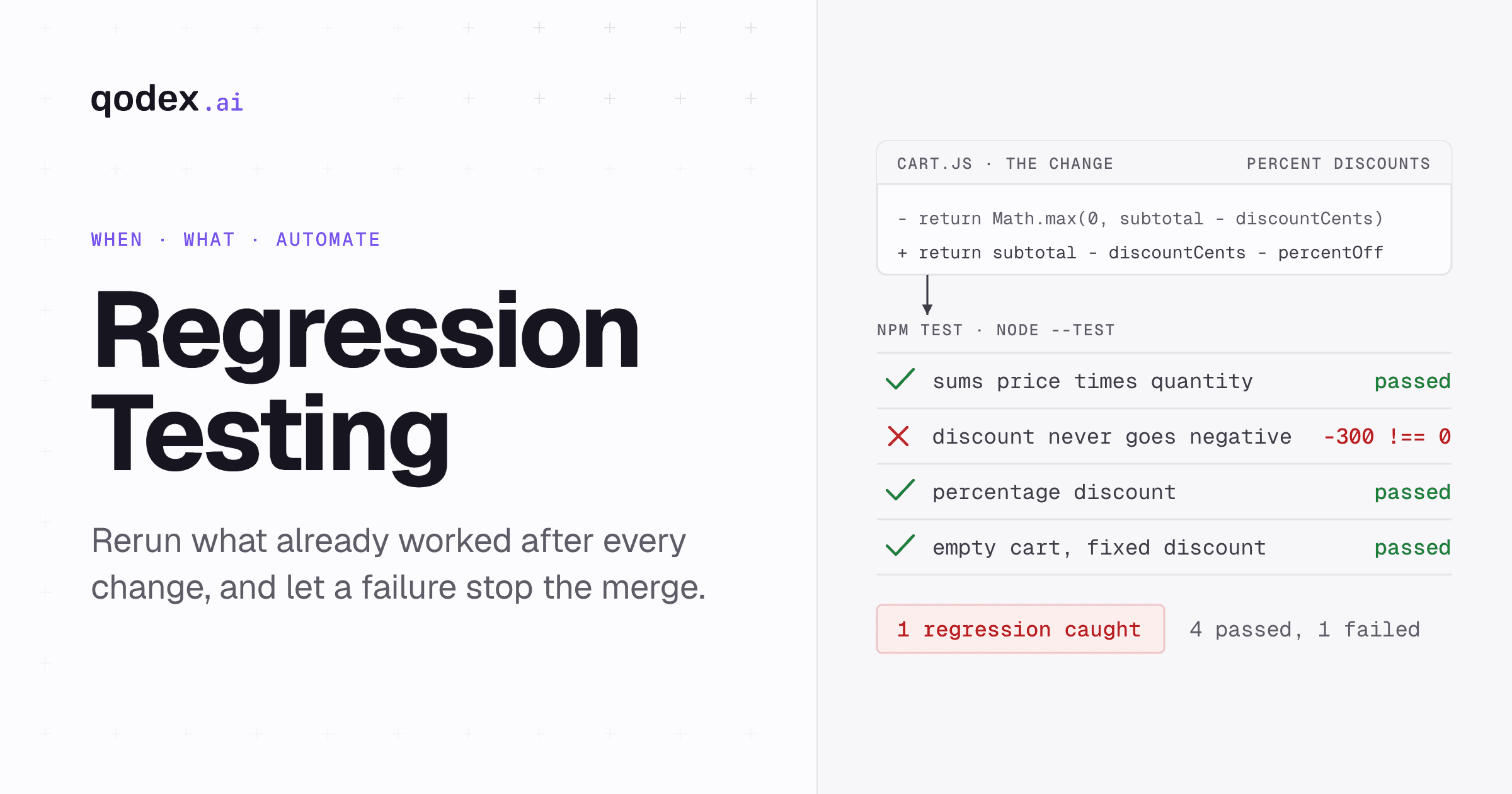
ISTQB defines regression testing as "A type of change-related testing to detect whether defects have been introduced or uncovered in unchanged areas of the software." Two phrases there carry the meaning, and both get misread.
Change-related. Regression is not a level of testing and not a phase at the end. It is a reason to run tests again, and those tests can be unit, API or browser tests. A run is a regression run because something changed and you want to know whether anything that worked stopped working.
Unchanged areas. The target is code nobody meant to touch, so the scope is set by what the change can reach, not by how large the product is. A shared currency formatter reaches every screen that prints money. One flag default may reach a single endpoint. Neither implies rerunning everything.
Anything that can alter behavior is a trigger: a new feature, a bug fix, a dependency update including transitive ones you did not choose. Configuration changes count too, such as a flag, a timeout or a role definition, and so do environment changes, such as a runtime version or an expired certificate.
Which tests to keep, and how to keep the set worth running, is its own subject. See our regression testing guide.
Functional testing vs regression testing: how they overlap
Put the two definitions side by side and the relationship falls out. "Functional" describes what is checked: a behavior, against its requirement. "Regression" describes why it runs now: something changed. Different axes, so one test can sit on both. That is drawn from the two definitions above, not a third ISTQB term.
The life of a single test:
A requirement arrives. Reject a checkout quantity above available stock.
Someone writes a test against it. It fails, because the rule does not exist yet.
The code lands and the test passes. That run is functional testing: it proved the requirement.
The test stays in the suite, tagged with the component it covers and what a failure would cost.
Weeks later a change touches cart totals. The same file is selected and runs again. That run is regression testing: nothing about checkout was meant to change, and this checks nothing did.
Same file, same assertions, two jobs. Nothing copied, nothing rewritten.
Which comes first has no universal answer. Acceptance checks are written while the feature is built, and existing regression checks usually run on the same pull request. Across the life of one test, the functional run comes first, and every run after a change that can reach the covered area is a regression run.
When to run each in a CI/CD pipeline
GitHub Actions starts a workflow from repository activity, at a scheduled time, or from an event outside GitHub. Two details there shape most pipelines. The pull_request event, with no activity types listed, runs when a pull request is opened or reopened and when its head branch is updated, so every push retriggers it. Scheduled workflows run on the latest commit of the default branch, which is why a nightly job tests main, not anyone's branch.
Changed-path filters are a filter on those events, not a third kind of trigger. They narrow a pull request workflow to runs where files under given paths changed, which is the crudest test selection there is and a fair first cut.
The schedule below is a recommended operating model, not something GitHub or ISTQB mandates.
| Trigger | Functional scope | Regression scope | Pass criteria |
|---|---|---|---|
| Pull request opened or updated | Acceptance checks for the changed behavior: positive, negative, boundary | Impacted existing tests plus a small critical-path set | Every new acceptance criterion passes and no selected check regresses |
| Merge to the default branch | The new checks join the canonical suite | Broader critical and integration set | New behavior still passes in the integrated build, all blocking checks pass |
| Nightly schedule | Recheck active feature behavior in the shared environment | Every stable, non-quarantined test, parallelized where possible | All non-quarantined checks pass, failures classified before any release decision |
| Pre-release gate | Release acceptance and environment-specific configuration checks | The full release-relevant set against the target environment | No unresolved blocking failure |
Ownership does not change per row, so it is not a column. Developer and product owner decide the expected behavior, QA owns selection rules and triage, engineering owns the green build. For wiring the jobs, see continuous integration testing.
How to run both without doubling the test suite
Keep one executable test per behavior. One file, one set of assertions, one place to fix when it changes on purpose. Never copy a test into a "functional" folder and a "regression" folder: the copies drift, and the team stops trusting both.
What varies is the selection, not the test. Tag each test with the feature or component it covers, what a failure would cost, and what has to exist for it to run, then let the trigger decide what gets picked.
A pull request runs the acceptance checks for the change plus the existing tests it can reach. The nightly job runs every stable, non-quarantined test and ignores the tags. Tags say what a test covers and what it is worth, never whether it is "functional" or "regression". That lives in why the run happened.
Automate the stable, repeated, high-value checks first. A check that runs on every pull request earns its maintenance. One on a screen that is about to be redesigned does not. Behavior that is expensive to get wrong, money, permissions, data loss, is worth automating even when it runs rarely. Tools that pick the set from the diff are covered in AI regression testing.
Choose regression tests with impact analysis and risk
Two ISTQB terms define the method. Impact analysis is "The identification of all work products affected by a change, including an estimate of the resources needed to accomplish the change." Risk-based testing is "A test approach in which the management, selection, prioritization, and use of test activities and resources are based on corresponding risk types and risk levels." Impact analysis says which tests could matter, risk says which run first.
Map the change to tests. List the changed files, contracts, endpoints and dependencies, then find the tests that exercise them. That is impact analysis applied to a suite.
Add newly added and recently failing tests. Microsoft's Test Impact Analysis documentation describes its selector as including impacted tests, previously failing tests, and newly added tests.
Order the set by risk. Business risk is what a failure costs, technical risk is how likely the area is to break. Run the top first.
Always include a small critical path. Sign in, checkout, billing, whatever cannot ship broken. It runs whether or not the diff touched it, because impact analysis only sees dependencies it knows.
Run the full suite periodically and compare. Microsoft's documentation recommends a periodic full run and calls it the means to regulate test selection. A failure it catches that the selected run missed is a bug in your selection.
One rule keeps a fast run defensible: record why each test was selected, the commit, the environment and the test revision. More in risk-based test prioritization.
ISO/IEC/IEEE 29119-2:2021 lists planning, design, environment and data management, execution and incident reporting as separate processes, so scope, scheduling and reporting are decisions you make, not things a test label settles.
Worked example: one checkout rule, first as a functional test, then as a regression test
Here is the stock rule as one Playwright API testing file, written from the requirement while the feature is built.
import { test, expect } from '@playwright/test';

test('checkout rejects a quantity above available stock', {
  tag: ['@checkout', '@critical'],
}, async ({ request }) => {
  const response = await request.post(`${process.env.API_URL}/checkout`, {
    data: { sku: 'SKU-1', quantity: 999 },
  });

  expect(response.status()).toBe(409);
  expect(await response.json()).toMatchObject({
    code: 'INSUFFICIENT_STOCK',
  });
});
On the pull request that introduces the rule, this file fails against the old code, which proves it tests something. The rule lands, the file passes, the reviewer has evidence. That run is functional testing.
After merge the file stays put. Its tags say what it covers, @checkout, and what a failure costs, @critical. Neither says "functional" or "regression", because the file is not one or the other.
Weeks later a different pull request changes how cart totals are computed. Nobody intends to touch the stock rule. Change-to-test mapping sees the diff reaches checkout, selects every @checkout test, and this file runs again unchanged. If the refactor dropped the stock check, this is where it fails. That run is regression testing, same file, no copy.
# Pull request that changes checkout
npx playwright test --grep @checkout

# Scheduled full regression run
npx playwright test
The first command is the selected run. The second is the nightly job, which takes no filter and so does not depend on the selector being right.
How Qodex runs one scenario as both
Qodex writes API scenarios from an OpenAPI spec, a Postman collection, a spreadsheet of endpoints, or a one-sentence brief, with auth and role boundaries included. Authoring is the only step that uses a model. Every replay after it is Playwright and HTTP code with no model call, so a replay costs $0 in model spend and a nightly full-suite run is a checkbox, not a budget line.
It runs against the pull request's own preview, and on demand, on a schedule, from CI, a deploy hook or any webhook. Every failure comes back with the failing request, the response and a screenshot. Each one is classified as a real bug, a stale test with the repair proposed as a diff you approve, or an environment issue that is flagged and not counted. The tests are standard Playwright and HTTP code, synced to git.
Which maps onto this page: a scenario proves the requirement on the pull request that introduces it, then replays as the regression check whenever a later change reaches the code it covers.
Run API tests on every pull request with Qodex.
Common mistakes
Treating the two as a choice. Framing this as one or the other puts them on a single axis. They are not, and one file often does both jobs.
Equating regression with an end-to-end run of the whole product. Regression means change-related. It says nothing about level or breadth. A regression run can include API and unit tests selected by impact, with a few journeys on top.
Keeping duplicate cases in two folders. One copy gets updated when the behavior changes and the other does not. You end up with a failing test nobody trusts and a passing test on the old contract.
Running everything on every push. The run gets slow, people stop reading it, and flaky failures get rerun until green. Select on the branch, run every stable, non-quarantined test on a schedule.
Letting a tool change an expected value to make a test pass. A repaired locator is maintenance. A changed assertion changes what the test expects, so a person has to approve the diff.
Mixing this up with functional versus non-functional testing. That is a different question, about which quality characteristic is checked: behavior, or performance, security and usability. See the functional and non-functional testing checklist.
Frequently Asked Questions
What is the main difference between functional testing and regression testing?
Functional testing checks whether a behavior matches its requirement. Regression testing checks whether a change broke behavior that already worked. One is about what a test verifies, the other about why it runs again. The two sit on different axes, so the same test can do both jobs.
Can the same test case be both functional and regression testing?
Yes, it can be. Written against a new requirement, it proves the feature works, which is functional testing. Rerun when a later change reaches that area, the same file guards behavior nobody meant to touch, which is regression testing.
Which comes first, functional testing or regression testing?
No universal order. On a single pull request, existing regression checks often run before the new feature is accepted. Across the life of one test, the functional run comes first, and every run after a change that can reach the covered area is a regression run.
When should you do regression testing?
After any change that can reach existing behavior: a new feature, a bug fix, a dependency update, a configuration change such as a flag or timeout, or an environment change such as a runtime version. Run the impacted set on the pull request, the full suite on a schedule.
Can you give an example of a functional test?
A checkout API must refuse an order for more units than are in stock. The test posts a quantity of 999 for an item with less stock than that and asserts a 409 response with an INSUFFICIENT_STOCK error code. It fails before the rule is written, passes after.
What is an example of regression testing?
That same checkout test, running weeks later on a pull request that changes how cart totals are computed. Nothing about the stock rule was meant to change. If the refactor dropped the check, the unchanged file fails and the bug is caught before merge.
Do you need to run the full regression suite after every change?
No. Run the tests the change can reach plus a small critical path on each pull request, and the full stable suite nightly and before a release. Compare the full run's failures with the selected run, because that tells you the selector works.
Is regression testing the same as retesting?
No. Retesting reruns the exact case that failed, to confirm a fix works. Regression testing runs other tests, over unchanged areas the fix could have disturbed. A fix needs both: proof that the bug is gone, and proof that the fix broke nothing else. The comparison is in retesting vs regression testing.
The short version
Functional and regression are not two suites to build. One says what a test checks, the other says why it runs again, so the same test can be both.